
⏱️ Quick Answer: How to Fix the UIDAI Response Error
The error “request could not be completed in absence of response from uidai” occurs when a third-party portal (like a bank, telecom operator, or EPFO) fails to receive a timely authentication response from the central servers. This is almost always caused by UIDAI server downtime, heavy traffic, or network timeouts. To fix it, wait 10–15 minutes, clear your browser cache, ensure your internet connection is stable, or try initiating the request during off-peak hours.
Few things are more frustrating than being stuck midway through an important online verification. Whether you are trying to link your PAN, complete an e-KYC process for a new SIM card, update your provident fund (EPFO) details, or verify banking credentials, encountering an authentication failure can halt your productivity entirely.
One of the most common technical hurdles encountered during these verifications is the message: “error request could not be completed in absence of response from uidai. please retry after sometime”. This comprehensive guide breaks down exactly what this error means, why it happens, and the practical steps you can take to bypass it.
What Does “Absence of Response from UIDAI” Mean?
To understand this error, it helps to understand how online verification works behind the scenes. When you enter your identification details on a portal and click “Verify” or “Request OTP,” a secure digital request is sent from that portal’s application server straight to the central servers managed by the Unique Identification Authority of India (UIDAI).
The UIDAI server is responsible for cross-checking your data and returning a simple “Yes” (Match) or “No” (Mismatch) token, or generating an OTP. If the portal’s server waits for this confirmation but the central server fails to reply within a predefined timeframe (usually a few seconds), the connection times out. The application then displays this error because it cannot proceed without that crucial validation data.
Primary Root Causes of the Error
While the error message points directly to the central authority, the bottleneck can sometimes exist at different points along the network path. The table below outlines the most frequent culprits:
| Cause | What is Happening | Who is Responsible? |
|---|---|---|
| Central Server Downtime | The central verification servers are undergoing unscheduled maintenance or facing unexpected outages. | UIDAI |
| High Traffic Spikes | Millions of users attempting authentication simultaneously (e.g., during tax deadlines or major scheme rollouts) clog the gateway. | UIDAI / Network Infrastructure |
| API Gateway Failures | The bridging API used by the host portal (Bank, EPFO, etc.) fails to communicate cleanly with the government gateway. | Host Portal / Third-Party Vendor |
| Local Network Latency | Your own internet connection dropped packets or lagged precisely when the authorization handshake was initiated. | User / Internet Service Provider |
—
Step-by-Step Troubleshooting Guide
If you encounter this message, follow these actionable steps to resolve the issue or determine if it requires a longer wait:
1. Implement the 15-Minute Rule
Because the vast majority of these errors stem from temporary server congestion or minor network blips, the most effective solution is simply patience. Close the verification window, wait 15 minutes, and try again. This allows temporary traffic queues on the server side to clear out.
2. Clear Browser Cache and Cookies
Sometimes, your web browser stores a corrupted session state or cached error page. When you hit “retry,” it may simply reload the broken state instead of sending a fresh request.
- Press Ctrl + Shift + Delete (Windows) or Cmd + Shift + Delete (Mac).
- Select “Cached images and files” and “Cookies”.
- Clear the data, restart your browser, and try logging in again.
3. Switch Your Browser or Use Incognito Mode
Extensions, ad-blockers, or JavaScript configurations in your primary browser can interfere with secure authentication scripts. Open a private/Incognito window or switch to an entirely different browser (such as Microsoft Edge, Google Chrome, or Mozilla Firefox) to eliminate local software conflicts.
4. Verify Your Internet Stability
A weak or intermittent mobile data connection can cause data packet loss. If you are on mobile data, try switching to a stable Wi-Fi connection, or vice versa, to ensure your local connection isn’t dropping mid-request.
5. Attempt Operations During Off-Peak Hours
If you are attempting an action with high public volume (like checking a government portal during normal working hours), try performing the transaction early in the morning (before 8 AM) or later in the evening (after 9 PM). The lower server loads dramatically reduce the chances of a timeout.
—
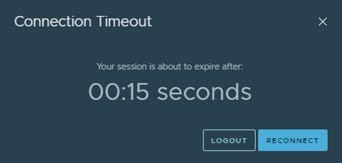
Visualizing the Server Timeout: When the application waits for a response that doesn’t arrive in time.
—
How to Check if UIDAI Servers are Down?
If you have tried multiple times over an hour and continue to see the same error, the issue is likely a widespread outage. While UIDAI does not always publish real-time server statuses on a public dashboard, you can confirm outages via alternative methods:
- Check Social Media Channels: Look up recent posts on platforms like X (formerly Twitter) using terms like “UIDAI down” or “Aadhaar server error”. If it is a major issue, multiple users will be reporting identical problems.
- Monitor Official Portals: Visit the official Resident Portal directly. If the main website loads incredibly slowly or shows an internal server error code (like 502 or 503), the entire infrastructure is likely facing issues.
—
📌 TL;DR: Just the Essentials
- The Problem: The service provider’s app timed out because the central verification server did not reply fast enough.
- The Culprit: Usually server maintenance, system congestion, or minor technical glitches on the central network.
- Quickest Fixes: Wait 15 minutes and retry; switch to Incognito/Private browsing mode; or try completing the transaction during early morning or late night off-peak hours.
- Action Item: Do not repeatedly hit the submit button in rapid succession, as this can lock your account session or generate multiple conflicting requests.

Pingback: Fix "Unknown Error Occurred ChatGPT File Upload" (Fast & Easy) - Seminarsonly.com