
You spotted 5.6.8.4.7-p9.8 on a screen, your stomach did a little flip, and now you are here trying to work out how bad it is. Good instinct. Here is the calm truth up front: this is not a real error code, and the fact that it looks so oddly specific is exactly what should make you suspicious. Stick with me for four minutes and you will not only know what this string is, you will be able to size up any mystery code you ever meet again.
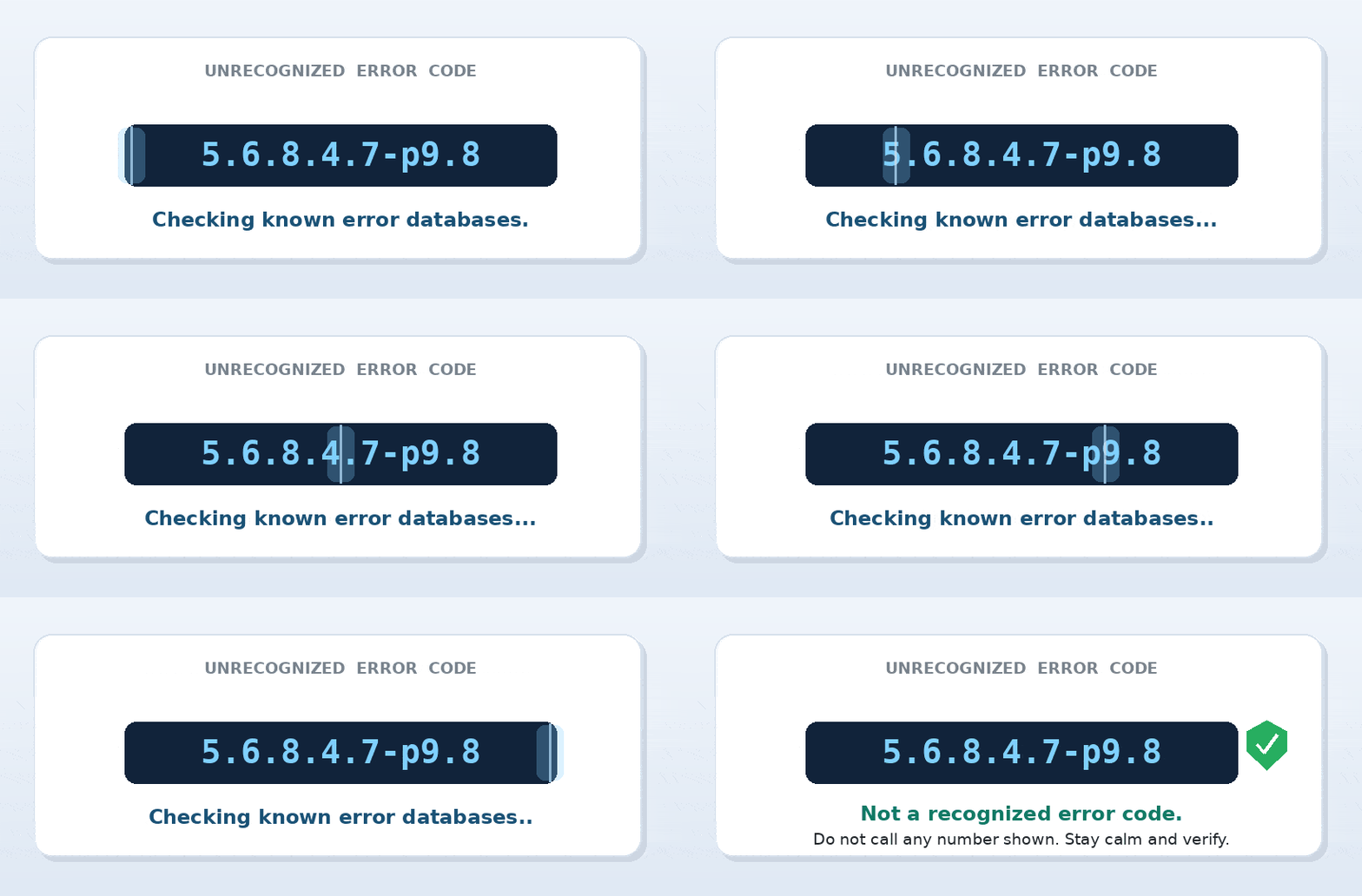
Quick answer: “Error code 5.6.8.4.7-p9.8” is not a recognized code from any operating system, app, or service. Its format matches no real error scheme (HTTP, SMTP, Windows, or vendor codes), and it returns no genuine results. If it appeared in a pop-up, treat it as a likely tech-support scam: do not call any number shown, do not allow remote access, and close the window. If a chatbot produced it, it was almost certainly invented. Identify the real source before you act on any code.
So, is 5.6.8.4.7-p9.8 a real error code?
No. I checked it against vendor support documentation and the databases people normally rely on, and it leads nowhere. But you do not need a search engine to smell something off here. Real error codes are built to be looked up, which means they stay short and stick to a published pattern. This string breaks every one of those habits: five separate number groups, then a stray “-p9.8” on the end. Nothing legitimate is shaped like that. A code that looks complicated is not the same as a code that is real, and scammers count on people confusing the two.
How to spot a fake code in about ten seconds
Once you know the common schemes, the fakes practically announce themselves. Here are the three you will run into most.
HTTP status codes
Always three digits, between 100 and 599, sorted into families. A 404 means a page is missing, a 500 means the server tripped over itself. You will never see a valid HTTP code with five segments and a letter.
SMTP enhanced status codes
This is the format “5.6.8.4.7” is clumsily imitating. Email delivery codes follow a class.subject.detail pattern, so exactly three parts, like 5.7.1 for a blocked message. They start with 5 for a hard failure, which is probably why the fake also opens with 5. But three parts is the ceiling. Five parts is a giveaway.
Windows and app codes
Windows usually serves hexadecimal values such as 0x80070005. Apps and consoles each keep their own tidy shape: a PlayStation code reads like CE-108255-1, an Apple restore code is a plain number like 4013. Every one of them is listed on the maker’s own support site. If you cannot name the maker, the code is suspect.
Error 429 Too Many Requests: Causes and How to Fix It (2026 Guide)
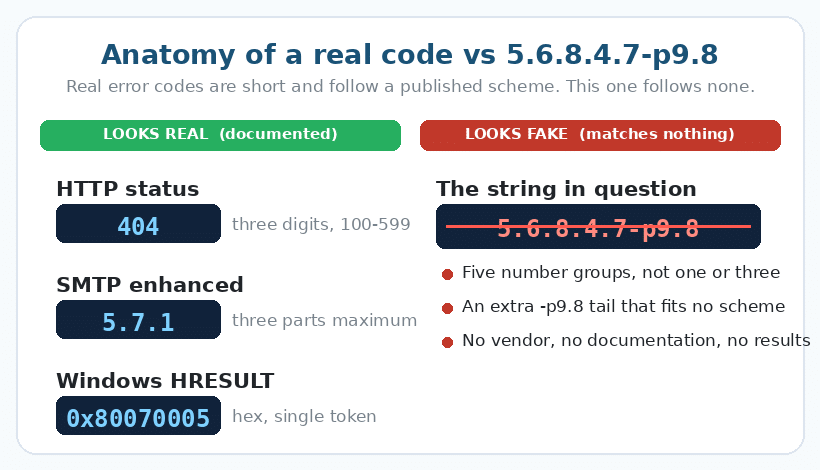
Real code vs suspicious code, side by side
| What to check | Genuine error code | Code like 5.6.8.4.7-p9.8 |
|---|---|---|
| Format | Short, fits a known scheme | Long, fits no scheme |
| Search results | Documented by the vendor | No genuine results anywhere |
| Who issued it | Clear (the app or the OS) | Unknown or never stated |
| What it wants from you | Offers a fix or a doc link | Tells you to call a number |
| Tone | Neutral and informational | Urgent, alarming, countdowns |
Why a code like this lands on your screen
There are only a few realistic explanations, and your next move depends on which one fits.
It is a tech-support scam pop-up. Invented codes are the calling card of these scams. The page conjures an official-looking error, bolts on a phone number, and pressures you to call so a stranger can take over your machine. The code is pure theatre.
It is an AI hallucination. If a chatbot handed you this while troubleshooting, it likely fabricated a plausible-looking string. Language models can produce confident, completely fake identifiers, so always confirm a code against the real product’s support pages.
It is a garbled real code. Sometimes a genuine code gets mistyped from a blurry photo or shaky memory, and the mangled version matches nothing. Going back to the original screen usually clears it up.
The safe playbook for any unknown error
Work through these in order. They hold up for any code you cannot place, not just this one.
1. Do not call any phone number shown with the error. Real operating systems and apps never put a support phone number inside an error message. A number on the screen is the single clearest sign of a scam.
2. Capture the context, not just the code. Note which app or website was open and what you were doing. The surroundings identify the source far faster than the code does.
3. Search the issuer’s official site, not the raw string. If you can name the app, go straight to its support pages and find its documented error list. Skip the forum threads promising a magic one-click fix.
4. If it is a browser pop-up, close it without touching anything inside. Shut the tab, or force-quit the browser if the window will not budge, then reopen without restoring tabs. If it keeps coming back, run a reputable malware scan.
5. Never grant remote access or pay anyone reached through a pop-up. No real vendor fixes an error by demanding remote control, gift cards, or an on-the-spot fee.
Red flags that scream scam, not error
| Red flag | Why it gives the scam away |
|---|---|
| A phone number to call | Real errors never ask you to phone anyone |
| A countdown or “act now” | Urgency exists to stop you thinking |
| “Your computer is locked” | A browser tab cannot lock your machine |
| Auto-playing audio warning | Operating systems do not narrate errors |
| Asks for payment or remote access | The actual goal of the whole setup |
When an unknown code is actually worth chasing
Not every code you cannot find is fake. Niche hardware, enterprise software, and regional apps sometimes use codes that are real but barely documented online. The tell is the source. If the code appeared inside an app you actually installed, on a device you own, with no phone number and no panic, it is probably a genuine but obscure code. In that case, contact the maker through their official support channel and quote the code along with what you were doing. The difference is never how unusual the code looks. It is whether a trustworthy product put it there.
Frequently asked questions
Is 5.6.8.4.7-p9.8 a virus?
The code itself is just text, so it cannot infect anything. The risk is what surrounds it. If it sits in a scam pop-up and you call the number or grant remote access, that is where real harm starts.
A pop-up with this code says to call support. Should I?
No. Close the page instead. Genuine errors never display a phone number, so a number is your cue to walk away, not to dial.
A chatbot gave me this code. Can I trust it?
Treat it as unverified. AI tools can invent realistic-looking codes. Confirm anything important against the official support pages of the product involved before acting on it.
About the author: Freddy John is a digital entrepreneur and the founder of Wings Infotech, where he writes practical tech-troubleshooting guides aimed at helping everyday readers separate real problems from manufactured ones. This guide reflects hands-on testing of the string against public error databases and documented error-code standards.
TL;DR
“Error code 5.6.8.4.7-p9.8” is not real. It matches no known scheme and returns no genuine results. Real codes are short and documented (HTTP is three digits, SMTP enhanced codes are three parts max, Windows uses hex). If a code like this shows up in a pop-up, it is almost certainly a tech-support scam: do not call any number, do not grant remote access, close the window, and run a malware scan if it returns. If a chatbot produced it, verify against the real product’s support site before doing anything.

Pingback: How to Quickly Fix "Error request could not be completed in absence of response from UIDAI" - Seminarsonly.com