
WARDOGS Error WD-L020-95bc94d86a0d: KB5124010 Fix
Current Status — September 23, 2026
- Error family: WD-L020
- Reported variant: WD-L020-95bc94d86a0d
- Main symptom: WARDOGS fails to launch on Windows 11.
- Fresh trigger being reported: Windows 11 KB5124010.
- Reported workaround: Several affected players say uninstalling KB5124010 and restarting Windows restored WARDOGS.
- Official status: Microsoft has not currently documented WARDOGS crashes as a known KB5124010 issue.
Last checked: September 23, 2026. Treat the KB5124010 rollback as a community-reported workaround until Microsoft, Team17 or the relevant game/anti-cheat developer confirms the underlying cause.
Quick Answer: How Do I Fix WARDOGS WD-L020?
- If WD-L020 started immediately after installing Windows 11 update KB5124010, check your Windows Update history first.
- Before rolling anything back, restart the PC and verify WARDOGS files in Steam.
- Use the game’s supported launcher/anti-cheat troubleshooting steps where applicable.
- If the problem began specifically after KB5124010, multiple affected players report that uninstalling KB5124010 and restarting Windows restored the game.
- This rollback is currently a reported workaround, not an officially confirmed Microsoft fix for WARDOGS.
- Do not download replacement DLLs, anti-cheat files or unofficial “WD-L020 patches” from random websites.
If WARDOGS suddenly refuses to launch and displays WD-L020-95bc94d86a0d, you are not necessarily dealing with a damaged GPU, bad internet connection or corrupted Windows installation.
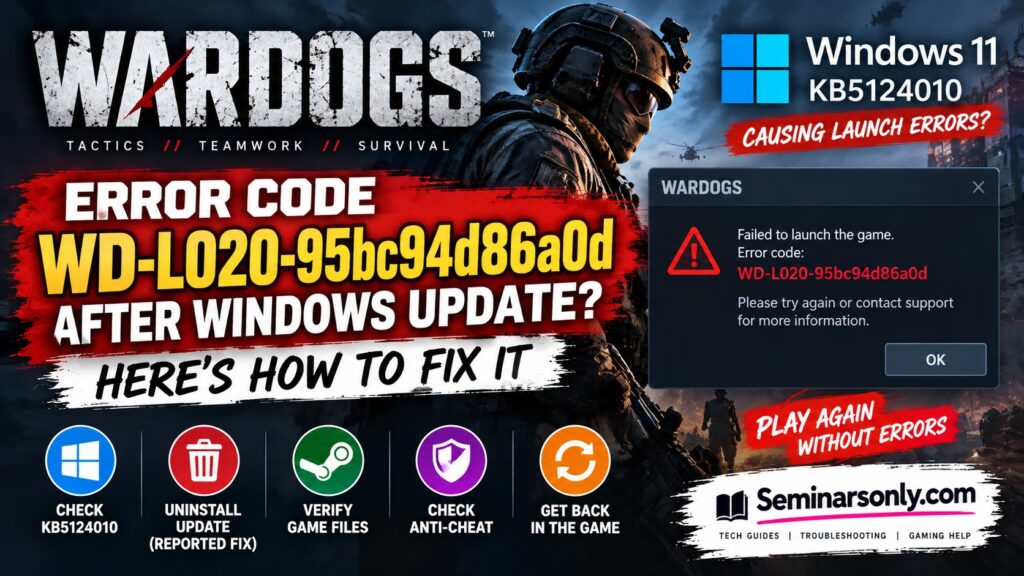
Fresh player reports on September 22–23, 2026 connect new WD-L020 launch failures with the Windows 11 optional preview update KB5124010. Several users report that WARDOGS started normally again after that update was removed.
However, the evidence needs to be interpreted carefully. Microsoft has published KB5124010 and its known issues, but has not currently confirmed WARDOGS or anti-cheat game crashes as a known issue with the update.
What Is WARDOGS Error WD-L020-95bc94d86a0d?
WD-L020 belongs to a group of WARDOGS launcher/startup error codes that can appear when the game cannot complete its normal launch process.
The most important part of the displayed error is:
The WD-L020 prefix is more useful for troubleshooting than assuming every long hexadecimal suffix represents a completely different error.
Other WD-L020 reports contain different suffixes. This means you should not abandon this guide simply because the characters after WD-L020 are different on your PC.
If you encounter with the WARDOGS WD-L018 Error Code, then this guide will help you to resolve the issue.
| Symptom | What to Check First |
|---|---|
| WD-L020 immediately after Windows Update | Check whether KB5124010 was recently installed. |
| WARDOGS stops before opening | Restart, verify files and check the launcher/anti-cheat components. |
| WD-L020 suffix changes | Troubleshoot the WD-L020 family rather than treating every suffix as a separate problem. |
| Problem began on Windows Insider build | Check your current Windows build and Insider status. |
Did Windows 11 KB5124010 Cause WD-L020?
There is currently a strong timing correlation in player reports, but not enough official evidence to state that KB5124010 is definitively the root cause.
Microsoft released KB5124010 as a Windows 11 preview cumulative update for Windows 11 versions 24H2 and 25H2. The update brings the operating system to builds including 26100.9550 and 26200.9550.
After the update appeared, WARDOGS players began reporting WD-L020 failures on systems where the game had previously launched.
One particularly useful report came from a Windows 11 25H2 user running build 26200.9550. The player reported trying:
- Steam file verification
- Repairing the anti-cheat component
- Restarting the PC
- Updating NVIDIA drivers
According to that report, none of those steps worked. Removing KB5124010 and restarting Windows returned the system to an earlier build and WARDOGS launched normally again.
Other players subsequently reported the same result.
Fix 1: Check Whether KB5124010 Is Installed
If WARDOGS worked before a Windows update and WD-L020 appeared immediately afterward, first confirm whether your PC actually has KB5124010.
- Press Windows + I.
- Open Windows Update.
- Select Update history.
- Look through the recently installed updates.
- Check for KB5124010.
If KB5124010 is not installed, do not remove unrelated Windows updates simply because another WARDOGS player did so.
Fix 2: Restart Windows Completely
Before making more substantial changes, perform a full restart.
- Close WARDOGS and Steam.
- Open the Start menu.
- Select Power.
- Click Restart.
- After Windows loads, open Steam.
- Try WARDOGS again.
A restart is particularly worthwhile immediately after Windows, driver or game updates.
Fix 3: Verify WARDOGS Files in Steam
If the error remains, verify the installation before reinstalling the entire game.
- Open Steam.
- Select Library.
- Right-click WARDOGS.
- Select Properties.
- Open Installed Files.
- Click Verify integrity of game files.
- Wait for Steam to finish.
- Restart Steam and launch WARDOGS.
This can repair missing or damaged game files. However, recent KB5124010 reports indicate that file verification alone may not resolve the particular post-update WD-L020 problem.
Fix 4: Repair the WARDOGS Anti-Cheat Component
WARDOGS launcher problems can involve the game’s startup and anti-cheat environment. If your installation provides a supported repair option, use that option rather than downloading replacement anti-cheat files from third-party websites.
Restart the PC after the repair and test WARDOGS again.
Fix 5: Uninstall KB5124010 — Reported Workaround
Try this specifically when WD-L020 began after KB5124010 was installed.
Multiple affected players report that removing the optional Windows update restored WARDOGS.
How to Remove KB5124010
- Press Windows + I.
- Select Windows Update.
- Open Update history.
- Scroll down to Uninstall updates.
- Find KB5124010.
- Select Uninstall.
- Allow Windows to complete the rollback.
- Restart your PC.
- Open Steam and launch WARDOGS.
Should Everyone Remove KB5124010?
No.
Only consider rolling it back when there is a clear timeline: WARDOGS worked, KB5124010 was installed, and WD-L020 began afterward.
Removing Windows updates can also remove fixes and improvements contained in those updates. Because KB5124010 is a preview update, affected users should check Microsoft’s current release information before deciding whether to remove it.
Fix 6: Check Your Windows Build
Older WD-L020 reports also exist independently of the September 23 KB5124010 spike, including reports involving Windows Insider builds.
To identify your build:
- Press Windows + R.
- Type winver.
- Press Enter.
- Record the Windows version and OS build.
This information is particularly useful if you need to contact WARDOGS support.
Fix 7: Check Windows Insider Status
WARDOGS WD-L020 has also been reported on Windows Insider configurations. One earlier Steam report said leaving the Windows Insider program and returning to a regular Windows release resolved WD-L020.
This does not prove that every WD-L020 error is an Insider-build problem.
If you are already running a normal public Windows build, do not join or leave the Insider program merely as a generic troubleshooting experiment.
What If Removing KB5124010 Doesn’t Fix WD-L020?
If you have already rolled back the update and the error remains, stop treating KB5124010 as the only possible cause.
| Result | Next Step |
|---|---|
| Removing KB5124010 fixes WARDOGS | Stay on the working Windows build temporarily and monitor official updates. |
| KB5124010 is not installed | Use normal WD-L020 launcher troubleshooting instead. |
| Rollback makes no difference | Verify files, repair supported launcher components and collect logs for support. |
| Different WD-L code appears | Record the exact prefix and troubleshoot that WD-L error family. |
| PC freezes completely | Treat this as a broader system/startup problem and contact support with Windows and hardware details. |
WD-L020 Suffix Changed — Is It a New Error?
Not necessarily.
WARDOGS players have reported WD-L020 with multiple longer strings appended to it. Examples reported online include different hexadecimal-looking suffixes.
For search and troubleshooting purposes, the important error family is therefore:
Record the complete code for support purposes, but search for both the full string and WARDOGS WD-L020.
Is WD-L020 a Server Error?
The current evidence does not support treating the September 23 WD-L020 spike as a conventional WARDOGS server outage.
The strongest recent reports involve the game failing during the launch process on specific Windows configurations, with some players restoring functionality after rolling back a Windows update.
If WARDOGS opens normally but fails only when connecting to online services, that may be a different problem and should be diagnosed separately.
Is Easy Anti-Cheat Causing WD-L020?
That has not been officially established.
Reports of other games experiencing launch problems after recent Windows updates have raised questions about anti-cheat compatibility. But correlation does not establish that Easy Anti-Cheat, Windows itself, WARDOGS or another component is responsible.
Until an official technical explanation is published, avoid presenting anti-cheat as the confirmed root cause.
Do Not Use These “Fixes”
- Do not download random DLL replacements.
- Do not download unofficial WD-L020 patches.
- Do not disable Windows security features without official guidance.
- Do not disable anti-cheat protections to force the game to launch.
- Do not randomly uninstall unrelated Windows security updates.
- Do not factory-reset Windows as an early troubleshooting step.
- Do not edit the registry based on an unverified WD-L020 guide.
These actions can introduce security problems without addressing the actual cause.
Also Read : Windows 11 KB5124010 Games Crashing: Battlefield 6, WARDOGS & Easy Anti-Cheat Fix
What Information Should You Send to WARDOGS Support?
If the error remains, collect useful diagnostic information before contacting support:
- Full WD-L020 error string
- Screenshot of the error
- Windows version
- Windows OS build
- Whether KB5124010 is installed
- CPU and GPU model
- Graphics-driver version
- Whether Steam file verification succeeded
- Whether the problem began immediately after Windows Update
- Any relevant launcher or anti-cheat logs requested by support
This is more useful than simply reporting “WARDOGS doesn’t work.”
WARDOGS Error Codes Hub
If you are seeing a different code, use our WARDOGS troubleshooting hub:
WARDOGS Error Codes: All Errors & Fixes
Individual WARDOGS error pages should link back to the main hub so players can quickly move between WD-L004, WD-L006, WD-L007, WD-L010, WD-L014, WD-L020 and other documented launcher problems.
Official Windows 11 KB5124010 Information
Microsoft identifies KB5124010 as the September 22, 2026 preview cumulative update for Windows 11 versions 24H2 and 25H2.
Check Microsoft’s KB5124010 Release Notes
Microsoft’s release notes should be treated as the primary source for confirmed KB5124010 known issues. At the time this article was reviewed, the page did not list the reported WARDOGS launch problem as an acknowledged known issue.
WARDOGS WD-L020: Quick Summary
- What is WD-L020? It is part of a WARDOGS launcher-error family that can prevent the game from starting.
- What does WD-L020-95bc94d86a0d mean? The WD-L020 prefix is the useful error family. Longer suffixes can vary between reported cases.
- Did KB5124010 cause it? Several September 2026 player reports connect new WD-L020 failures with KB5124010, but Microsoft has not officially confirmed the relationship.
- What is the current reported fix? Affected players report that uninstalling KB5124010 and restarting Windows restored WARDOGS when the error began immediately after that update.
- Should everyone uninstall KB5124010? No. Check whether it is actually installed and whether the WARDOGS problem began after installation.
- Is WD-L020 definitely an Easy Anti-Cheat problem? No. The exact cause of the current post-update failures has not been officially established.
- What if my WD-L020 suffix is different? The same troubleshooting may still apply because multiple suffixes have been reported under the WD-L020 family.
Last reviewed: September 23, 2026. This article distinguishes Microsoft’s documented KB5124010 information from player-reported WARDOGS workarounds. The status should be updated if Microsoft, Team17 or the game’s developers publish an official cause or permanent fix.
