
Forza Horizon 6 FH204 Error: DX12 Compatibility Fix
Quick Answer
- Forza Horizon 6 Error FH204 means the game has detected that your graphics card does not support the DirectX 12 features it requires.
- First, install the latest official NVIDIA, AMD or Intel graphics driver and restart Windows.
- Then verify that your GPU meets the current Forza Horizon 6 minimum PC specification.
- Forza says NVIDIA Pascal and older hardware is below its minimum supported architecture.
- Forza also says AMD Polaris, Vega and older GPUs are below the supported specification.
- If your GPU genuinely lacks the required hardware features, changing Windows settings or reinstalling DirectX cannot add those missing GPU capabilities.
Forza Horizon 6 FH204 is a PC compatibility warning associated with the graphics card and the DirectX 12 features required by the game. If FH204 appears when you launch Forza Horizon 6, do not immediately reinstall the entire game. Start by identifying your GPU, updating its official driver and comparing the hardware with FH6’s current PC requirements.
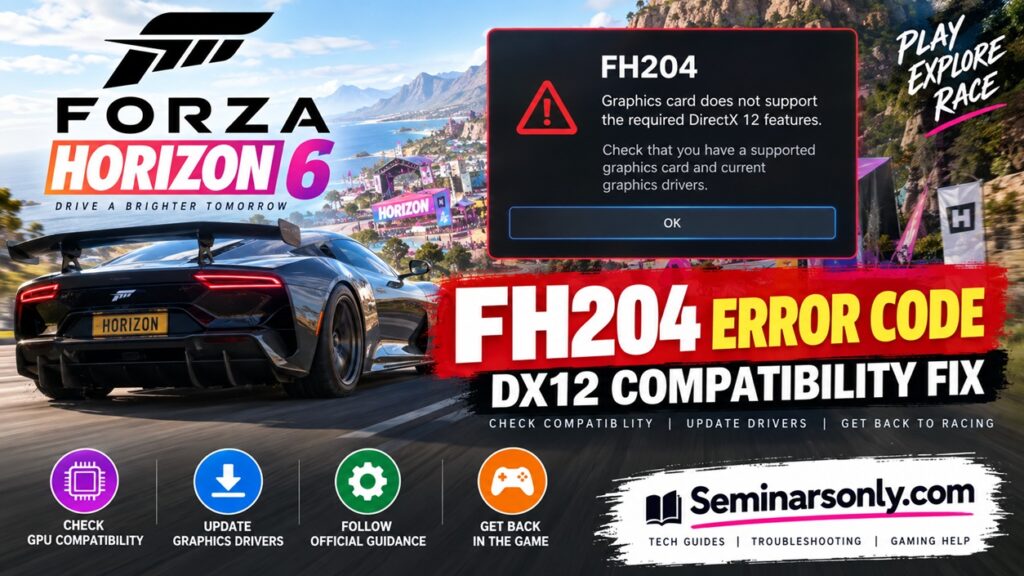
The important distinction is whether you have a supported GPU with a driver problem or an older GPU that falls below the game’s supported architecture. The second situation cannot normally be solved with a software tweak.
What Does Forza Horizon 6 Error FH204 Mean?
The FH204 compatibility warning indicates that the detected graphics card does not provide the DirectX 12 features required by Forza Horizon 6.
The warning is commonly presented along the lines of:
Graphics card does not support the required DirectX 12 features. Check that the PC has a supported graphics card and current graphics drivers.
This is different from a normal game crash, server outage or internet connection problem.
| FH204 Question | Answer |
|---|---|
| What is FH204? | A graphics/DirectX 12 compatibility warning. |
| Is FH204 a server error? | No. It relates to the PC’s graphics compatibility. |
| Can drivers cause it? | Drivers should be checked because Forza explicitly recommends installing the latest GPU driver. |
| Can old hardware cause it? | Yes. Unsupported GPU architecture can prevent FH6 from working correctly. |
| Should I reinstall FH6 first? | No. Check GPU compatibility and drivers first. |
Why Does FH204 Appear?
There are two areas worth checking before anything else.
1. Your GPU Is Below the Supported Specification
Forza Horizon 6 was designed around newer graphics hardware. Playground Games has specifically warned that some crashes occur on PCs using hardware below the game’s minimum supported specifications.
For NVIDIA hardware, Forza states that the minimum supported architecture is Turing. It specifically identifies Pascal cards such as the GTX 1070 and GTX 1080 as examples of hardware below the minimum supported specification.
For AMD, Forza states that GPUs based on Polaris or Vega architectures and older are below its supported specification, giving Radeon 400 and 500 series hardware as examples.
Also Read : Fix WARDOGS WD-L020-95bc94d86a0d Error After Windows 11 KB5124010
2. Your Graphics Driver Needs Updating
Forza recommends using the latest graphics drivers to ensure compatibility with the game.
This applies to:
- NVIDIA GeForce GPUs
- AMD Radeon GPUs
- Intel Arc GPUs
If your hardware is supported but the driver is old, update the driver before assuming that the GPU needs replacing.
Fix 1: Identify Your Graphics Card
Before downloading anything, find out exactly which GPU is installed.
Using Windows Task Manager
- Press Ctrl + Shift + Esc.
- Select Performance.
- Click GPU.
- Write down the full graphics-card model.
You can also use Windows Device Manager:
- Right-click Start.
- Select Device Manager.
- Expand Display adapters.
- Check the exact GPU name.
Compare that model with Forza Horizon 6’s current PC requirements before continuing.
Fix 2: Update Your Graphics Driver
If your GPU is within the supported hardware range, install the newest driver directly from the GPU manufacturer.
NVIDIA
Use NVIDIA’s official driver download service rather than a third-party driver website.
AMD
Radeon users can obtain the latest supported driver directly from AMD.
Intel
Intel Arc users should use Intel’s official graphics-driver service.
After installing the driver:
- Restart Windows.
- Open the Xbox app or Steam.
- Launch Forza Horizon 6.
- Check whether FH204 still appears.
Fix 3: Check DirectX Information in Windows
Windows includes the DirectX Diagnostic Tool, which can help confirm the graphics environment detected by the operating system.
- Press Windows + R.
- Type dxdiag.
- Press Enter.
- Open the Display tab.
- Confirm the GPU name and driver information.
- Check the listed Feature Levels.
Fix 4: Make Sure FH6 Is Using the Correct GPU
Gaming laptops and some desktop configurations can contain both integrated and dedicated graphics.
If Windows launches FH6 using the wrong adapter, check the graphics preference:
- Open Settings.
- Go to System > Display > Graphics.
- Find or add Forza Horizon 6.
- Open its graphics options.
- Select the appropriate high-performance GPU.
- Save the setting.
- Restart the game.
This step is relevant only when the computer genuinely contains more than one graphics adapter. It cannot make an unsupported GPU gain missing DirectX hardware features.
Fix 5: Install Windows Updates
Forza Horizon 6 officially supports Windows 10 and Windows 11 on PC. Keeping the operating system current also ensures that the graphics stack and supporting components are up to date.
- Open Settings.
- Select Windows Update.
- Choose Check for updates.
- Install applicable updates.
- Restart the PC.
Do not install unofficial modified Windows or DirectX packages in an attempt to bypass FH204.
Fix 6: Verify Forza Horizon 6 Files
If your GPU is supported, Windows is current and the graphics driver is up to date, verifying the installation is a reasonable secondary check.
Steam
- Open Steam.
- Open Library.
- Right-click Forza Horizon 6.
- Select Properties.
- Open Installed Files.
- Select Verify integrity of game files.
This can repair missing or altered game files, but it will not add missing DX12 capabilities to an unsupported graphics card.
What If FH204 Still Appears?
If FH204 remains after updating drivers and confirming Windows is current, return to the hardware question.
| Situation | What to Do |
|---|---|
| Supported GPU + old driver | Install the latest manufacturer driver. |
| Laptop using integrated graphics | Configure FH6 to use the supported dedicated GPU. |
| NVIDIA Pascal or older | Forza says this architecture is below the minimum supported specification. |
| AMD Polaris/Vega or older | Forza says these architectures are below the supported specification. |
| Supported hardware + latest driver + FH204 | Use official Forza Support and provide hardware and driver details. |
Can You Bypass FH204?
You may encounter unofficial downloads claiming to bypass FH201, FH203, FH204, FH205 or FH206 by replacing DirectX files or modifying the game.
This guide does not recommend those methods.
Replacing game or DirectX DLL files with unofficial versions can create additional crashes, interfere with updates and make troubleshooting more difficult. More importantly, a software bypass does not give an older graphics processor hardware capabilities it physically lacks.
Use the game’s supported configuration and official GPU drivers instead.
FH204 vs Other Forza Horizon 6 Error Codes
Do not apply FH204 troubleshooting indiscriminately to every FH6 error.
| Code | Area |
|---|---|
| FH101 | CPU requirements |
| FH202 | Graphics card has insufficient VRAM |
| FH204 | Required DirectX 12 graphics features |
| FH301 | Graphics driver needs updating |
| FH401 | Insufficient system memory |
Official Forza Guidance
Playground Games has acknowledged that some FH6 PC crashes originate from PCs that fall below the game’s minimum supported hardware specification.
The developer recommends:
- Using the latest graphics driver.
- Checking the official Forza Horizon 6 PC specifications.
- Using a supported operating system.
- Following Forza’s PC troubleshooting guidance for launch and crash problems.
Forza Horizon 6 officially supports Windows 10 and Windows 11, and the PC release is available through the Xbox app and Steam.
Related Forza Error Guides
Continue with our gaming troubleshooting coverage:
Editor note: Keep only internal links that exist on your website. Replace these placeholders with the exact live URLs where necessary.
Forza Horizon 6 FH204: Quick Answers
- What does FH204 mean? FH204 indicates that FH6 does not detect the DirectX 12 graphics features it requires from the GPU.
- Can updating the graphics driver fix FH204? It is an important first step on supported hardware, and Forza recommends current graphics drivers.
- Does DirectX 12 installed in Windows mean FH6 will work? Not necessarily. The graphics hardware must support the features required by the game.
- Will reinstalling DirectX fix an unsupported GPU? No. Software cannot add missing physical GPU capabilities.
- Are GTX 1070 and GTX 1080 supported? Forza identifies NVIDIA Pascal architecture, including these examples, as below FH6’s minimum supported GPU architecture.
- What about older AMD Radeon cards? Forza states that Polaris, Vega and older AMD architectures are below the supported specification.
- What if I have a modern supported GPU? Update its official driver, verify FH6 is using the correct GPU, update Windows and verify the game files. If FH204 remains, contact Forza Support.
Last reviewed: September 23, 2026. This troubleshooting guide was checked against current Forza Horizon 6 PC guidance. Hardware requirements, game updates and driver recommendations can change, so verify current requirements through official Forza Support.
