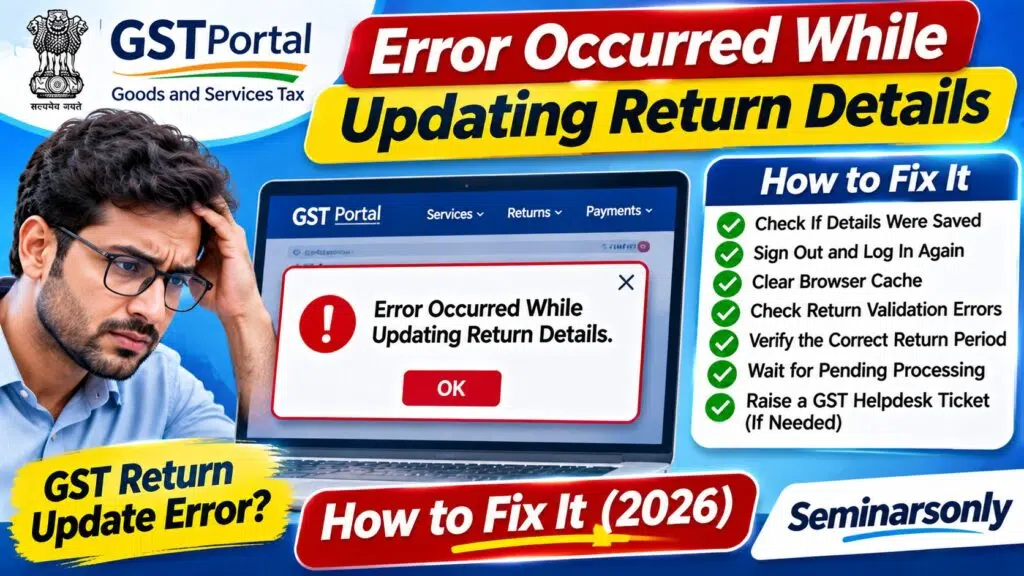

Error Occurred While Updating Return Details: How to Fix
Updated: November 3, 2026 | Topic: Tax Return Portal Troubleshooting
Quick Answer
If you see “Error occurred while updating return details” while working on a tax return, first check whether your changes were saved. Then sign out, reopen the official portal, select the correct return period and try saving the information again.
For GST returns in India, also check for pending records, validation errors and incomplete processing. If the problem continues, capture the error message and raise a support ticket through the official GST helpdesk.
Important: This wording is not uniquely associated with GST. The correct solution depends on the website or application displaying the message.
What Does “Error Occurred While Updating Return Details” Mean?
The message generally indicates that an application could not complete a requested change to return information.
For example, a taxpayer may be trying to save invoice information, update a return summary or submit a correction when the application displays an error.
However, the message alone does not establish whether the problem involves invalid data, an expired session, a temporary server issue or a return that can no longer be edited.
Before making further changes, identify the exact portal and the action that failed.
Common Reasons Return Details May Not Update
| Possible Cause | What Happens | What to Check |
|---|---|---|
| Expired session | Changes fail after a period of inactivity | Sign in again |
| Pending processing | Previous save or upload has not completed | Check processing status |
| Invalid return data | Portal rejects one or more fields | Review validation messages |
| Incorrect return period | Details are entered for the wrong month or quarter | Verify financial year and period |
| Duplicate records | Invoice or transaction already exists | Check existing entries |
| Browser problem | Page does not save or refresh correctly | Try a fresh session |
| Temporary portal issue | Request fails despite valid information | Retry later or contact support |
Fix 1: Check Whether Your Return Was Already Updated
Do not immediately click Save or Submit repeatedly.
Sometimes an online request is processed successfully even though the browser displays an error or fails to refresh.
- Open the return dashboard.
- Select the correct financial year and return period.
- Review the saved details.
- Check whether the updated figures or records appear.
- Look for a processing status or acknowledgement.
- Only retry if the changes were not saved and the portal permits editing.
Fix 2: Sign Out and Start a Fresh Session
A fresh login may resolve temporary session-related problems.
- Save or securely record any unsaved information.
- Sign out of the tax portal.
- Close the relevant browser tab.
- Open the official portal again.
- Sign in using your own credentials.
- Return to the same form and filing period.
- Check existing saved information before retrying.
If the portal supports multiple simultaneous sessions, avoid editing the same return in several tabs at once.
Fix 3: Clear Browser Cache or Try Another Browser
Browser cache problems can sometimes affect government portal forms.
Try opening the portal in a fresh browser window or another supported browser.
If necessary, clear cached files for the relevant site. Be aware that clearing cookies may sign you out.
Do not delete saved tax records or local working files while troubleshooting the browser.
Fix 4: Check GST Return Validation Errors
If the error occurs on the Indian GST portal, review the return’s processing and validation information.
The GST system can reject records because of missing fields, incorrect invoice information or other validation problems.
For GSTR-1
- Log in at GST.gov.in.
- Open Services > Returns > Returns Dashboard.
- Select the correct financial year and return period.
- Open the relevant GSTR-1 return.
- Review pending, processed and error records where available.
- Download any available error report.
- Correct the specific records identified.
- Save and regenerate the summary when appropriate.
GST troubleshooting guidance describes situations in which records remain under processing or an uploaded JSON file is processed with errors.
In those cases, taxpayers should review the error report and correct the affected records rather than blindly resubmitting the entire return.
Fix 5: Check GSTR-3B Save and Processing Status
If the problem appears while updating GSTR-3B, verify whether a previous save request is still being processed.
GST troubleshooting guidance describes cases where another save request cannot be accepted until the earlier request has finished.
Wait for the existing request to complete before sending a new one.
If saved information has expired or is no longer reflected correctly, review the return’s sections and use the portal’s Save GSTR-3B option again where permitted.
Proceed to payment or filing only after verifying the saved amounts.
Fix 6: Check the Correct Return Period
Make sure the return period matches the information you are trying to update.
For example, verify:
- The selected financial year.
- The month or quarter.
- The return type.
- The taxpayer’s GSTIN.
- Whether an earlier return must be filed first.
- Whether the current return is still editable.
A return for the wrong period may not accept the expected changes.
Fix 7: Check Duplicate or Incorrect Invoice Details
When updating GSTR-1, incorrect invoice information may lead to validation errors.
Check invoice numbers, dates, taxable values and other required fields.
Do not create duplicate invoices to work around a failed save.
If the GST portal provides a specific validation error, follow the instructions associated with that error.
Fix 8: Raise a GST Portal Support Ticket
If the error continues after checking the saved return and validation messages, contact the official GST support service.
Visit:
Include the following information:
- The exact error message.
- The return type, such as GSTR-1 or GSTR-3B.
- The relevant financial year and filing period.
- The action being performed when the error appeared.
- The date and time of the failure.
- A screenshot with sensitive information concealed where possible.
- Any additional error code or reference number.
Never include your password, OTP or digital-signature PIN in a support ticket.
What If the Error Occurs on the Income Tax Portal?
The Indian Income Tax e-Filing portal is separate from the GST portal.
If you encounter the message while preparing or correcting an income tax return, use the official e-Filing website:
Check whether the return is a draft, submitted, verified or processed. The available correction procedures depend on its status.
Do not apply GST-specific GSTR-1 or GSTR-3B instructions to an income tax return.
Frequently Asked Questions
Why does the portal say error occurred while updating return details?
The application may have failed to save the requested change. Possible causes include an expired session, pending processing, invalid data or a temporary technical issue. The exact cause requires the portal name and any accompanying error code.
Can I retry saving the return?
Yes, if the return remains editable and the previous request has finished. First confirm that the changes were not already saved.
Will clearing the browser cache delete my filed GST return?
Clearing local browser cache does not ordinarily delete a return already filed on the GST portal. However, unsaved browser-form information may be lost.
What if the error appears during GSTR-1 filing?
Check the return’s processing status, pending records and any available validation or upload error report.
What if the error appears during GSTR-3B filing?
Confirm that a previous save request is not still processing, then verify the saved values before continuing with payment or filing.
Does this error mean my tax return was rejected?
Not necessarily. A failed update message does not establish the final filing status. Check the portal dashboard and any acknowledgement before taking further action.
Official Resources
- GST Portal — India
- GST Portal User Manuals and Tutorials
- GST Self-Service Helpdesk
- Income Tax e-Filing Portal
Related Troubleshooting Guides
Visit Seminarsonly News for more government portal errors, payment issues and online filing troubleshooting guides.
TL;DR: Error Occurred While Updating Return Details
- First verify whether the return was already saved or filed.
- Start a fresh login session if the request failed.
- Check the correct return type and filing period.
- Review validation errors and pending records.
- For GSTR-1, correct any records identified in the error report.
- For GSTR-3B, allow existing save requests to finish.
- Use official GST support if the issue persists.
- Do not submit duplicate returns or share sensitive login information.
Bottom line: The error indicates an unsuccessful or unconfirmed update, but the exact solution depends on the portal and the return’s status.
Editorial note: Updated November 3, 2026. This is an independent troubleshooting guide. The exact quoted error has not been confirmed as an official GST-specific error message.