
Spendwell Activate Card and Login Account : Check your Spendwell Available Balance
To activate your new Spendwell Card, login into https://secure.myspendwell.com, Locate the card activation notification and click the Activate button. You may have to click the arrow to scroll past the first notification to get the card activation notification.
How do I activate my spendwell card?
1. Log in to your spendwell account here.
2. Locate the card activation notification and click the Activate button.
NOTE: You may have to click the arrow to scroll past the first notification to get the card activation notification.
3. Enter the information from the personalized card you received in the mail.
You can also activate your card by calling 1-833-609-8472 and following the prompts.
Spendwell Cash Back
With Spendwell, the choice is yours!!!
Choose between a Spendwell Cash Back Bank Account and Visa® debit card that offers 1% unlimited cash back everywhere you shop, or a Spendwell No Monthly Fee Bank Account and Visa debit card that has a $0 monthly fee. Then either:-
- Buy a Spendwell Visa Debit Card at a Dollar General store near you, start using your Spendwell temporary card immediately, then register at myspendwell.com/go to access the full benefits and features of the Spendwell account; or
- Open a Spendwell account directly online at myspendwell.com.
Once you register online, you will receive a personalized debit card in the mail at the address you provided.
What is the virtual temporary debit card?
We’ve made it easy to start using your spendwell Bank Account right away! Upon successful registration and email verification, a virtual temporary debit card will be made available for online purchases, while you wait for your personalized spendwell debit card to arrive in the mail. Once you add funds to your spendwell account, log into your account at myspendwell.com to access your virtual temporary debit card number, CVV code and expiration date to use for online purchases and in-store purchased once you add the spendwell temporary debit card to your digital wallet.
How can I use the virtual temporary debit card?
You must add funds to your account in order to use your virtual temporary debit card. Once you’ve added funds to your account, you can use your virtual temporary debit card for online purchases and in-store purchases when added to your digital wallet until your personalized spendwell debit card arrives.
Log into your spendwell account to access your virtual temporary card number, CVV code and expiration date. Do not use your temporary virtual debit card number for recurring payments such as memberships or subscriptions as it will be deactivated once you activate your personalized spendwell debit card.
What happens to my virtual temporary debit card once I activate my personalized spendwell debit card?
Look for your personalized spendwell debit card to arrive in the mail 7-10 business days after you complete registration. Once you activate your personalized debit card, your virtual temporary debit card will be deactivated, and you will be able to access the funds in your spendwell account with your new personalized debit card.
How do I check my Available Balance or my transaction history?
Check your spendwell Available Balance or your transaction history anytime with these options:-
- Log in to your account online or through the spendwell Mobile App* and select your Main Account.
- Text “BAL” to 62029 for your Available Balance if you are enrolled in text alert notifications.
- Text “HIST” to 62029 for the five most recent completed transactions in your transaction history if you are enrolled in text alert notifications.
- Call us at 1-833-609-8472.
In your transaction history online or in the Mobile App, Active Transactions are those that are still pending and have not yet settled. Clicking or tapping ‘View all transactions’ allows you to see Completed Transactions as well as Active Transactions that are still pending. Please note that the transaction history provided via text or through the automated phone system includes Completed Transactions, not Active Transactions.
Please refer to the My Profile section to learn how to set up text alerts.
*Messaging and data rates may apply.
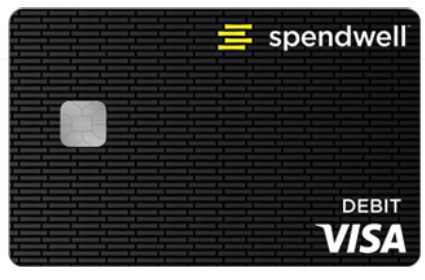
How do I check the balance on my temporary spendwellTM Card?
You can check the balance of the temporary spendwell card you purchased at Dollar General here. Once you register for a personalized spendwell card, we’ll move the remaining balance to your spendwell account. You can continue to use your temporary spendwell card until you receive and activate your personalized spendwell card.
How can I view my monthly statement?
You can access your recent statements by logging into your spendwell account. Select your Main Account to view recent statements on the right side of the screen. You will also receive a link to view your current monthly statement via email. Click on the link in the email to log into your account and view your statement. To view past statements, log into your spendwell account. Select your Main Account and click or tap ‘View all statements.’ You will find each monthly statement for the last 24 months. Select the desired statement period you’d like to view or print or save the statement in PDF format.

Comments are closed