
How to Activate Your Scotiabank Card (Credit & Debit)
Receiving a new bank card in the mail means you are just one step away from making secure purchases. Whether you have just opened a new checking account and received a ScotiaCard (debit), or you were approved for a new Scotiabank Visa, Mastercard, or American Express, you must activate the card before it can be used for online shopping, ATM withdrawals, or contactless payments.
The Quick Answer: The fastest way to activate a Scotiabank debit or Visa/Amex credit card is to visit scotiabank.com/activate. Log into your Scotia OnLine account, enter your 16-digit card number, and verify your details. Alternatively, you can activate most cards instantly by making an in-store purchase using your chip and current PIN.
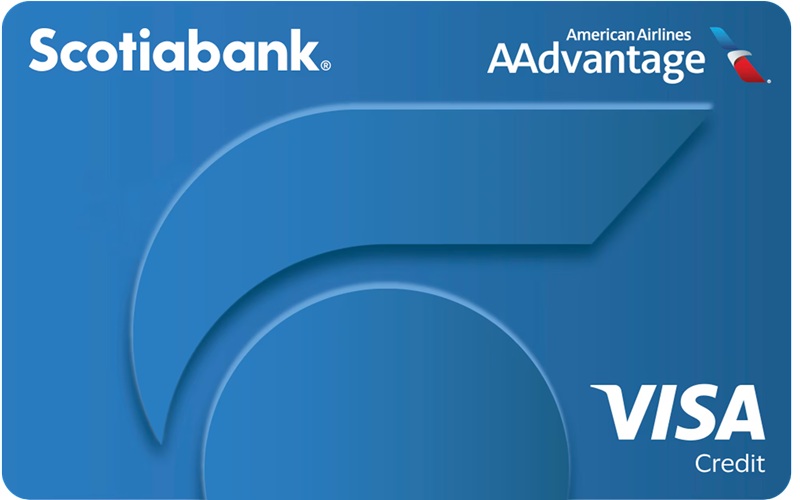
3 Ways to Activate a ScotiaCard (Debit Card)
For your protection, your ScotiaCard arrives locked. Here are the three easiest ways to verify your identity and activate your daily banking card.
1. Online Activation (scotiabank.com/activate)
- Step 1: Go to the official Scotia OnLine portal at scotiabank.com/activate.
- Step 2: Enter your new 16-digit ScotiaCard number into the designated field.
- Step 3: Log in with your existing username and password. If you are a new customer, follow the prompts to register for online banking by providing your date of birth, postal code, and home phone number.
- Step 4: Confirm the activation. You can now use your card immediately.
2. Activate via the Scotiabank Mobile App
If you prefer banking on the go, the mobile app is a secure alternative.
- Open the Scotiabank app on your iOS or Android device.
- Log in using your fingerprint, Face ID, or password.
- Navigate to your main account dashboard and look for the prompt to activate your new card, or tap the specific account linked to the card and follow the on-screen activation steps.
3. In-Person (ABM or In-Store)
If your new card is a replacement and you already know your PIN, simply visit any Scotiabank Automated Banking Machine (ABM) and check your balance. Alternatively, make a purchase at any retail store by inserting the card into the payment terminal and entering your PIN. Note: Tapping the card will not work for the very first transaction.
How to Activate a Scotiabank Credit Card
The activation process for credit cards varies slightly depending on the payment network (Visa, Mastercard, or American Express).
| Card Type | Online Activation Link | Phone Activation Number |
|---|---|---|
| ScotiaCard (Debit) | scotiabank.com/activate | 1-800-472-6842 (1-800-4SCOTIA) |
| Visa / American Express | scotiabank.com/activatecreditcard | Check the sticker on the front of your card |
| Scotiabank Mastercard® | Requires Phone Activation | 1-866-583-6289 |
| ScotiaLine® Access Card | scotiabank.com/activate | Check the sticker on the front of your card |
Activating Visa and American Express Cards
You can easily activate your Scotiabank Visa or American Express online. Visit the credit card activation page, enter the card details, and log into your Scotia OnLine profile. You can also activate these cards by making a chip-and-PIN purchase at a store.
Activating a Scotiabank Mastercard
Unlike Visa and Amex, Scotiabank Mastercards generally require phone activation. Call the dedicated Mastercard activation line at 1-866-583-6289. Follow the automated voice prompts to enter your card number, verify your identity, and set up your PIN if required.
Frequently Asked Questions (FAQ)
Can I use the same PIN on my replacement card?
Yes. If you received a replacement card because your old one naturally expired, your existing PIN remains the same. If you are activating a brand-new account or replacing a compromised card, you will need to establish a new PIN.
Why is my online activation not working?
If you encounter an error during online activation, double-check that you have entered the 16-digit number correctly. If you are an Online Brokerage client (Scotia iTRADE or ScotiaMcLeod), note that activating outside of regular business hours may delay your online access until the next business day.

Comments are closed