
Nintendo Switch 2 Error 2124-4508: What It Means & What to Do
Quick Answer:
- Nintendo Switch 2 Error 2124-4508 means Nintendo has restricted that console from using online services.
- Nintendo’s official support documentation describes this as a permanent console restriction resulting from a breach of its user agreements.
- This is therefore different from a normal Wi-Fi, DNS or temporary Nintendo server connection error.
- If you believe the restriction was applied incorrectly, contact Nintendo Support and provide your console serial number and proof of purchase if requested.
- Do not factory-reset, change DNS settings or repeatedly reset your router expecting those steps to remove a console restriction.
If your Nintendo Switch 2 suddenly displays Error Code 2124-4508 when opening Nintendo eShop, multiplayer or another online feature, the wording on screen is the most important clue. Nintendo documents this error alongside the message that online services on the console are restricted.
This guide separates Nintendo’s documented explanation from community reports so that you do not waste time trying unrelated internet troubleshooting.
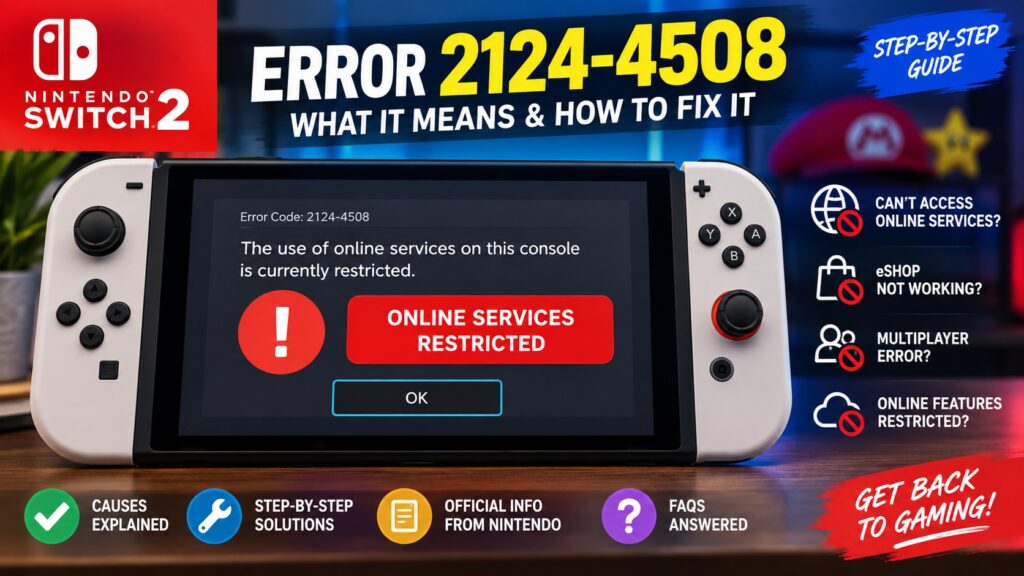
What Does Nintendo Switch 2 Error 2124-4508 Mean?
According to Nintendo’s official support documentation, 2124-4508 indicates that the Nintendo Switch 2 or Nintendo Switch console has been permanently banned from connecting online due to a breach of the user agreements.
Nintendo lists examples that may lead to such action, including fraudulent or unauthorized transactions and violations of its community/user rules. These are examples rather than proof of what happened in every individual case.
| Question | Answer |
|---|---|
| Error code | 2124-4508 |
| Affected systems | Nintendo Switch 2 and Nintendo Switch family |
| What does it affect? | Online connectivity/services on the affected console |
| Is it a normal Wi-Fi error? | No. Nintendo documents it as a console restriction. |
| Will changing DNS fix it? | Not according to Nintendo’s documented explanation. |
| Best next step | Contact Nintendo Support if you need clarification or believe the restriction is incorrect. |
Also Read : How to Fix Unreal Engine Out of Video Memory Crash on PC
Why Am I Getting Error Code 2124-4508?
Nintendo’s support page says a breach of its user agreements may include activities such as:
- Fraudulent or unauthorized transactions.
- Violations of Nintendo’s Community Guidelines or applicable user agreements.
- Other activity Nintendo determines breaches the relevant agreements.
Is Error 2124-4508 a Nintendo Server Problem?
Nintendo’s official documentation does not describe 2124-4508 as a standard server outage. It identifies the code as a restriction applied to the console.
This distinction matters. Generic advice such as restarting your modem, switching Wi-Fi networks or using a public DNS server may help ordinary connectivity errors, but it does not address the condition Nintendo officially associates with 2124-4508.
Were Some Switch 2 Users Recently Unrestricted?
There is an important distinction between Nintendo’s official documentation and recent community reports.
In early September 2026, multiple Switch 2 owners posted online that they unexpectedly encountered 2124-4508 and later found their consoles able to access online services again. Some users said the restriction disappeared after contacting support or restarting later.
These reports are worth knowing about if your console was recently affected, but they should not be treated as confirmation that every 2124-4508 restriction is temporary. Nintendo’s current public support page continues to describe this code as a permanent online restriction associated with a breach of its user agreements.
What Should I Do About Nintendo Switch 2 Error 2124-4508?
1. Confirm the Exact Error
Before doing anything else, photograph or write down:
- Error code 2124-4508.
- The exact restriction message displayed.
- The date and approximate time it first appeared.
- What you were trying to access, such as Nintendo eShop or an online game.
This prevents an ordinary network error from being confused with the console-restriction code.
2. Restart the Console Once
If the error appeared unexpectedly, a normal restart is a reasonable low-risk check before contacting support. Hold the POWER Button, open Power Options, and choose Restart.
If 2124-4508 immediately returns, move on rather than repeatedly rebooting or changing unrelated network settings.
3. Check Whether Other Online Features Are Restricted
Try an online Nintendo service normally available to you. If multiple online services produce the same restriction, that is consistent with Nintendo’s description of the error.
A console restriction is different from one game being temporarily offline.
4. Gather Your Purchase Information
If you plan to contact Nintendo, have useful identifying information available:
- Nintendo Switch 2 serial number.
- Purchase receipt or order confirmation.
- Retailer name and purchase date.
- A photo or screenshot of the error.
- Your Nintendo Account information, if relevant.
Do not publish your console serial number, account credentials or payment information publicly.
5. Contact Nintendo Support
If you believe the restriction is unexpected or incorrect, Nintendo Support is the appropriate source for information about the affected console.
You can also consult Nintendo’s official documentation for Error Codes 2124-4007 and 2124-4508:
Nintendo Support: Error Codes 2124-4007, 2124-4508
What Should You NOT Do?
Because this code has a specific meaning in Nintendo’s documentation, avoid turning the troubleshooting process into a long list of unrelated fixes.
| Attempt | Why It Isn’t the Primary Fix |
|---|---|
| Factory reset | Nintendo describes 2124-4508 as a console restriction, not corrupted local settings. |
| Change DNS | DNS changes do not address Nintendo’s documented reason for this code. |
| Reset router repeatedly | This isn’t documented as a router-connectivity error. |
| Buy another router | A new router does not remove a Nintendo console restriction. |
| Follow an unofficial “unban” service | Avoid giving account credentials, serial numbers or money to services claiming guaranteed removal. |
What If I Bought the Switch 2 Used?
If you encounter 2124-4508 on a recently purchased second-hand console, keep your receipt and contact both the seller/retailer and Nintendo Support.
Because Nintendo describes 2124-4508 as a console-level restriction, changing to another Nintendo Account should not be assumed to resolve it.
- Save the original sales listing.
- Keep proof of payment.
- Record the console serial number.
- Check the seller or retailer’s return policy.
- Ask Nintendo to clarify the console’s online-service status where possible.
Is 2124-4508 the Same as an Account Ban?
Nintendo’s support wording specifically refers to the console being permanently banned from connecting online. Therefore, do not automatically describe 2124-4508 as merely a Nintendo Account login problem.
The exact status of your Nintendo Account and purchases can depend on the individual case, so Nintendo Support should be used for account-specific questions.
Can You Fix Error 2124-4508 Yourself?
There is no normal user-side networking fix documented by Nintendo for removing the restriction associated with 2124-4508.
If the restriction is valid, changing Wi-Fi, DNS or router settings does not address its documented cause. If you believe it was applied incorrectly, the practical route is to document what happened and contact Nintendo.
Official Sources and Further Help
This article prioritizes Nintendo’s published documentation rather than treating unverified community fixes as established solutions.
- Nintendo Support — Error Codes 2124-4007 and 2124-4508
- Nintendo Switch 2 — Error Codes
- Nintendo Support
Related Troubleshooting Guides
Continue troubleshooting with related gaming-error coverage:
Editorial note: Internal URLs above should be changed to the exact live URLs on your site if those pages use different slugs. Do not publish links to pages that do not exist.
Quick Summary — Final Takeaway
- Error 2124-4508 means the console’s online services have been restricted by Nintendo.
- Nintendo currently describes the associated console ban as permanent and connected with a breach of its user agreements.
- Do not treat 2124-4508 as an ordinary Wi-Fi or DNS error.
- If the error appeared unexpectedly and you believe the restriction is incorrect, document the error and contact Nintendo Support.
- Recent community reports of restrictions later disappearing should be treated as anecdotal unless Nintendo officially documents a broader issue.
Last reviewed: September 22, 2026. Official Nintendo support documentation was checked when preparing this guide. Nintendo may update its policies or support guidance, so consult Nintendo Support for the latest information concerning your individual console.
