
⚡ Quick Answer
A text message saying “tap to reset your Instagram password” with a link is almost always a smishing scam (SMS phishing), not a real message from Instagram. Instagram does not send password reset links by text with a “tap here” button asking you to log in through the link. Do not tap it. Delete the text, and if you’re worried about your account, open the Instagram app directly and check Settings for real security activity.
It looks urgent. It looks official. And it lands right when you’re not expecting it — a text that reads something like “Someone requested a password reset for your Instagram account. Tap here to reset your password now.” If you’ve received one of these, here’s exactly what it is, why it’s spreading, and how to make sure your account stays safe.
What This Scam Actually Is
This message is a form of smishing — a portmanteau of “SMS” and “phishing.” Instead of emailing you a fake link, scammers text it, because text messages feel more personal and are opened faster than email. The goal is simple: get you to tap the link, land on a page that looks exactly like Instagram’s login screen, and hand over your username and password without realizing it isn’t really Instagram.
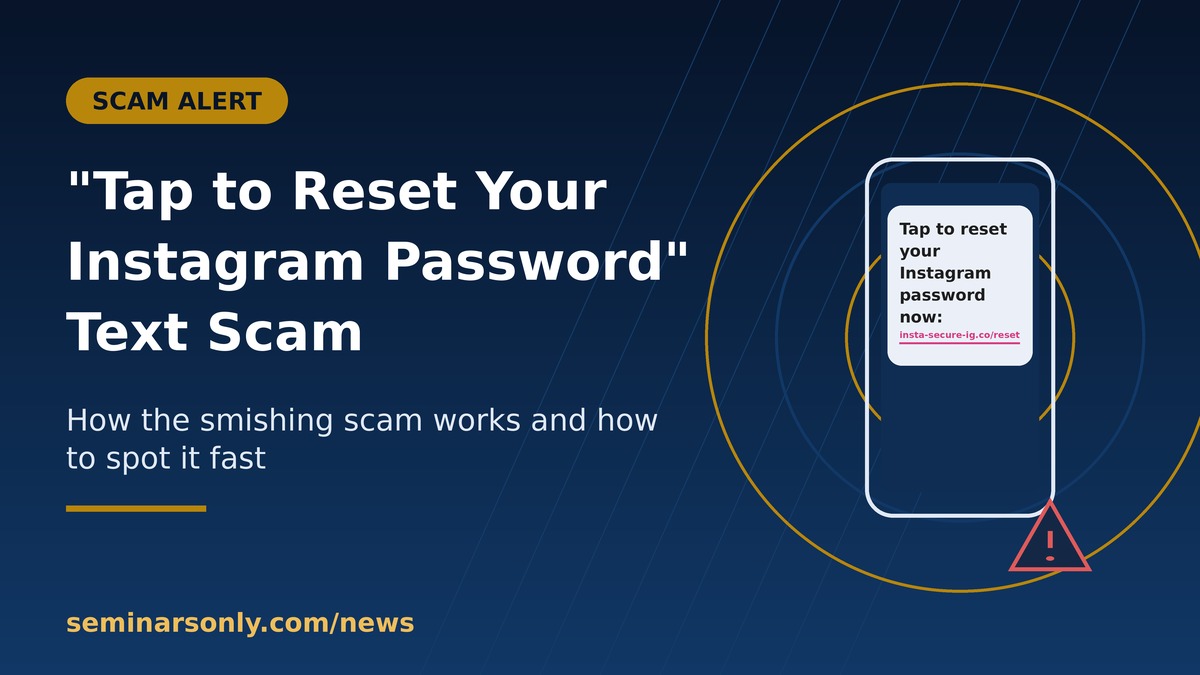
- The text creates false urgency (“your account will be locked,” “unauthorized login detected”)
- The link goes to a lookalike domain, not instagram.com
- The fake page asks for your username and password, sometimes followed by a fake 2FA code prompt
- Once entered, your real credentials are sent straight to the scammer, who logs into your actual account
What the Scam Text Usually Looks Like
Wording varies, but the pattern is consistent. Common variations include:
| Message Pattern | Red Flag |
|---|---|
| “Tap to reset your Instagram password now” | Instagram never sends a reset link by SMS with a “tap here” call to action |
| “Your account will be permanently disabled in 24 hours” | Manufactured urgency to stop you from thinking it through |
| Shortened or odd-looking link (not instagram.com) | Real Instagram links only ever resolve to instagram.com |
| Sent from a random number or short code you don’t recognize | Instagram does not use unmarked personal-looking numbers for security alerts |
| Asks you to “confirm” your password after tapping | This is the actual credential theft step — never enter it |
Why You’re Getting This Text Even If Nothing Happened
Two separate things can be going on, and it helps to tell them apart:
- It’s a scam text unrelated to Instagram’s systems — scammers send these blind to huge lists of phone numbers, hoping some recipients have Instagram accounts. Getting one doesn’t mean your number or account was specifically targeted.
- Someone actually triggered a real reset — occasionally, an attacker enters your username into Instagram’s genuine “forgot password” form, which can trigger a real notification. In this case the fix is different: don’t click anything, and simply ignore or decline the reset from within the app.
What To Do If You Get This Text
1. Don’t tap the link
Even opening the linked page can sometimes trigger tracking. The safest move is to leave the link untouched entirely.
2. Open Instagram directly, not through the text
Go to the app or type instagram.com into your browser manually. If there’s a genuine issue with your account, it will show up there — you never need a text link to access it.
3. Check your account’s real security activity
Inside the app, go to your profile menu → Accounts Center → Password and security, where Instagram lists real recent security emails and login activity. If the text doesn’t match anything there, it’s fake.
4. Turn on two-factor authentication
An authenticator app (not SMS-based codes, if possible) makes it much harder for a scammer to get into your account even if they somehow obtain your password.
5. If you already tapped and entered your password
Change your Instagram password immediately from the official app, log out of all other sessions in Settings, and change the password on any other account where you reused the same one.
6. Report and block
Delete the text and block the sender. You can also forward suspicious messages to your carrier’s spam-reporting number where available, and report phishing attempts directly to Instagram from within the app.
Real vs. Fake: Quick Comparison
| Signal | Real Instagram | Scam Text |
|---|---|---|
| Sends reset link by SMS with “tap here” | No | Yes |
| Link domain | instagram.com only | Lookalike or shortened domain |
| Asks for your password on the linked page | No | Yes — this is the theft step |
| Can be verified inside the app | Yes, always | Never matches app records |
People Also Search: Related Questions & Keywords
The most common searches tied to this scam, what each searcher is actually trying to find out, and a short direct answer:
| Google Search / Keyword | Search Intent | Short Answer |
|---|---|---|
| is this text from instagram real | User received a text and wants to verify it before acting | Check your app’s security settings directly — Instagram never confirms via the text itself. |
| instagram password reset text scam | User wants to understand the scam mechanics | It’s smishing designed to steal your login credentials via a fake page. |
| i clicked instagram reset link what do i do | User already tapped and is worried about damage done | Change your password in the real app immediately and log out of all sessions. |
| how to tell if instagram text is fake | User wants specific red flags to check | Look at the link domain — anything besides instagram.com is fake. |
| why am i getting instagram password reset texts | User wants to know if they were specifically targeted | Usually a mass scam blast, not a targeted attack on your account. |
Related Reading
This same “tap the link” text pattern shows up across other platforms too — see how it plays out in our breakdown of the Afterpay text scam, which uses nearly identical urgency and link tactics. For official guidance on verifying real Instagram emails and messages, see Instagram’s own Help Center article on recognizing phishing.
📌 TL;DR
- “Tap to reset your Instagram password” texts are a smishing scam, not a message from Instagram.
- Instagram never sends password reset links by SMS with a tap-to-reset button.
- Never enter your password on a page you reached through a text link.
- Verify any account concern by opening the app directly, not through the text.
- If you already entered your password, change it immediately and log out of all sessions.
- Turn on two-factor authentication (preferably an authenticator app) for extra protection.

Freddy John is a Tech Support Specialist with 8+ years of experience troubleshooting government digital services, authentication systems, and enterprise IT infrastructure. Passionate about making technology accessible and helping users resolve complex login issues quickly.
