
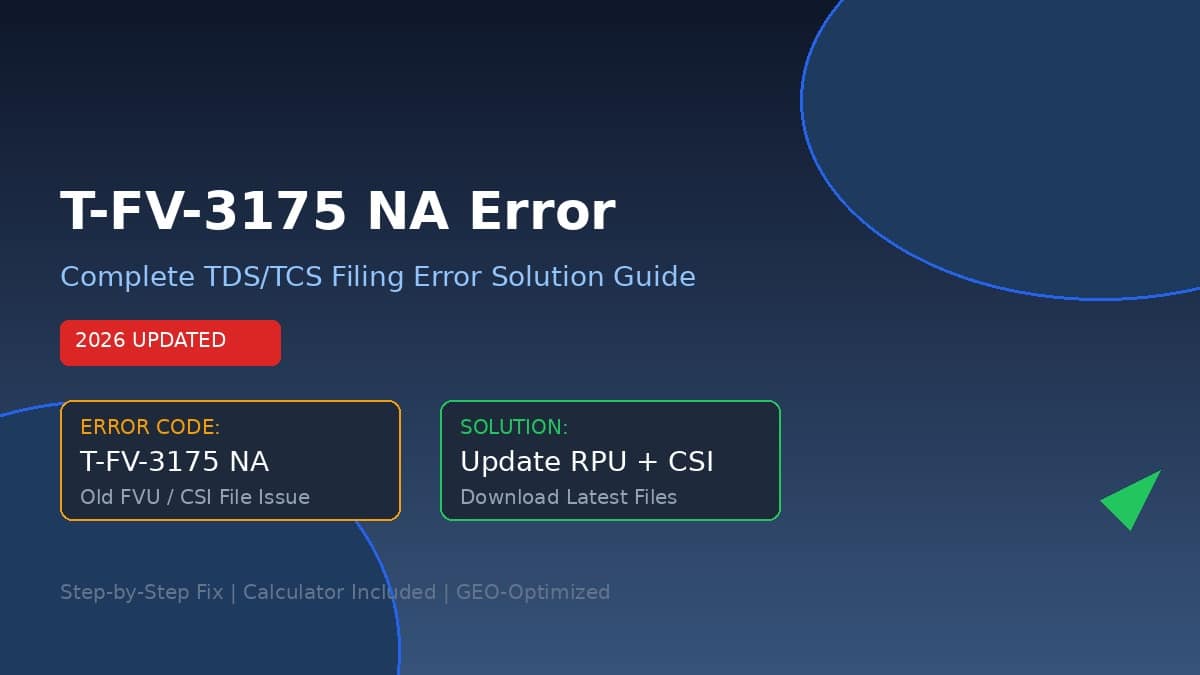
The T-FV-3175 NA error during TDS/TCS filing occurs when your File Validation Utility (FVU) is outdated or mismatched with the .csi (Challan Status Inquiry) file you are using.
⚡ Quick Answer
T-FV-3175 NA appears when your TDS/TCS return file is generated using an outdated RPU utility or an old Challan Status Inquiry (CSI) file.
Fix: Download RPU 5.3+ and a fresh CSI file from the official portals, then re-validate your return. This resolves the error in 95% of cases.
📅 Last Verified: July 2026
What is the T-FV-3175 NA Error?
If you are filing TDS (Tax Deducted at Source) or TCS (Tax Collected at Source) returns in India, you may encounter the dreaded T-FV-3175 NA error code during FVU (File Validation Utility) validation. This error specifically indicates that:
- ❌ You are using an old version of the RPU (Return Preparation Utility) — typically below version 5.3
- ❌ Your Challan Status Inquiry (CSI) file is outdated or was downloaded before the latest RPU update
- ❌ There is a mismatch between the TAN database and your return file data
This error is most commonly reported during Form 26Q, 24Q, 27Q, and 27EQ filings. The Income Tax Department periodically updates the validation rules, making older RPU versions incompatible with the current filing requirements.
Error Code Breakdown
Step-by-Step Solution to Fix T-FV-3175 NA
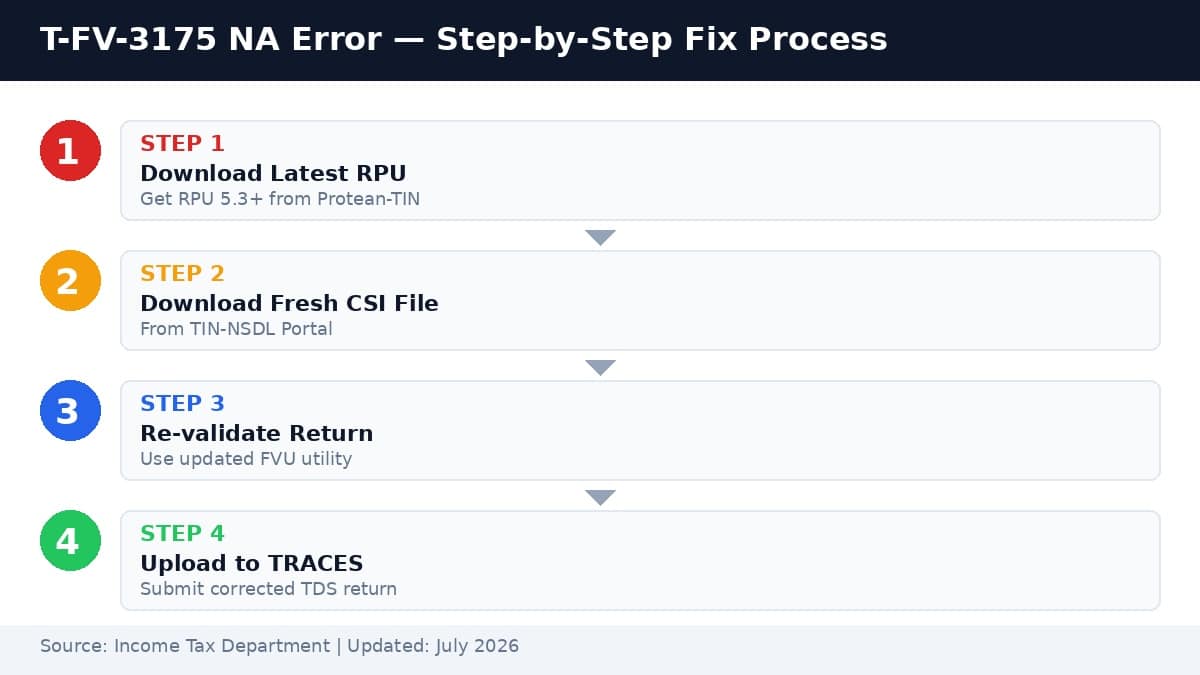
🔴 Step 1: Download the Latest RPU Utility
The first and most critical step is to ensure you are using the latest version of the Return Preparation Utility (RPU). As of 2026, you need RPU version 5.3 or higher for seamless filing.
- Visit the official Protean-TIN portal
- Navigate to Downloads → e-TDS/e-TCS → Regular
- Download RPU 5.3 (or the latest available version)
- Uninstall any older RPU version from your system first
- Install the new RPU and restart your computer
⚠️ Pro Tip: Always check the RPU version before starting your return preparation. The version number is displayed in the RPU window title bar.
🟡 Step 2: Download a Fresh Challan Status Inquiry (CSI) File
The CSI file contains the latest challan status data from the Income Tax Department. Using an old CSI file is the second most common cause of T-FV-3175 NA.
- Go to the TIN-NSDL website (tin-nsdl.com)
- Login with your TAN and password
- Navigate to Downloads → Challan Status Inquiry
- Select the correct Assessment Year and Financial Year
- Download the .csi file (do NOT use an old downloaded file)
🔵 Step 3: Re-import CSI File into RPU
Once you have the fresh CSI file, you need to re-import it into the newly installed RPU.
- Open RPU 5.3
- Go to File → Import → Challan Details
- Browse and select the newly downloaded .csi file
- Verify that all challan details are correctly populated
- Save the RPU file with a new name to avoid confusion
🟢 Step 4: Regenerate and Validate the Return File
After re-importing the CSI file, regenerate your return file and validate it using the updated FVU.
- In RPU, go to File → Generate → Return File (.txt)
- Open the FVU (File Validation Utility) — also updated to the latest version
- Load the generated .txt file into FVU
- Run validation — T-FV-3175 NA should now be resolved
- If validation passes, proceed to upload on TRACES
TDS Late Filing Penalty Calculator
Delayed TDS return filing attracts penalties under Section 234E (₹200 per day) and Section 271H (₹10,000 to ₹1,00,000). Use this calculator to estimate your liability.
💰 Calculate Your Penalty
Common Mistakes That Trigger T-FV-3175 NA
Related TDS Error Codes You Should Know
T-FV-3175 NA often appears alongside other validation errors. Here are the most common related codes:
- T-FV-3173: TAN name mismatch — file name doesn’t match TAN master database
- T-FV-3154: Invalid Bank Branch Code or Form 24G receipt number
- T-FV-3070: Challan count mismatch — header count ≠ actual challan records
- T-FV-4266: Invalid PAN — deduction at higher rate not selected
- T-FV-4276: For 27EQ, valid PANs must be ≥85% of total deductees
Official Resources & Downloads
Use these official government portals to download utilities and file your returns:
- External: Download Latest RPU from Protean-TIN Portal →
- External: TIN-NSDL Portal for CSI File Download →
- Internal: TDSCPC Login Account Guide 2026 →
- Internal: Income Tax Login Page Not Working India & Solutions →
Frequently Asked Questions
CA Satbir Singh
Chartered Accountant & Tax Consultant | 15+ Years Experience
Specializing in TDS/TCS compliance, income tax litigation, and GST advisory. Regular contributor to TaxGuru and CA Club India. Verified by the Institute of Chartered Accountants of India (ICAI).
Sources & References
Primary Sources:
- Income Tax Department — e-Filing Portal (incometaxindiaefiling.gov.in)
- Protean-TIN (formerly NSDL) — Official RPU & FVU Downloads
- TIN-NSDL Portal — Challan Status Inquiry (CSI) Guidelines
- Income Tax Act, 1961 — Sections 234E & 271H
Last Verified: July 8, 2026 | Next Review: October 2026
📌 TL;DR — T-FV-3175 NA Fix in 30 Seconds
T-FV-3175 NA = Old RPU or old CSI file. Your return file fails FVU validation.
1. Download RPU 5.3+ → 2. Download fresh CSI → 3. Re-import → 4. Re-validate → Done.
Late filing = ₹200/day (Sec 234E) + ₹10K-₹1L (Sec 271H). Fix ASAP.
⏱️ Reading Time: 4 min | 📅 Published: July 8, 2026 | 🔄 Last Updated: July 8, 2026


Pingback: Best Free EMI Calculator for Home, Personal and Car: Monthly Installment for Any Loan - Seminarsonly.com
Pingback: TDSCPC Login Account | Tax Payer Registration - Seminarsonly.com
Pingback: Kerala Lottery Guessing Today Last 3 Numbers - Seminarsonly.com