
Quick Answer: How to Activate Your Credit One Card
Congratulations on your new card! To activate your Credit One Bank credit card instantly, you have two fast options:
- Online: Visit the official Credit One Bank website at CreditOneBank.com. Look for the “Activate Card” or “Register for Online Access” option to complete the process securely.
- By Phone: Call Credit One Bank’s automated activation line toll-free at 1-877-825-3242 from your registered phone number. Be ready with your card and personal details.
Received your new Credit One credit card in the mail? That crisp new piece of plastic represents fresh opportunities, but before you can start using it to make purchases, there is one crucial first step: activation. This standard process is vital for security, confirming that you are the intended recipient of the card and preventing fraudulent use before it even lands in your wallet.
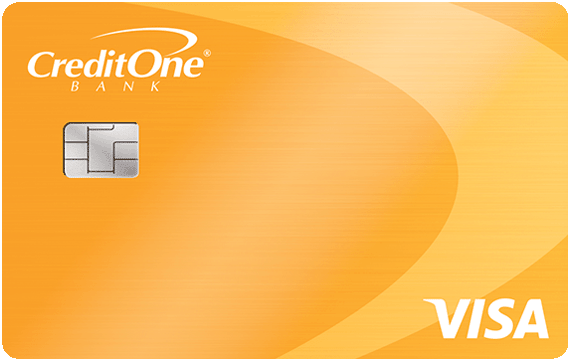
Easy Methods to Activate Your Credit One Card
Credit One Bank understands that you want to start using your new card right away. To make this as smooth as possible, they offer two simple, user-friendly activation methods that take just a few minutes.
1. Fast Online Activation at CreditOneBank.com
This is generally the fastest and most convenient method. Activate your card from the comfort of your home using a smartphone, tablet, or desktop computer. Online activation often seamlessly transitions into setting up your online banking access, allowing you to manage your new account immediately.
- Step 1: Have your new Credit One credit card handy. You will need information visible on the physical card.
- Step 2: Go to the official CreditOneBank.com homepage.
- Step 3: Look for a button or link that reads “Activate Card” or “Register for Online Access.” This is typically prominent on the homepage, especially for first-time visitors.
- Step 4: You will be prompted to enter essential security information for verification. Common requirements include:
- Your full Credit One Credit Card Number.
- The card’s Expiration Date.
- The 3-digit Security Code (CVV) on the back.
- Your Social Security Number (SSN).
- Your Date of Birth.
- Step 5: Follow the subsequent prompts to confirm your identity and complete the activation. You will likely also create your online banking credentials (username and password) and may be asked to set a Personal Identification Number (PIN) for ATM use and cash advances.
2. Quick Activation via the Automated Phone Line
If you do not have internet access or prefer to use the phone, Credit One provides a toll-free automated activation number. While online activation is often faster, the phone method is excellent for its straightforward simplicity.
- Step 1: Find the activation sticker on the front of your new card, which will provide the specific number, or use the main Credit One toll-free customer service line.
- Step 2: From the phone number listed on your application (this helps verify your identity), call 1-877-825-3242.
- Step 3: Follow the simple automated voice prompts. You will be asked to enter your complete credit card number, security details (like the CVV), and personal identifying information (like your SSN or Date of Birth).
- Step 4: The system will typically confirm once your card has been successfully activated. Listen carefully to all instructions, including details about setting or receiving your PIN.
Is Google Home Down? Real-Time Status Check (August 2026 Outage) & Fixes
Compare Credit One Activation Methods
Unsure which method is right for you? Use this simple comparison table to decide.
| Method | What You Need | Pros | Best For |
|---|---|---|---|
| Online | Card, SSN, computer/mobile device, internet access | Fastest, set up online banking immediately, very visually straightforward. | Users comfortable with online forms who want to manage their account digitally. |
| Phone | Card, SSN, your registered phone number | Simple automated system, no internet required. | Users without consistent internet or who prefer automated telephone guides. |
What to Do *After* Your Card is Activated
Activating the card is just the beginning. To get the most security and benefit from your new account, be sure to complete these essential steps:
- Sign the Back: For additional security, immediately sign the signature panel on the back of your new card using a permanent pen. Merchants are technically required to verify signatures.
- Set a Secure PIN: Whether you did this during online activation or receive it separately, ensure you know your PIN (Personal Identification Number). This is required for ATM withdrawals and getting cash advances.
- Review Your Terms: Take a few moments to thoroughly read the documentation that came with your card, especially the cardholder agreement. Make sure you understand the interest rates (APR), annual fees, late payment penalties, and other key details. If you have any questions, call customer service or learn more about managing your credit responsibly.
- Set Up Account Alerts: Credit One Bank typically allows you to set up alerts for suspicious activity, balance updates, and payment due dates via text or email. Log in to your online account to configure these helpful notifications.
- Add to Digital Wallet: Increase convenience by adding your Credit One card to popular digital wallets like Apple Pay, Google Pay, or Samsung Pay for contactless spending.
Understanding Common Topics
If you found this guide via search, you are likely looking for clear, reliable answers. Understanding these common terms helps provide clarity when managing your finances.
- `activate credit one card`: This is the main overarching goal for most new cardholders. The main search intent is to find the official online form or telephone number to complete activation. *Answer: Activate online at CreditOneBank.com or call 1-877-825-3242.*
- `credit one activation number`: This specifically targets users looking for the telephone method, bypassing the need to search the main website. *Answer: The dedicated automated line is 1-877-825-3242.*
- `creditone activate`: A common misspelled/shortened query. Google recognizes the intent and provides results for Credit One Bank activation. *Answer: This guide covers all official CreditOne Bank activation steps.*
- `how to activate credit one visa`: Many Credit One cards are Visa-branded. Users add the brand name to be extra specific, but the activation process for all Credit One cards (Visa or Mastercard) follows the steps outlined here. *Answer: Use the official website or phone number provided in this guide.*
- `credit one bank activate card`: A very specific query using the full official bank name. The intent is identical to the main focus keyword. *Answer: This is the official Credit One Bank activation guide.*
TL;DR: Key Takeaways to Activate Your Credit One Card
- Activation is a vital security step.
- Online activation is fastest at CreditOneBank.com.
- Alternatively, call the automated line at 1-877-825-3242.
- You will need the new card and your Social Security Number (SSN).
- Immediately sign your card and know your PIN after activation.
