
Quick Answer: How to Fix the Codefusion Error
If Black Myth: Wukong displays “Sorry, something went wrong” followed by a Codefusion support link, the game’s anti-tamper authorization process may have failed. First, open the support link shown in your exact error message. Then check your internet connection, restart Steam in online mode and launch the game again. If the message indicates an activation limit or failed purchase revalidation, wait before retrying and contact official support if the problem persists.
Important: Reinstalling the game or updating graphics drivers is not a verified universal fix for this particular error.
You’re ready to play Black Myth: Wukong, but instead of the main menu, a small error window appears saying “Sorry, something went wrong. For solutions please visit…” followed by a Codefusion Technology address.
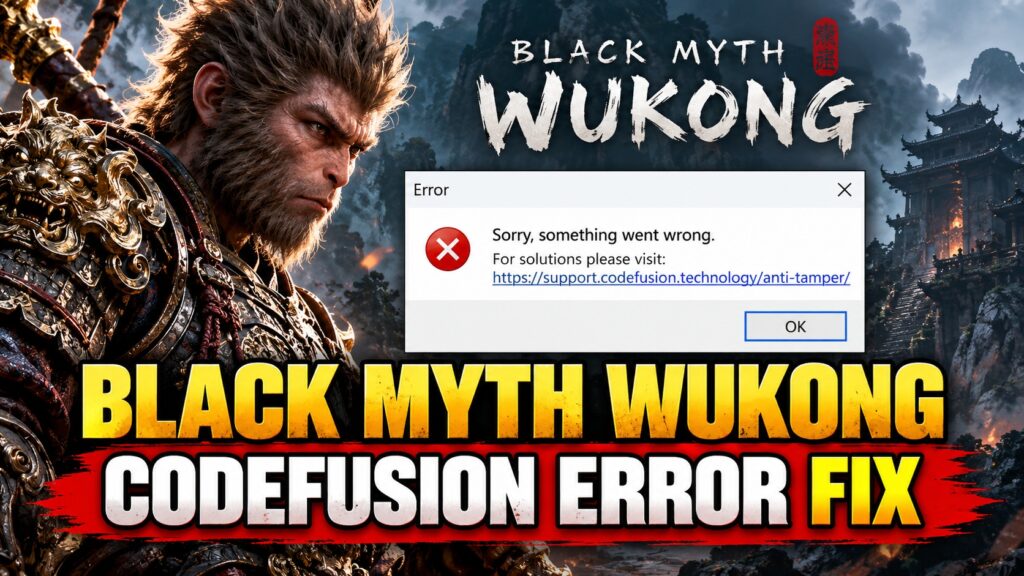
This problem has been reported by Steam players, including people whose games worked previously and others who encountered the message immediately after installation. Some reports show the code 88500006. Because different authorization failures may produce similar messages, the exact code and support-page explanation matter more than the generic error heading.
What Is the Black Myth: Wukong Codefusion Error?
The Codefusion support address is associated with the game’s anti-tamper authorization system. When authorization cannot complete, the game may stop before reaching the main menu and display a support link.
Example error:
Sorry, something went wrong.
For solutions please visit:
https://support.codefusion.technology/anti-tamper/
The actual link displayed on your computer may include an error number and other parameters. Open your own link rather than assuming that another player’s error code has the same explanation.
In historical Steam reports, some players who received Codefusion error 88500006 said the support page indicated that their purchase could not be revalidated. This is a reported symptom, not proof that every Codefusion failure has the same cause.
Also Read : vSeeBox Error 7: Fix Receiving Data Error
What Should You Check First?
| What you see | Recommended action |
|---|---|
| Codefusion support link | Open the exact link and read its explanation. |
| Purchase cannot be revalidated | Confirm the correct Steam account and online access; avoid repeated activation attempts. |
| Error after switching devices or compatibility settings | Return to a stable configuration and follow the support-page instructions. |
| Game crashes without a Codefusion message | Investigate it as a separate launch or graphics problem. |
How to Fix Black Myth: Wukong “Sorry, Something Went Wrong”
Method 1: Read the Exact Codefusion Support Message
This is the most important diagnostic step because the error window often contains a link specific to the authorization failure.
- Take a screenshot of the complete error message.
- Open the Codefusion link displayed in the error window.
- Read the explanation associated with your particular error.
- Follow any applicable instructions on that support page.
- Keep the error number available if you need to contact support.
If the support page says that an activation or revalidation limit has been reached, repeatedly relaunching the game is unlikely to help immediately. Follow the waiting period or other instructions shown for your error.
Method 2: Restart Steam in Online Mode
If the support page indicates an authorization or connectivity problem, check that Steam can connect normally.
- Close Black Myth: Wukong.
- Exit Steam completely using Steam > Exit.
- Confirm that your internet connection is working.
- Open Steam and sign in to the account that owns the game.
- Make sure Steam is running in online mode.
- Launch Black Myth: Wukong from your Steam Library.
If you use Steam’s offline mode, try online mode first when authorization is required. A successful Steam login does not guarantee that a separate anti-tamper authorization request will succeed, but it rules out one straightforward account-access problem.
Also Read : Fix AdSense US Tax Issue for India: “Action Required” Form W-8BEN Guide
Method 3: Check Whether Your Network Is Blocking Authorization
If the Codefusion support page identifies a connectivity problem, check whether your normal internet connection can reach the required service.
- Try opening the Codefusion support page in your browser.
- Check that your computer’s date and time are correct.
- If you use a VPN or proxy, temporarily disconnect it and retry.
- If practical, test another trusted internet connection.
- Check whether your firewall or security software has specifically blocked Steam or the game.
These checks are relevant when network access is suspected. They are not guaranteed fixes for activation-limit or purchase-revalidation errors.
Method 4: Stop Repeated Activation Attempts
Some players have reported encountering Codefusion errors after changing compatibility settings, switching environments or repeatedly attempting to launch the game. If your exact support message refers to an activation or revalidation restriction, avoid repeatedly changing configurations and relaunching.
Return to your usual supported configuration and follow the instructions on the error-specific support page. A waiting period may apply to certain authorization problems, but there is no verified universal waiting time for every Black Myth: Wukong Codefusion error.
Method 5: Verify Game Files If You Also Suspect Installation Damage
Steam’s file-verification feature can check whether installed files are missing or damaged. However, historical players have reported that verification did not resolve their Codefusion authorization errors, so this should not be your first action when the support page identifies a revalidation problem.
- Open Steam.
- Go to Library.
- Right-click Black Myth: Wukong.
- Select Properties.
- Open Installed Files.
- Choose Verify integrity of game files.
- Wait for Steam to finish checking the installation.
If the files verify successfully but the same Codefusion message returns, focus on the authorization error rather than repeatedly reinstalling the game.
Method 6: Contact Official Support With the Complete Error
If you have followed the exact Codefusion support instructions and the error continues, collect the following information before submitting a support request:
- A screenshot of the full error window.
- The complete Codefusion error number.
- The explanation shown on the Codefusion support page.
- Whether you purchased the game through Steam or another official store.
- Whether the game previously launched successfully.
- Any recent device, operating-system or compatibility changes.
Do not post passwords, authentication tokens or private account information in public forums.
Black Myth: Wukong Steam Discussions
Does Error 88500006 Mean Your Game Is Broken?
Not necessarily. Historical Black Myth: Wukong reports associate 88500006 with a Codefusion authorization problem, including cases where the support page said the purchase could not be revalidated.
That does not establish that the game files are damaged, that the graphics card is defective or that Steam has revoked your purchase. The exact support-page message should determine the next step.
What Should You Avoid?
- Do not reinstall a large game repeatedly without evidence of corrupted files.
- Do not assume every Codefusion error has the same cause.
- Do not repeatedly change compatibility settings if the support page indicates an activation restriction.
- Do not edit the Windows Registry or delete unknown licensing files.
- Do not download modified executables or unofficial DRM-removal utilities.
Quick Answers
Why does Black Myth: Wukong say “Sorry, something went wrong”?
When the message links to Codefusion’s anti-tamper support page, it indicates a problem encountered during the game’s authorization process. Open the exact support link to identify the specific error.
What is Codefusion error 88500006?
Historical player reports associate it with failed purchase revalidation. Follow the explanation shown on your own Codefusion support page.
Will verifying Steam files fix the error?
Only if a separate installation problem is involved. File verification is not a proven solution for every Codefusion authorization failure.
Should I reinstall Black Myth: Wukong?
Not immediately. Check the error-specific support instructions and your Steam account’s online access first.
Is Codefusion currently down?
A widespread Codefusion outage affecting Black Myth: Wukong has not been independently confirmed for September 26, 2026.
TL;DR: Black Myth: Wukong Codefusion Error
Start with the exact error, not a generic PC fix.
- Open the Codefusion support link shown in your error window.
- Check the explanation for your specific error number.
- Restart Steam in online mode and confirm you are using the correct account.
- Investigate network access only when relevant to the reported error.
- Follow any activation or revalidation instructions instead of repeatedly reinstalling.
- Contact official support if the same error persists.
Editorial verification: Reviewed September 26, 2026. This guide uses documented historical player reports and the error-specific Codefusion support pathway. No new widespread Codefusion outage has been independently verified. Seminarsonly.com is an independent troubleshooting website and is not affiliated with Game Science, Steam or Denuvo.
