
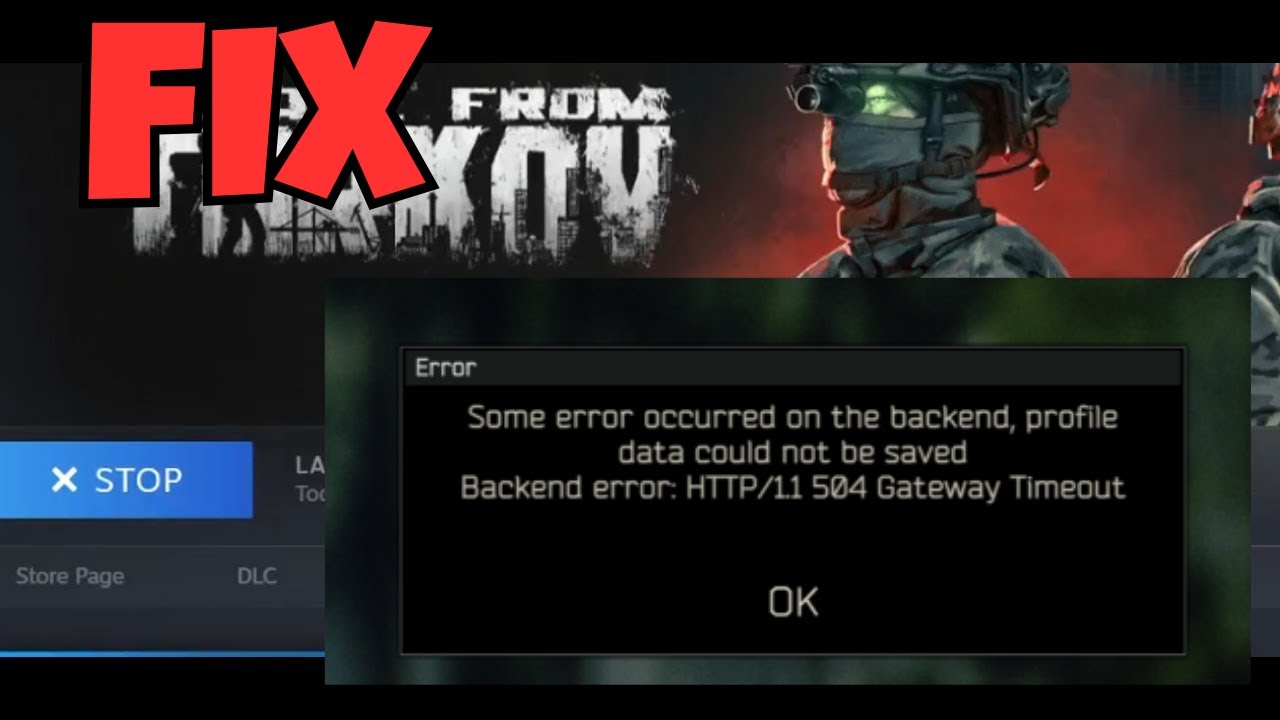
Quick Answer: The Tarkov gateway timeout error (often displayed as Backend Error: HTTP/1.1 504 Gateway Timeout) means that your game client failed to receive a valid response from Battlestate Games’ servers. This almost always happens due to server overload or backend maintenance. To fix it, do not repeatedly click “OK” or spam the menu. Wait 10-15 minutes for the server traffic to clear, restart your game launcher, and clear your cache.
You’ve just survived a brutal 35-minute raid on Streets of Tarkov. Your backpack is filled with LedXs and GPU spawns. You extract, your heart is pounding, and as the loading screen fades, a black box appears in the center of your screen: “Backend error: HTTP/1.1 504 Gateway Timeout.”
For players of Escape from Tarkov (EFT), this is a nightmare scenario. Because Tarkov relies on real-time server synchronization to save your stash and profile data, a backend timeout can potentially wipe out the progress of your entire raid. Let’s break down exactly why this happens, what people are asking, and the best ways to bypass the issue.
Top 5 Searches About the Tarkov 504 Error
If you just got hit with this error, you are not alone. Thousands of PMC operators search for solutions to this exact problem every wipe. Here are the top questions and their immediate answers:
- “What does backend error 504 Gateway Timeout mean in Tarkov?”
Answer: It means a proxy server (the gateway) did not receive a timely response from the main EFT database server. Basically, the servers are overwhelmed. - “How to fix Tarkov 504 Gateway Timeout error?”
Answer: The best fix is patience. Restart your game, clear the launcher cache, and verify your game files. - “Are Tarkov servers down right now?”
Answer: A widespread 504 error usually points to global server degradation. Always check the official BSG Twitter account or community Discords to confirm an outage. - “Why do I get a backend error after a Tarkov raid?”
Answer: When a raid ends, the game must upload all your new loot and XP to the master profile database. If that database is too busy to accept the data, it times out. - “Can I recover my loot after a Tarkov gateway timeout?”
Answer: Sometimes. If the server eventually syncs, your loot will appear after a game restart. If it was a hard server crash, the raid may be “rolled back,” acting as if it never happened (you keep your pre-raid gear).
Diagnostic Matrix: Identifying EFT Backend Errors
Tarkov has several backend errors. Knowing which one you have dictates how you should react.
| Error Code | What It Means | Action to Take |
|---|---|---|
| 504 Gateway Timeout | Server is too busy to save your profile data. | Wait 10 minutes, restart the launcher, check stash. |
| 502 Bad Gateway | BSG upstream server returned an invalid response. | Check official server status; servers are likely down. |
| Backend Error 1000 | General backend processing failure. | Clear game cache from launcher settings. |
Actionable Steps to Mitigate Timeout Errors
While you cannot physically fix Battlestate Games’ servers, you can optimize your client to reconnect faster when the servers stabilize:
- Clear the Launcher Cache: Open the BSG Launcher, click your profile name in the top right, and select “Clear Cache.” This removes temporary corrupted files that might block reconnection.
- Manually Select Servers: Instead of “Auto,” go to the server selection screen and pick 3 or 4 servers with ping under 80ms. This prevents the game from routing you to unstable, high-traffic regions.
- Change your DNS: Sometimes, your ISP’s routing to the Tarkov backend gets clogged. Switching your IPv4 DNS to Google (8.8.8.8) or Cloudflare (1.1.1.1) can stabilize your gateway path.
If the error persists across multiple days, you should submit a ticket through the Official EFT Support Portal. For broader network disconnect issues, check out our guide on troubleshooting packet loss in PC gaming.
TL;DR: The 504 Timeout Checklist
- Who is at fault? 99% of the time, it is the game’s servers, not your PC or internet.
- Will I lose my gear? If it happens mid-raid, you might roll back to your pre-raid state. If it happens while moving items in the stash, you will likely get a backend error and the items will snap back to their original position.
- Best Fix: Close the game entirely. Clear the cache via the BSG Launcher, take a 15-minute break, and log back in. Do not repeatedly attempt to reconnect to a dead server.
