
Tapping “Place Order” or attempting to confirm a delivery pickup only to see “Response status code error 1” pop up in a red banner is uniquely frustrating. Unlike standard HTTP errors like 404 (Not Found) or 500 (Internal Server Error), a status code of “1” is not a standard web status code.
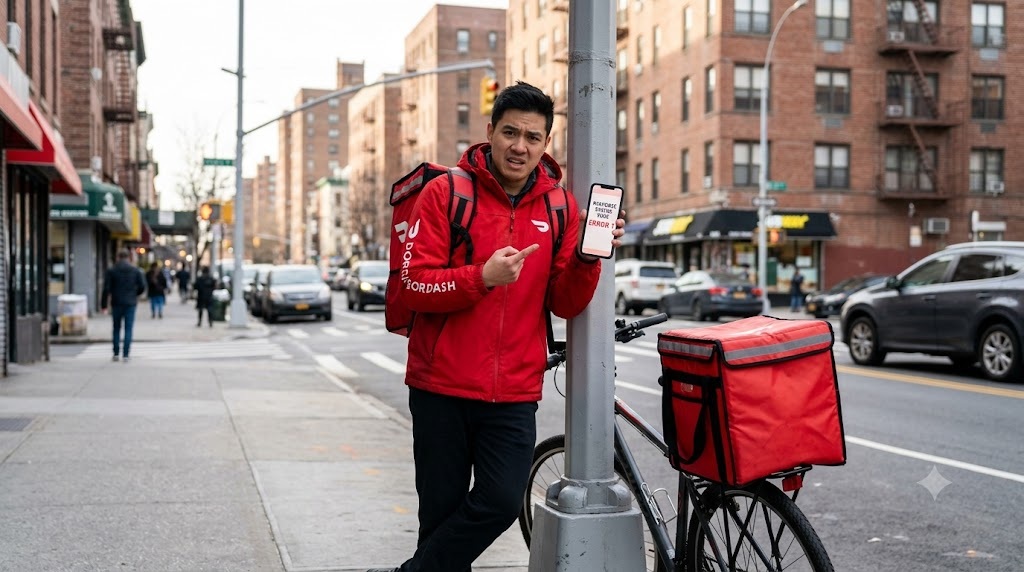
Instead, it indicates an application-level parsing failure: the DoorDash client library encountered a malformed response, an interrupted payload, or a specific API exception that it could not translate. Here is the technical breakdown of what triggers Error 1 and how customers and Dashers can resolve it immediately.
1. Root Cause Breakdown: Why Does Error 1 Occur?
DoorDash operates on a microservice architecture. When the front-end iOS or Android application sends a request—such as authenticating a card charge or accepting a delivery order—it expects a structured JSON packet. Error 1 is triggered by specific communication bottlenecks:
| Trigger Location | Underlying Issue | Fastest Workaround |
|---|---|---|
| Checkout / Final Payment | Payment gateway tokenization failure or cart menu desync | Switch payment method (Apple Pay/Google Pay or re-add card) |
| Dasher Shift Login / “Dash Now” | Expired JWT bearer token or location verification timeout | Log out, force close app, and re-authenticate |
| Order Status / Tracking Screen | Interrupted WebSocket connection during live GPS sync | Toggle Airplane Mode to refresh network lease |
| DoorDash Desktop / Mobile Web | Corrupted local cookie state or ad-blocker script block | Hard refresh (Ctrl+F5) and disable privacy extensions |
2. Step-by-Step Fixes for Consumers & Dashers
Fix 1: Reset the Local Network Connection (Clear Stalled Handshakes)
When moving between Wi-Fi and mobile networks, your device can hold onto a stale socket connection that drops responses before they arrive:
- Swipe down to open your device’s Control Center or Quick Settings.
- Enable Airplane Mode, wait a full 10 seconds, and turn it back off.
- If you are connected to public Wi-Fi (such as restaurant or store Wi-Fi), disconnect and switch to direct mobile data (5G/LTE). Many commercial Wi-Fi systems block the background ports used by delivery apps.
Fix 2: Flush App Cache & Storage Data
DoorDash caches merchant menus, pricing tables, and user credentials locally on your phone. A corrupted cached file will cause incoming API responses to fail validation checks:
- On Android: Navigate to Settings > Apps > DoorDash (or Dasher) > Storage and tap Clear Cache. If Error 1 persists, tap Clear Data and log back in.
- On iOS (iPhone): Apple does not offer a direct cache-clear button. Open Settings > General > iPhone Storage > DoorDash, select Offload App, and then tap Reinstall App. This clears cache memory while retaining your personal settings.
Fix 3: Rebuild the Order Cart (Eliminate Stale Item References)
If Error 1 appears exclusively when pressing “Place Order,” a line item in your cart is causing a server validation conflict:
- Restaurants often mark ingredients or items out of stock in real time while customers are ordering.
- If your cart contains an item that was deactivated after you added it, the payment processing API will return an unhandled error code.
- Delete the contents of your cart, exit the restaurant page, reopen it, and add the items again.
Fix 4: Switch or Re-Tokenize Your Payment Method
Saved credit cards can experience token expiration, especially after bank security updates or address mismatches:
- Go to your Account > Payment Methods tab.
- Instead of using a stored credit card, select a third-party tokenized option like Apple Pay, Google Pay, or PayPal.
- Alternatively, remove your existing credit card and re-enter the card number and billing ZIP code from scratch.
Fix 5: Turn Off VPNs, Private Relays, and Custom DNS
DoorDash enforces strict fraud-detection heuristics to prevent account takeovers and coupon abuse:
- Disable active VPN apps (e.g., ExpressVPN, NordVPN, ProtonVPN).
- On iPhones, disable iCloud Private Relay by navigating to Settings > [Your Apple ID] > iCloud > Private Relay and toggling it off temporarily.
- Ad-blocking DNS profiles like NextDNS, AdGuard, or Pi-hole can block telemetry endpoints that the DoorDash app requires to finalize requests.
ATM Error Code D0111: What It Means & How to Recover Your Cash Fast
3. Is DoorDash Experiencing a System-Wide Outage?
If multiple fixes fail to clear Error 1, the failure may be occurring within DoorDash’s central infrastructure:
- Check Downdetector: Search for “DoorDash” on Downdetector to see if other users are reporting an outage spike.
- Dasher Driver Forums: Check the Reddit communities (
r/doordashorr/doordash_drivers). When server clusters drop requests, drivers immediately report widespread status code errors during shifts. - Switch to the Web Browser: If the mobile app continues throwing Error 1, log in via a mobile browser at
doordash.comto complete your active order or delivery task.
“Response status code error 1” is almost never a permanent account ban or an issue with your bank account. In more than 80% of reported cases, it is resolved either by cycling your network connection, re-adding the cart items, or switching to an alternative payment method like Apple Pay or Google Pay.
