
Quick Answer: The KPPHA Noon Meal portal operates through the PFMS Canara Bank CSS Web Portal. To register, headmasters must submit a User Creation Form (for Maker and Checker roles) to the Sub-district Educational Office. To login, visit the CSS Admin Login page with your registered credentials. To download your MDMS audit report, navigate to Reports > Account Statement > Select Account > Choose Date Range > Search > Export to PDF.
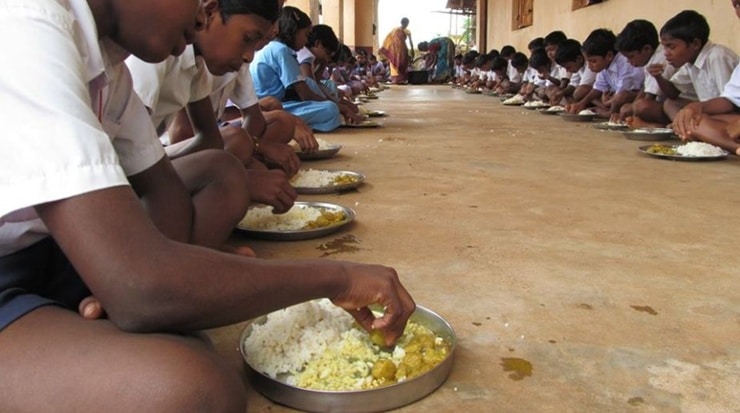
Managing the Mid-Day Meal Scheme (now under PM POSHAN) is a massive responsibility for school administrators in Kerala. The Kerala Private Primary Headmasters’ Association (KPPHA) provides extensive resources to help headmasters navigate the digital funding ecosystem. With the transition to the PFMS (Public Financial Management System) via the Canara Bank CSS Web Portal, tracking cooking costs, attendance, and supplementary nutrition funds has become entirely digital.
Whether you are a newly appointed headmaster or simply need a refresher on the updated MDMS software, this complete KPPHA noon meal guide will walk you through registration, login, and report generation.
1. KPPHA Noon Meal Registration (User Creation)
Before you can access the funding portal, your school must be properly mapped in the system. Registration requires setting up two distinct roles for security: a Maker (who initiates the payment/entry) and a Checker (who verifies and approves it).
- Download the Form: Obtain the User Creation form from the official KPPHA downloads section or your local educational office.
- Fill Details Accurately: Provide the headmaster’s official Email ID and active mobile number, which will serve as the User ID for login.
- Submit for Approval: Submit the completed forms for both Maker and Checker to the Sub-district Educational Office (AEO/DEO) for portal activation.
2. How to Login to the CSS Web Portal
Once your account is activated by the educational office, you can access the Canara Bank CSS portal used for managing noon meal funds.
- Navigate to the official Canara Bank CSS Web Portal Admin Login page (usually linked directly through the KPPHA official website).
- Enter the User ID (your registered Email/Phone number).
- Enter the password provided by the office (you will be prompted to change this on your first login).
- Enter the security CAPTCHA and click Login.
| Error Issue | Likely Cause | How to Fix |
|---|---|---|
| Account Deactivated | PFMS unmapped the agency due to prolonged inactivity. | Log back into PFMS with school credentials and re-register the scheme. |
| Attendance Mismatch | New cooking costs (Govt Order 3676/2024) conflict with old data. | Delete the previous month’s “Meal Served” attendance and re-enter it. |
| Forgot Password | Incorrect attempts or expired password. | Click “Forgot Password”, enter registered email to receive a reset link. |
3. How to Download the Noon Meal Audit Report
Maintaining accurate records is mandatory for the noon meal audit. Headmasters are required to keep physical printouts of consolidated attendance registers, expenditure statements, and stock registers. Here is exactly how to generate and download your account statement from the software:
- Step 1: Log into the CSS Portal using your credentials.
- Step 2: From the main dashboard, click on Reports.
- Step 3: Navigate to Account Statement → Select Statement or Detailed Statement.
- Step 4: Click on Select Account and choose your designated school account number. Click Proceed.
- Step 5: Choose the required From Date and To Date for the audit period, then click Search.
- Step 6: Once the data populates, click Export to PDF to download the report for printing and physical filing.
If you are also managing student scholarships and data mapping alongside the noon meal scheme, be sure to review our dedicated Sampoorna Data Entry Guide for seamless integration of student attendance.
TL;DR: KPPHA Noon Meal Quick Checklist
- Registration: Complete the User Creation Form for Maker and Checker roles and submit it to your sub-district educational office.
- Logging In: Use the Canara Bank CSS portal. Your User ID is your registered email or phone number.
- Data Updates: Ensure you are using the updated MDMS software to reflect the latest material and cooking cost revisions.
- Audit Reports: Always download your Account Statements by navigating to Reports > Account Statement > Export to PDF. Keep physical copies of all vouchers and attendance sheets.
