
Diablo Error Code 3018: Quick Answer
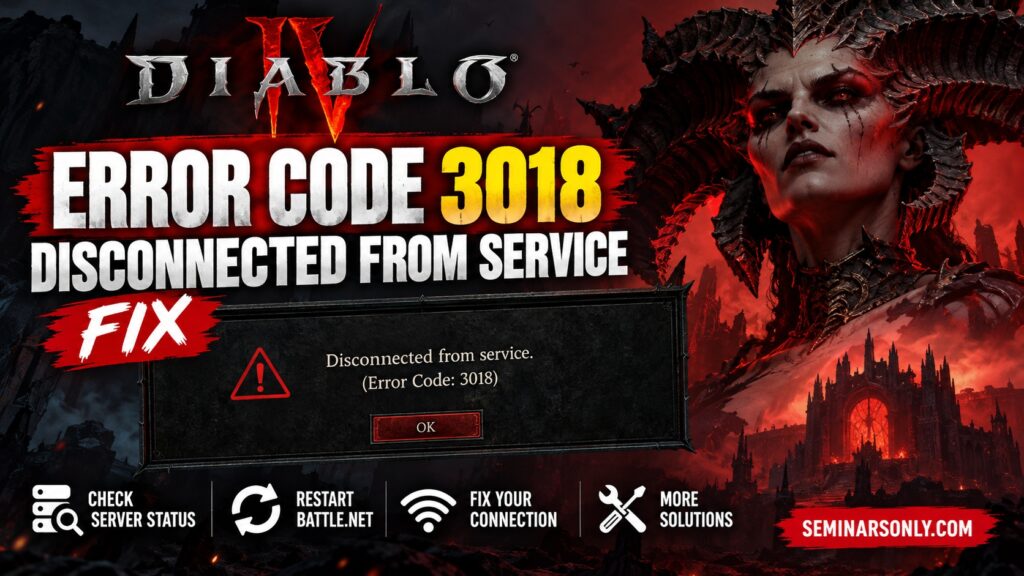
Diablo Error Code 3018 has recently been reported alongside a “Disconnected from service” problem. Before reinstalling Diablo or changing Windows settings, check whether Battle.net or Diablo services are having login or connection problems.
- First: Check Blizzard/Battle.net service status.
- Next: Fully restart Battle.net and Diablo.
- Then: Restart your router and test the connection.
- Avoid: Reinstalling the entire game unless other evidence points to damaged game files.
If Diablo disconnects and displays Error 3018, the most useful first step is identifying whether the failure is on your device or is part of a wider Battle.net service problem. A recent September 2026 incident was detected involving this exact error, but Blizzard has not published an official support definition establishing one universal cause for Diablo Error 3018.
Is Diablo Error 3018 Happening Right Now?
Last checked: September 24, 2026
Independent service monitoring detected an incident on September 22, 2026 involving users being disconnected from Diablo services with Error Code 3018. The detected incident lasted approximately seven minutes and was not listed as officially acknowledged by Blizzard.
Another Diablo service incident was detected on September 24 involving players unable to start or join games because of login or pending-queue problems. This does not prove that every 3018 error is caused by an outage.
What Does Diablo Error Code 3018 Mean?
There is an important distinction to make here: we could not verify an official Blizzard support document that defines “Diablo Error Code 3018” with a single documented cause.
Recent evidence connects the number 3018 with Battle.net connection and login failures. A September 2026 Blizzard forum report, for example, shows the Battle.net error:
The report describes Battle.net being unable to complete login normally. Separately, outage monitoring detected Diablo users reporting “Disconnected from service with error code 3018.”
For that reason, it is safer to treat 3018 as a service/login/connection symptom until the exact cause on your system is established rather than assuming that your Diablo installation is corrupted.
| Symptom | What It Suggests | First Check |
|---|---|---|
| 3018 + disconnected | Battle.net/service connection interruption | Service status |
| Stuck in login queue | Possible authentication/server load issue | Wait and retry |
| Only your PC is affected | Local network or Battle.net client issue becomes more plausible | Restart client/network |
| Many players affected simultaneously | Server-side incident becomes more plausible | Wait for service recovery |
How Do You Fix Diablo Error 3018?
1. Check Battle.net and Diablo Service Status First
This should be your first step. If many players suddenly cannot log in, are stuck in a queue or are being disconnected, repeatedly changing your PC configuration is unlikely to resolve a server-side incident.
Also check Blizzard’s official customer-support channels for current maintenance or incident notices.
Also Read : Fix Diablo IV Error Code 316610: Character Load & Server Desync Guide
2. Completely Restart Diablo and Battle.net
If no widespread outage is reported, close the game and Battle.net completely.
- Exit Diablo.
- Exit the Battle.net desktop application.
- Check the Windows system tray and close Battle.net if it is still running.
- Wait approximately 30 seconds.
- Open Battle.net again.
- Sign in and retry Diablo.
This establishes a fresh client session without making permanent changes to Windows.
3. Restart Your Internet Connection
If the error returns and other players do not appear to be experiencing the same problem:
- Close Diablo and Battle.net.
- Restart your modem/router.
- Allow the internet connection to reconnect fully.
- Open Battle.net.
- Try signing in again.
If possible, test another reliable network. If Diablo works there, the problem is more likely related to your normal network path than to the game installation itself.
4. Test Battle.net Separately
Before troubleshooting Diablo files, determine whether Battle.net itself can authenticate normally.
- Can Battle.net sign in?
- Does the launcher remain online?
- Can the launcher load account information?
- Do other Battle.net games or services connect normally?
If Battle.net itself cannot maintain a connection, concentrate on the Battle.net/network problem rather than reinstalling Diablo.
5. Check for VPN, Proxy or Network Filtering
If you use a VPN or proxy, temporarily disconnect it and test Battle.net again. Corporate, school and other managed networks may also restrict game-service traffic.
Do not disable your firewall or security software permanently. If security software appears to be involved, verify its application permissions instead.
6. Use Battle.net Scan and Repair Only If Needed
If the game itself is failing to start correctly even though Battle.net connectivity is working, you can check the installed game files:
- Open Battle.net.
- Select Diablo.
- Open the options/settings menu beside the Play button.
- Select Scan and Repair if the option is available.
- Allow the check to complete.
Important: Scan and Repair is not a proven fix for Error 3018 itself. It is relevant only when there is separate evidence that the local game installation is malfunctioning.
What Should You NOT Do for Error 3018?
- Do not immediately reinstall the entire game.
- Do not edit the Windows Registry for this error.
- Do not randomly open router ports without a documented reason.
- Do not permanently disable antivirus or firewall protection.
- Do not assume DNS is responsible without evidence.
- Do not repeatedly change settings during an active server incident.
Why Does Error 3018 Sometimes Disappear by Itself?
If the error is associated with a temporary authentication or service interruption, it can disappear after service availability returns. This explains why waiting can sometimes appear to “fix” the problem even though nothing was changed locally.
The September 22 incident detected by independent monitoring lasted only several minutes. That is why checking current service conditions before performing lengthy troubleshooting is important.
Diablo 3018 Still Appearing After Servers Recover?
If the wider service appears operational but your error continues, collect the following information before contacting Blizzard Support:
- The complete error message.
- The complete code, including any BLZ… identifier displayed.
- Whether the problem occurs during Battle.net login or after Diablo launches.
- Your platform: PC, PlayStation or Xbox.
- The approximate time the problem occurred.
- Whether another network produces the same result.
This information is more useful for diagnosis than simply reporting “Error 3018.”
Visit Official Blizzard Support
Quick Answers
What is Diablo Error Code 3018?
Recent reports associate 3018 with a Battle.net/Diablo disconnection or login problem. An official Blizzard support definition for a universal Diablo 3018 cause could not be verified.
Is Error 3018 a server problem?
It can occur during a service disruption, but the code alone does not prove that Blizzard’s servers are down.
Should I reinstall Diablo?
Not as the first step. Check service status, restart Battle.net and test your connection first.
Can waiting fix Error 3018?
If the cause is a temporary service interruption, access may return without any changes to your PC or console.
What if the error continues?
Record the complete error message and any BLZ error identifier, then use Blizzard’s official support resources.
About this guide: Seminarsonly.com is an independent troubleshooting website and is not affiliated with Blizzard Entertainment. For account-specific or service-specific assistance, use official Blizzard Support.
