
Auth Error from APNS or Web Push Service? Here’s How to Fix It
Updated: September 2026 | Topic: Firebase Cloud Messaging, APNs & Web Push
Quick Answer
- “Auth error from APNS or Web Push Service” usually means Firebase Cloud Messaging could not authenticate with Apple Push Notification service (APNs) or the browser’s Web Push service.
- If you see messaging/third-party-auth-error or THIRD_PARTY_AUTH_ERROR, first verify your APNs authentication credentials for Apple devices and your VAPID configuration for Web Push.
- For iOS, confirm the APNs key/certificate belongs to the correct Apple developer account and Firebase project.
- For Web Push, verify the VAPID key used by your client matches the Firebase project’s Web Push configuration.
- After changing credentials, generate or obtain a fresh registration token and send a test notification again.
If Firebase returns “Auth error from APNS or Web Push Service”, do not immediately assume your Firebase service-account credentials are broken. The error often occurs farther down the notification-delivery chain: Firebase has accepted the request but cannot authenticate correctly with the third-party push provider used to reach the recipient.
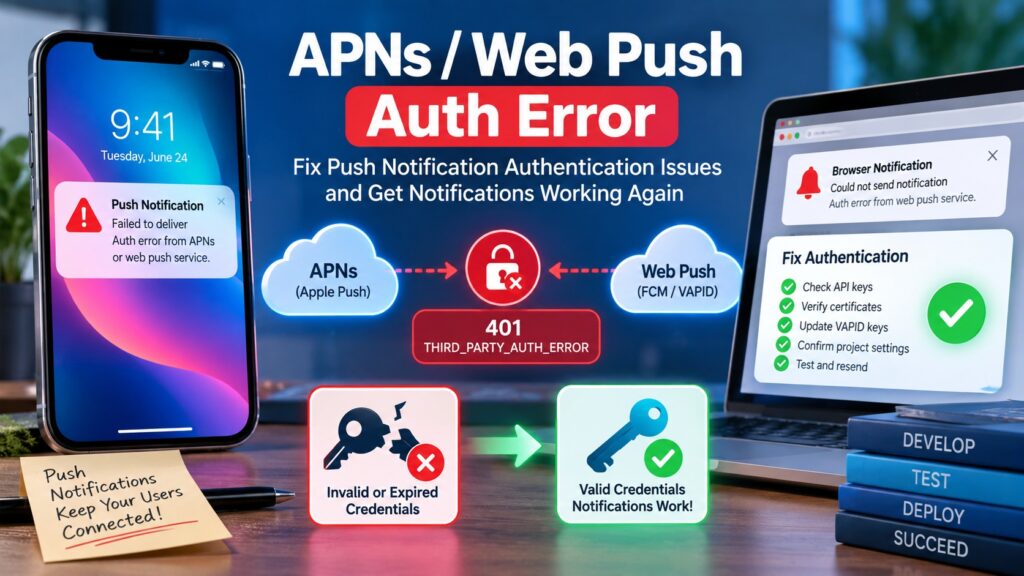
What Does “Auth Error from APNS or Web Push Service” Mean?
In Firebase Cloud Messaging, this message is commonly associated with
THIRD_PARTY_AUTH_ERROR
or
messaging/third-party-auth-error.
It indicates an authentication problem involving the third-party push service responsible for the target platform.
For an Apple device, that third party is normally Apple Push Notification service (APNs). For a web browser, delivery relies on Web Push credentials, including VAPID configuration.
| Error / Symptom | Likely Area | Check First |
|---|---|---|
| THIRD_PARTY_AUTH_ERROR | APNs / Web Push | Push-provider credentials |
| 401 / UNAUTHENTICATED | Authentication | APNs key, certificate or VAPID setup |
| InvalidProviderToken | APNs | Apple authentication key and identifiers |
| Android works, iOS fails | APNs configuration | Firebase Cloud Messaging Apple app credentials |
| Web Push fails | Web Push configuration | VAPID key and registration |
Why Does THIRD_PARTY_AUTH_ERROR Happen?
The key to troubleshooting this error is determining which platform’s tokens fail. If Android notifications work but Apple notifications fail, concentrate on APNs. If browser notifications fail, inspect the Web Push and VAPID configuration.
1. Missing or Incorrect APNs Authentication Key
An iOS Firebase app needs a valid path from FCM to APNs. Check the Apple application configuration under the Firebase project’s Cloud Messaging settings.
- The APNs authentication key must still be valid.
- The correct Key ID should be associated with the credential.
- The Apple Team ID must be correct.
- The credential must belong to the Apple developer account associated with the application.
- The Firebase project must correspond to the iOS app you are actually testing.
If the same backend successfully sends notifications to Android but every iOS token produces the authentication error, inspect the APNs configuration before changing unrelated server code.
2. Revoked or Replaced APNs Key
A configuration can stop working after an Apple push credential is revoked or replaced. This is especially easy to overlook when the Firebase configuration has not been updated after a credential change.
Open your Apple developer configuration and Firebase Cloud Messaging settings and verify that the credential Firebase relies on is still active.
3. APNs Certificate Problem
Projects using APNs certificates rather than token-based authentication should check whether the certificate has expired, was replaced, or does not correspond to the application/environment being tested.
If you maintain separate development and production configurations, verify that your current build and credentials correspond to the environment from which the device token originated.
4. Incorrect VAPID Configuration for Web Push
For Web Push, Firebase uses VAPID (Voluntary Application Server Identification) credentials to authorize communication with supported push services.
Verify the Web Push key pair in:
The public VAPID key supplied by your web application must correspond to the key configuration used by the Firebase project.
5. Token Belongs to Another Firebase Project
Registration tokens are project-specific. A surprisingly common deployment problem occurs when a development or staging client generates a token but the production backend attempts to send through a different Firebase project.
- Check the Firebase project ID used by the client.
- Check the project used by Firebase Admin or HTTP v1.
- Do not mix staging tokens with production credentials.
- Generate a fresh token after changing projects or messaging configuration.
How to Fix Auth Error from APNS or Web Push Service
| Priority | Action | Why |
|---|---|---|
| 1 | Identify failing platform | Separates APNs from Web Push problems |
| 2 | Verify APNs credentials | Fixes many Apple authentication failures |
| 3 | Verify VAPID key | Required for reliable Web Push authorization |
| 4 | Check Firebase project | Prevents cross-project token mismatch |
| 5 | Refresh registration token | Eliminates stale client registration |
| 6 | Send one test message | Confirms whether the credential fix worked |
Step 1: Confirm Which Platform Is Failing
Do not rotate every credential at once. First separate your tokens by platform and send a controlled test.
- Android succeeds + iOS fails: investigate APNs.
- Android succeeds + Web fails: investigate Web Push/VAPID.
- Everything fails: also inspect your FCM HTTP v1/service-account configuration and project selection.
Step 2: Check Firebase APNs Credentials
Open your Firebase project and inspect the Cloud Messaging configuration for the Apple application. Verify the APNs authentication key or certificate information against the Apple developer configuration.
Pay particular attention to configuration changes made shortly before notifications stopped working.
Step 3: Verify Your Web Push VAPID Key
For a web app, verify that the VAPID public key configured by the client is the one associated with the current Firebase project.
const messaging = getMessaging();

const token = await getToken(messaging, {
  vapidKey: 'YOUR_PUBLIC_VAPID_KEY'
});
Replace the placeholder with your own project’s public VAPID key. Never expose a private VAPID key in browser-side code.
Step 4: Check for a Firebase Project Mismatch
Compare the project configuration used by the frontend with the Firebase project used by your backend.
{
  "project_id": "your-firebase-project"
}
The important point is not the example value—it is that the sending backend and recipient registration must belong to the intended Firebase environment.
Step 5: Generate a Fresh Registration Token
After correcting credentials, do not rely only on an old token stored in your database. Re-register the affected client and test using the newly obtained token.
This is especially important after:
- changing Firebase projects;
- changing Web Push keys;
- reinstalling or rebuilding an app;
- switching between staging and production;
- changing notification-related configuration.
Step 6: Send a Single Test Notification
Before testing a production campaign, send a notification to one known current registration token. This makes the result easier to interpret and prevents unrelated stale tokens from hiding whether your credential fix actually worked.
APNs vs Web Push: How to Know Which One Is Broken
| Test Result | Most Relevant Area |
|---|---|
| Android works, iPhone fails | APNs authentication |
| iPhone works, browser fails | Web Push/VAPID |
| Only staging fails | Project/environment mismatch |
| Only old tokens fail | Token lifecycle or stale registration |
What Is InvalidProviderToken?
If the detailed response includes InvalidProviderToken, focus specifically on the APNs provider authentication path. This points more strongly toward Apple-side provider credentials than toward the notification payload itself.
Quick Answers
What is messaging/third-party-auth-error?
It is a Firebase Cloud Messaging error indicating an authentication failure involving a third-party push provider, typically APNs for Apple notifications or a Web Push service.
What does THIRD_PARTY_AUTH_ERROR mean in FCM?
It means the credentials required to authenticate with the downstream push service are invalid, missing, mismatched or otherwise unusable for that notification request.
Why does Firebase return 401 for push notifications?
When the response specifically says “Auth error from APNS or Web Push Service”, investigate APNs or Web Push authentication rather than treating it as a generic HTTP 401.
Can an expired APNs certificate cause the error?
Yes. If your setup uses certificate-based APNs authentication, an expired, incorrect or mismatched certificate can prevent successful authentication.
Can a VAPID key cause this error?
Yes. Web Push depends on correctly configured Web Push credentials. A mismatched configuration should be investigated when browser notifications fail while other platforms continue working.
A Better Production Troubleshooting Strategy
For production systems, log enough information to identify the failing delivery path without storing unnecessary sensitive data.
- Platform: iOS, Android or Web.
- Firebase project/environment.
- FCM error code.
- APNs error reason when returned.
- Time of failure.
- Whether the token is newly generated or previously stored.
- App version or deployment environment.
This turns a generic authentication message into an actionable pattern. For example, if every Android notification succeeds but every iOS notification begins failing immediately after an APNs credential change, the investigation can concentrate on the Apple push configuration.
Common Mistakes to Avoid
- Rotating the Firebase service account before identifying whether the failure is actually APNs or Web Push.
- Testing repeatedly with an old registration token after changing configuration.
- Mixing development, staging and production Firebase projects.
- Using a VAPID key copied from another Firebase project.
- Replacing APNs credentials without checking Apple Team ID and Key ID.
- Assuming a successful Android test proves the iOS configuration is correct.
- Changing multiple settings simultaneously, making it impossible to identify the real fix.
Official Documentation and Further Reading
For current configuration instructions, use the official Firebase documentation:
Firebase Web Push Documentation
For more troubleshooting guides, visit:
SeminarsOnly Tech & Error Fix Guides
.
Final Fix Checklist
- Identify whether iOS or Web Push is failing.
- Check the exact FCM error code and detailed provider error.
- Verify APNs authentication credentials for Apple devices.
- Confirm Apple Key ID and Team ID where applicable.
- Verify the Web Push/VAPID configuration for browser notifications.
- Confirm frontend and backend use the intended Firebase project.
- Generate a fresh registration token after configuration changes.
- Test one current token before sending to a large audience.
TL;DR — Auth Error from APNS or Web Push Service
- THIRD_PARTY_AUTH_ERROR points to authentication with APNs or Web Push.
- iOS failing? Check APNs keys/certificates and Firebase Apple-app configuration.
- Web failing? Check the Firebase Web Push/VAPID key configuration.
- One environment failing? Check for staging/production Firebase project mismatches.
- After correcting credentials, obtain a fresh registration token and send a controlled test notification.
Editorial note: This troubleshooting guide distinguishes FCM authentication from downstream APNs/Web Push authentication so developers can isolate the failing notification layer before rotating credentials or changing application code. Configuration screens and SDK behavior can change, so verify implementation details against the latest Firebase and Apple documentation.
