
Android Studio Download : Download and Install Android Studio & App Tools
Get the official Integrated Development Environment (IDE) for Android app development.
Download Here
Intelligent code editor
Write better code, work faster, and be more productive with an intelligent code editor that provides code completion for Kotlin, Java, and C/C++ programing languages. Moreover, when editing Jetpack Compose you can see your code changes reflected immediately with Live Edit.
Compose design tools
Create dynamic layouts with Jetpack Compose. Then preview your layouts on any screen size and inspect Compose animations using the built-in inspection tools.
Install Android Studio
Windows
To install Android Studio on Windows, proceed as follows:
- If you downloaded an
.exefile (recommended), double-click to launch it.If you downloaded a.zipfile, unpack the ZIP, copy the android-studio folder into your Program Files folder, and then open the android-studio > bin folder and launchstudio64.exe(for 64-bit machines) orstudio.exe(for 32-bit machines). - Follow the setup wizard in Android Studio and install any SDK packages that it recommends.
That’s it.
As new tools and other APIs become available, Android Studio tells you with a pop-up, or you can check for updates by clicking Help > Check for Update.
Mac
To install Android Studio on your Mac, proceed as follows:
- Launch the Android Studio DMG file.
- Drag and drop Android Studio into the Applications folder, then launch Android Studio.
- Select whether you want to import previous Android Studio settings, then click OK.
- The Android Studio Setup Wizard guides you through the rest of the setup, which includes downloading Android SDK components that are required for development.
Linux
To install Android Studio on Linux, proceed as follows:
- Unpack the
.zipfile you downloaded to an appropriate location for your applications, such as within/usr/local/for your user profile, or/opt/for shared users.If you’re using a 64-bit version of Linux, make sure you first install the required libraries for 64-bit machines. - To launch Android Studio, open a terminal, navigate to the
android-studio/bin/directory, and executestudio.sh. - Select whether you want to import previous Android Studio settings or not, then click OK.
- The Android Studio Setup Wizard guides you through the rest of the setup, which includes downloading Android SDK components that are required for development.
Chrome OS
Follow these steps to install Android Studio on Chrome OS:
- If you haven’t already done so, install Linux for Chrome OS with at least 20 GB of storage.
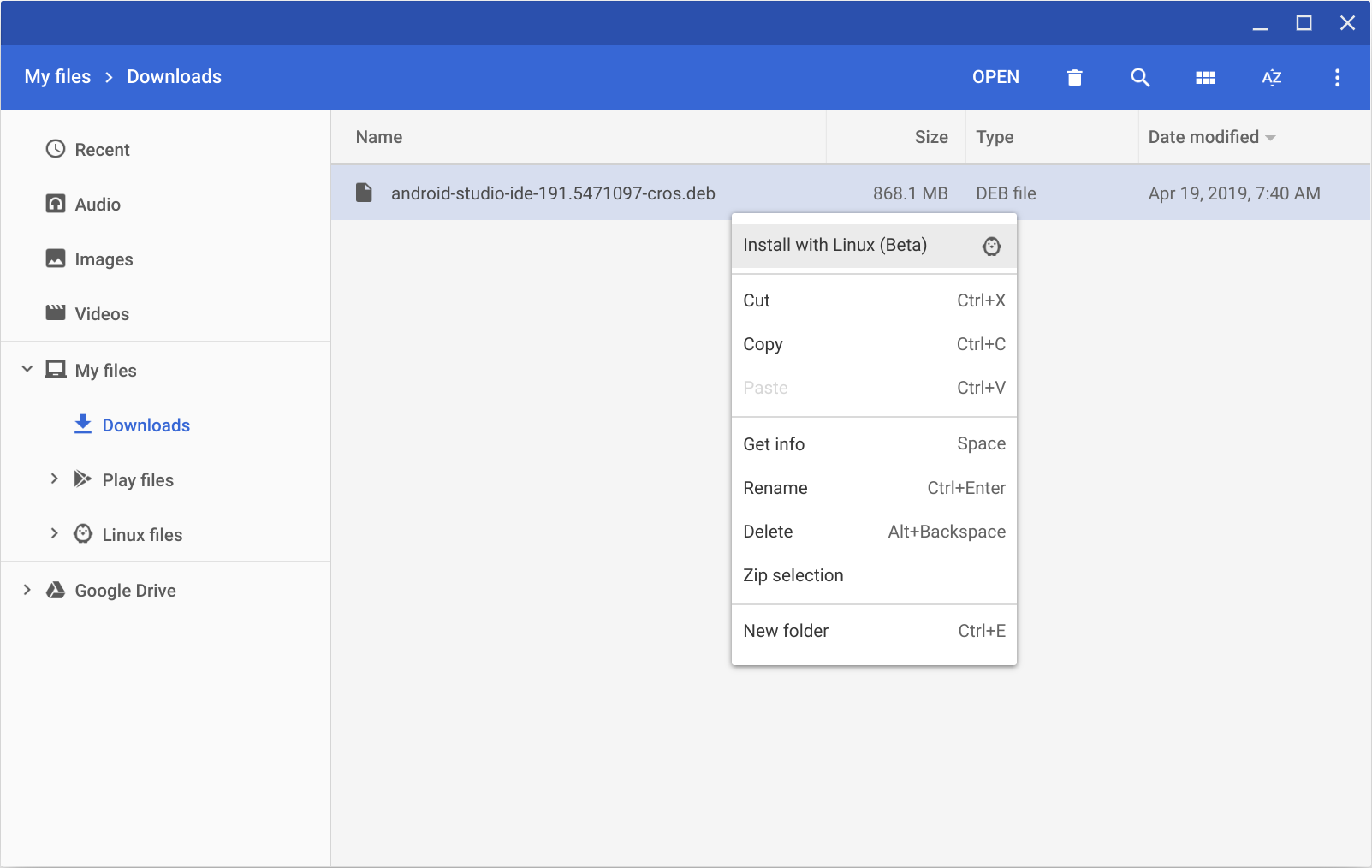
- Open the Files app and locate the DEB package you downloaded in the Downloads folder under My files.
- Right-click the DEB package and select Install with Linux (Beta).

- If you have installed Android Studio before, select whether you want to import previous Android Studio settings, then click OK.
- The Android Studio Setup Wizard guides you through the rest of the setup, which includes downloading Android SDK components that are required for development.
- After installation is complete, launch Android Studio either from the Launcher, or from the Chrome OS Linux terminal by running
studio.shin the default installation directory:/opt/android-studio/bin/studio.sh
That’s it. As new tools and other APIs become available, Android Studio tells you with a pop-up, or you can check for updates by clicking Help > Check for Update.


Comments are closed