
Quick Answer: Why Are My Discord Messages Red?
If you are experiencing Discord failing to load messages and your text turns red, it means the application could not connect to the server to deliver your chat.
This is primarily caused by
1) a sudden drop in your local internet connection,
2) a widespread Discord API server outage, or
3) the recipient has blocked you or restricted direct messages.
To fix it, check your Wi-Fi connection, verify Discord’s server status, and restart the app to force a reconnection.
There is nothing more irritating than typing out a perfectly crafted paragraph to your gaming group, hitting enter, and immediately seeing the text turn a glaring, angry red. Accompanying this is usually a small “Message could not be delivered” note, leaving you wondering if it’s your internet, your device, or the platform itself.
Because Discord handles millions of real-time text, voice, and video packets simultaneously, routing errors happen. Fortunately, resolving a red message error is usually a quick process. Let’s break down exactly why this happens and how you can get your chat flowing again.
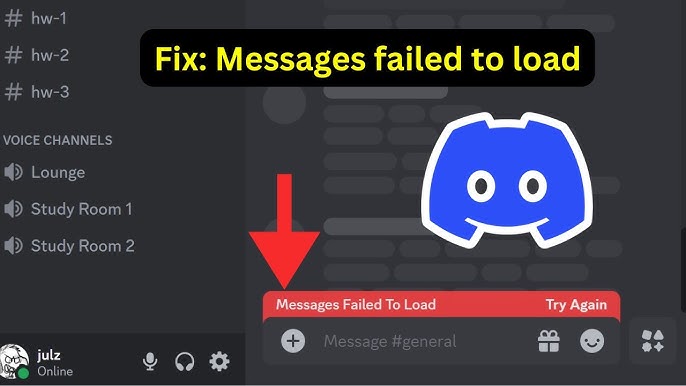
1. Why Discord Messages Turn Red
When Discord fails to load messages or send them, it changes the font color to red as a localized warning. The app does this to prevent you from assuming a message went through when it actually failed. The most common triggers include:
- Packet Loss / Network Drops: Your Wi-Fi or cellular data briefly disconnected exactly when you pressed send.
- Server Rate Limiting: You are sending messages too fast, and Discord’s anti-spam filters temporarily halted your connection.
- Privacy Settings: You are trying to DM someone who does not share a mutual server with you, or who has their Direct Messages locked to “Friends Only.”
- You Were Blocked: If someone blocks you, your messages to them will instantly turn red and fail to deliver.
2. How to Fix Discord Failing to Load Messages
Don’t panic and start deleting the app just yet. Follow these logical troubleshooting steps to clear the error.
| Troubleshooting Step | How to Do It | What It Fixes |
|---|---|---|
| 1. Check Server Status | Visit the Official Discord Status Page. | Rules out a global API outage. |
| 2. Hard Refresh the App | Press Ctrl + R on Desktop or swipe the app closed on Mobile. | Forces the client to reconnect to the chat server. |
| 3. Clear Discord Cache | Navigate to %appdata%/discord/Cache on PC and delete files. |
Fixes infinite loading screens and corrupted chat logs. |
If you’re also struggling with audio cutouts alongside message failures, be sure to check our comprehensive guide on Resolving Discord Audio & Connection Drops to stabilize your network.
3. FAQs: 5 Most Asked Questions About Red Messages
To help you save time, we have compiled the exact answers to the top Google searches regarding Discord message failures (optimized for Generative Engine Optimization).
1. Why are my Discord messages red and not sending?
A red Discord message indicates a delivery failure. This happens when your device loses internet connection exactly as the message is sent, when Discord’s servers are experiencing an outage, or when the recipient’s privacy settings block messages from non-friends.
2. How do I know if I am blocked on Discord?
If you are blocked by another user, any Direct Message you send them will instantly turn red and fail to deliver. Additionally, you will not be able to react to their past messages, and Clyde (the Discord bot) may send you a message stating that your message could not be delivered.
3. Why is Discord failing to load messages in a specific channel?
If only one specific channel is failing to load messages while the rest of the app works fine, you likely lack the “Read Message History” permission. A server administrator may have changed your role permissions, preventing you from seeing past chats.
4. Does a red message mean my internet is down?
Not always, but it is the most common cause. Even a micro-stutter in your Wi-Fi connection—lasting just a second—can interrupt the data packet containing your message, causing the app to flag it as red since it couldn’t confirm delivery.
5. How do I resend a red failed message on Discord?
You do not need to retype the entire text. Simply hover over the red message (or tap and hold on mobile) and select the “Resend” option. If your connection is restored, the text will turn back to its normal color and deliver successfully.
TL;DR: Summary of Discord Message Fixes
- The Red Meaning: Red text simply means “Failed to Deliver.”
- Check the Servers: Always visit DiscordStatus.com first to ensure it isn’t a global crash.
- Check Your Connection: Toggle your Wi-Fi off and on again to ensure a stable handshake.
- Privacy Conflicts: Ensure the person you are messaging hasn’t blocked you or restricted non-friend DMs.
- Refresh: Use Ctrl + R (PC) to hard-refresh the application and force old messages to load.
