
By Anup V Naick | Updated July 10, 2026 | Games and Technology Editor at Wings Infotech.
3 min read · Fact-checked against official Microsoft and Minecraft support documentation
Quick answer
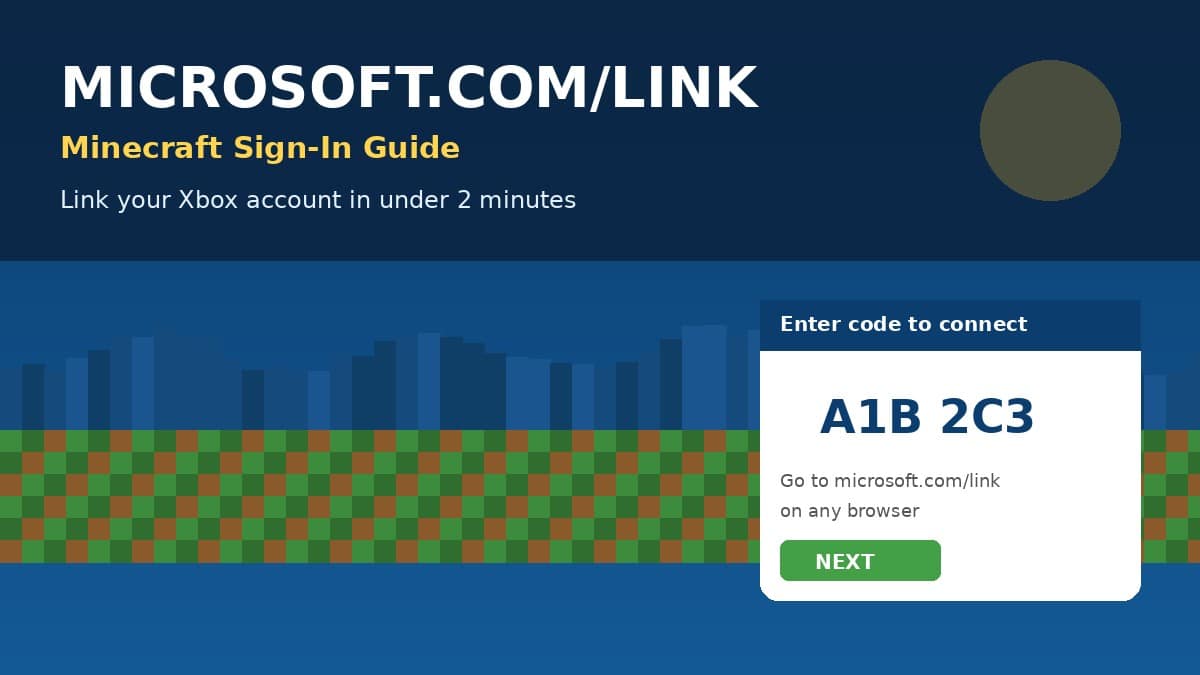
Microsoft.com/link is the official Microsoft page used to sign into Minecraft on a console, phone, or PC that cannot show a full browser window. Open Minecraft, choose sign in with Microsoft, then on any other device go to microsoft.com/link and type the short code shown on your screen. Confirm your Microsoft account details and Minecraft signs in automatically within about two minutes.
If your Minecraft, Xbox, or Nintendo Switch screen suddenly asks you to visit microsoft.com/link and type a code, you are one short step away from playing online. This guide covers exactly where the code goes, what each device needs, and how to fix the most common sign-in failures without losing your saved worlds.
On this page:
What is microsoft.com/link •
Sign-in steps •
By device •
Common errors •
Is it safe •
FAQ •
TLDR
What is microsoft.com/link and why Minecraft needs it
Minecraft uses a Microsoft account to save purchases, skins, and Realms access across every device you own. On screens that cannot easily open a keyboard and browser together, such as an Xbox console, a Nintendo Switch, or a smart TV app, Minecraft shows a short alphanumeric code instead of a full sign-in form. You then open microsoft.com/link on a separate phone or computer, enter that code, and complete sign-in there. This is called a device code flow, and it is the same method used by many streaming apps and smart TVs, not something unique or risky to Minecraft.
- microsoft.com/link only accepts a code, it never asks for your Minecraft username directly.
- The code usually expires in about 10 to 15 minutes for security.
- You must sign in with the same Microsoft account tied to your Xbox gamertag or Minecraft purchase.
Step-by-step: link your Microsoft account in Minecraft
1. Get your code in Minecraft
Launch Minecraft and select Sign in with Microsoft. A short code, usually made of letters and numbers, appears on the screen along with the web address microsoft.com/link.
2. Open microsoft.com/link on another device
Using your phone or a computer browser, go to microsoft.com/link. Type the exact code from Minecraft and select Next. Codes are not case sensitive but must be entered without spaces.
3. Confirm your Microsoft account
Sign in with the email, phone number, or Skype ID linked to your Microsoft account, then approve the connection request. Return to Minecraft, and it will sign in automatically with your gamertag.
- Double-check you are using the Microsoft account that originally purchased or redeemed Minecraft.
- If you manage a child account, an adult must approve the sign-in from their own Microsoft account first.
- Keep the Minecraft screen open while you complete the steps on your other device.
Minecraft Patch Notes 1.21.130: Complete Changelog for Mounts of Mayhem Update
Microsoft.com/link by device
| Device | Where the code appears | Notes |
| Xbox console | Sign-in screen on first launch | Xbox Live Gold or Game Pass Core needed for online play |
| Nintendo Switch | Below the microsoft.com/link URL | A free Microsoft account works, no Xbox subscription required |
| Windows PC | Minecraft Launcher sign-in window | Can usually sign in directly without a second device |
| Android or iOS | In-app sign-in screen | Use a second phone or a laptop browser to enter the code |
| PlayStation | First-time Minecraft sign-in prompt | PlayStation Plus still required for online multiplayer |
Common microsoft.com/link errors and fixes
| Problem | Likely cause | Fix |
| Code says expired or invalid | Took longer than 10 to 15 minutes to enter it | Back out of sign-in in Minecraft and generate a fresh code |
| Page loads but nothing happens after entering code | Typo in the code, or extra spaces pasted in | Retype the code manually instead of pasting it |
| Signed in but Minecraft still shows sign-in screen | Cached login token on the console or app | Fully close Minecraft, sign out and back into the Xbox app, then relaunch |
| Account needs adult permission | Account is registered as a child account under 18 | A parent must approve the sign-in from the Microsoft family settings |
- Never enter your microsoft.com/link code on a site with a different or misspelled domain.
- If a fix does not work, restart the console or app fully before trying again.
- Keep your Microsoft account recovery email and phone number up to date to avoid lockouts.
Is microsoft.com/link safe to use
Yes. Microsoft.com/link is an official Microsoft domain used across Xbox, Minecraft, and other Microsoft products for device-based sign-in, and it never asks for your password on that page, only the short code. The actual password entry happens on Microsoft’s own login page after the code is accepted. Be cautious only of look-alike domains in search ads or messages that are not microsoft.com.
Frequently asked questions
What is microsoft.com/link used for in Minecraft?
It is the official Microsoft device sign-in page where you type a short code shown in Minecraft to link the game to your Microsoft or Xbox account.
What if my microsoft.com/link code expires?
Close and reopen the sign-in screen in Minecraft to generate a new code, then enter it again on microsoft.com/link.
Do I need Xbox Live Gold to sign in this way?
No, signing in with a Microsoft account is free on every device. A subscription like Xbox Game Pass Core, PlayStation Plus, or Nintendo Switch Online is only required for online multiplayer, not for sign-in itself.
For device-specific token errors, see the official Xbox gaming services repair tool from Microsoft support, and the official Minecraft and Microsoft accounts reference page for account linking rules straight from Mojang.
If sign-in still fails after these steps, our detailed Minecraft Drowned error fix guide and Xbox account sign-in troubleshooting guide cover token cache resets and console-specific repairs in more depth.
TLDR
- Microsoft.com/link is Microsoft’s official device sign-in page, used to connect Minecraft to a Microsoft account with a short code.
- Get the code in Minecraft, enter it on any other browser at microsoft.com/link, then confirm your account.
- Codes expire in about 10 to 15 minutes, so generate a new one if sign-in stalls.
- Free to use on every device, subscriptions like Xbox Game Pass Core are only needed for online multiplayer.
- Only ever enter your code on the real microsoft.com domain.

About the Author
Anup V Naik is the founder of Wings Infotech and writes on financial, regulatory, and public interest topics. He holds a Mechanical Engineering degree from Manipal Institute of Technology and an MBA from TKM Institute of Management. He covers gaming platforms, account and sign-in troubleshooting, and consumer technology, cross-checking every step against official Microsoft and Minecraft support documentation before publishing.
📧 contact@seminarsonly.com | facebook.com/seminarsonly | twitter.com/seminarsonly
🌐 seminarsonly.com

Pingback: NVIDIA Installer Cannot Continue Error 0xE60000: 6 Fixes - Seminarsonly.com
Pingback: Kerala Lottery Guessing Formula Today Last 3 Numbers Seminarsonly - Seminarsonly.Com