
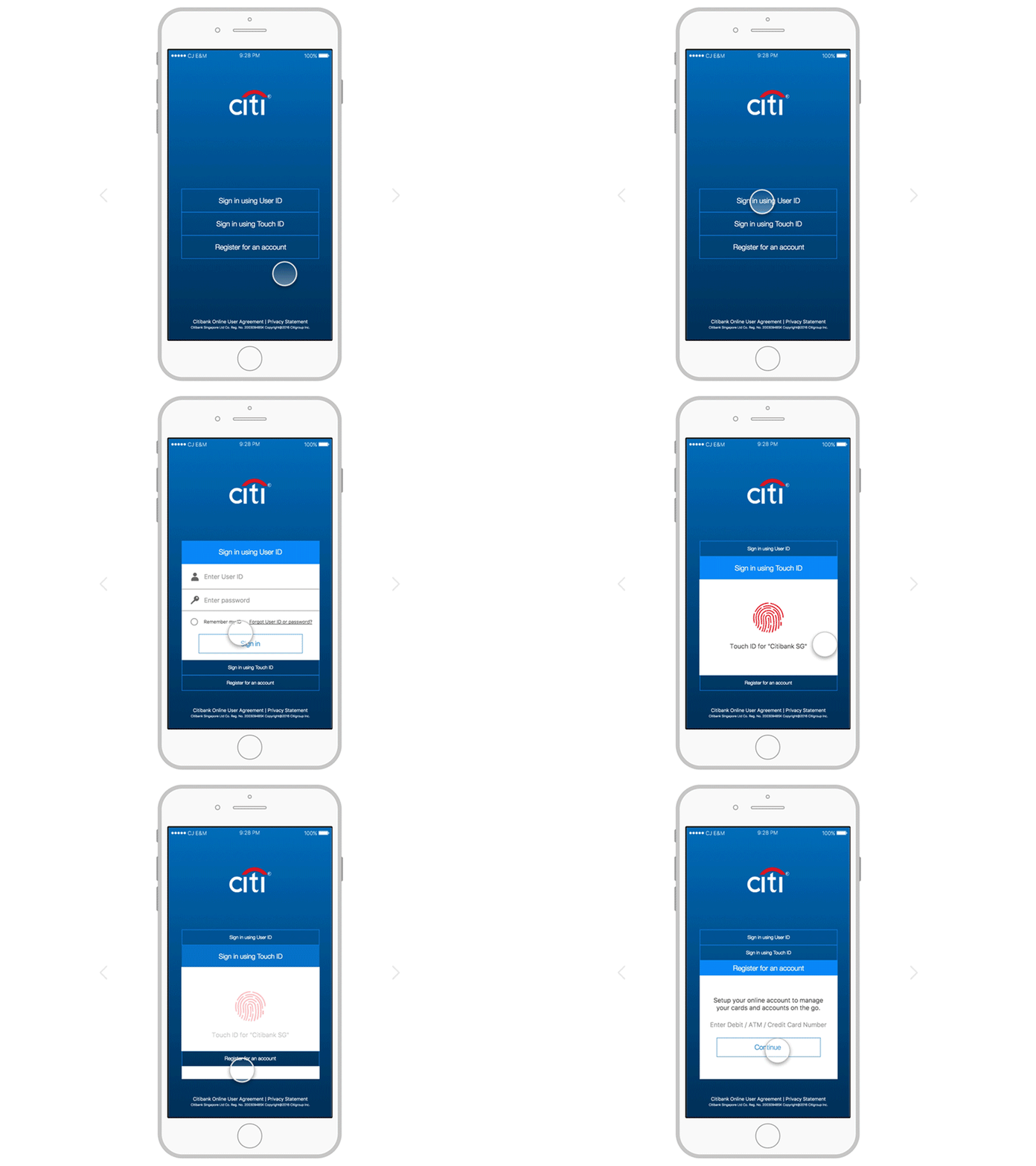
It always seems to happen at the worst time. You sit down to pay a bill or check a balance, type in online.citi.com, and the page just spins, freezes, or hits you with a vague “we are experiencing a technical issue” message. Annoying, yes. Usually fixable in under five minutes, also yes. Let’s sort out exactly why the Citibank site is not working for you and what to actually do about it.
Quick answer
The Citibank site is usually not working for one of two reasons: either Citi is having a temporary outage, or something on your device is blocking it. Confirm which one by checking Citi’s live status. If Citi is online, clear your cache, disable your VPN and extensions, and switch browsers. If Citi is offline, use the Citi Mobile App or call 1-800-374-9700 for time sensitive account access.
On this page
Why the Citibank site is not working
A banking site failing to load feels like a single problem, but it is really a handful of separate issues wearing the same coat. Knowing which one you are dealing with saves you a lot of guessing. Here are the usual suspects.
Step 1: check if Citi is actually down
Before you start clearing caches and reinstalling things, spend thirty seconds finding out whether the problem is even yours to fix. If Citi’s servers are down, no amount of tinkering on your laptop will help, and you can save yourself the effort.
Gemini Error 1155 | Something Went Wrong (1155)One quick status check tells you which path to take.
Ways to confirm a Citi outage
- Open a free outage tracker such as Downdetector and search for Citi. A spike in reports means it is not just you.
- Try loading online.citi.com from your phone on mobile data, not Wi-Fi. If it works there, the issue is your home network or browser.
- Check Citi’s official social accounts, where the bank sometimes posts planned maintenance windows.
Good to know: Banks like Citi run scheduled maintenance, often late at night or early Sunday. If the site is down during those hours, it may simply be planned upkeep that resolves on its own.
Step 2: fixes that work in minutes
If your status check shows Citi is online, the problem lives on your device. Work through these in order. Most people are back in by the second or third step.
Pro tip: Restarting your router clears a surprising number of “site not working” problems. Unplug it for thirty seconds, plug it back in, and give it a minute to reconnect before trying Citi again.
Common Citi error messages and what they mean
The exact wording Citi shows you is a strong hint about the real cause. Here is how to read the most common ones.
Browser specific fixes
Citi customers most often report trouble on Chrome, simply because it is the most used browser. The fix is usually the same across all of them.
- Chrome: Settings, then Privacy and security, then Clear browsing data. Tick cookies and cached files, clear, and restart Chrome.
- Edge: Settings, then Privacy, search and services, then Clear browsing data now.
- Safari: Safari menu, then Settings, then Privacy, then Manage Website Data, and remove Citi entries.
- Firefox: Settings, then Privacy and Security, then Cookies and Site Data, then Clear Data.
When to use the Citi mobile app instead
If you are stuck on the website but need to move money or check a balance right now, the Citi Mobile App is your best backup. It often keeps working even when the website is having a bad day, because it runs on a slightly different system. Make sure the app is updated to the latest version, and if it also fails, force close it and reopen, or toggle airplane mode to reset your connection.
When and how to contact Citi
If you have worked through the fixes and the site still will not load, or if you cannot reach your money during a confirmed outage, it is time to call. Citi’s general customer and online banking support line runs 24 hours a day.
Stay safe: Only ever use the phone number on the back of your card or from citi.com. Scammers post fake “Citi support” numbers online. Citi will never ask for your full password, your one time code, or your PIN.
Frequently asked questions
Is the Citibank site down right now, or is it just me?
The fastest way to know is to load online.citi.com on your phone using mobile data instead of Wi-Fi, and to check an outage tracker like Downdetector. If the site works on mobile data and trackers show no spike, the problem is on your device or network, not Citi.
Why does the Citi login page keep looping back to itself?
A login loop is almost always caused by stale cookies. Clear your cookies and cache, or open the site in an incognito window. If it still loops, try a different browser and make sure your current one is fully updated.
The website is down but I need to pay a bill. What can I do?
Use the Citi Mobile App, which often works during website outages. If both are down and the payment is urgent, call Citi at 1-800-374-9700 so a representative can help you avoid a late payment.
Why does Citi block me when my VPN is on?
Banks treat VPN and proxy traffic as a fraud risk, since it hides your real location. Turning the VPN off and reloading the page resolves most of these blocks instantly.
I just got a new card and cannot log in. Is that normal?
It can be. New cards on an existing account sometimes take a short time to sync with online access, and you may see a verification error in the meantime. If it does not clear within a day, call Citi support to confirm your online profile is linked correctly.
About this guide
This article was written and fact checked by the SeminarsOnly editorial team, drawing on Citi’s official contact information and widely reported customer issues. Phone numbers and support channels were verified against citi.com. We do not represent Citibank. For account specific help, always contact Citi directly through the official channels listed above. Last reviewed: June 2026.

Pingback: How to Fix "Failed to Find vscode-ripgrep" in VS Code Todo Tree - Seminarsonly.com