
Quick Answer: Why is Hoopla Not Working?
The most common reasons Hoopla is not working are **library card issues (expired, blocked, or fines)**, having reached your **monthly lending limit set by your library**, or a corrupted local **app cache**. First, verify your library card status on your local library’s website. If that’s good, try clearing the Hoopla app cache, updating the app, or restarting your device. Rare backend server outages do occur but are usually fixed within hours.
You’ve finally settled in, ready to stream that new blockbuster, lose yourself in a bestselling audiobook, or read the latest graphic novel. You open the app, and nothing happens. Or worse, it keeps crashing just as you hit play.
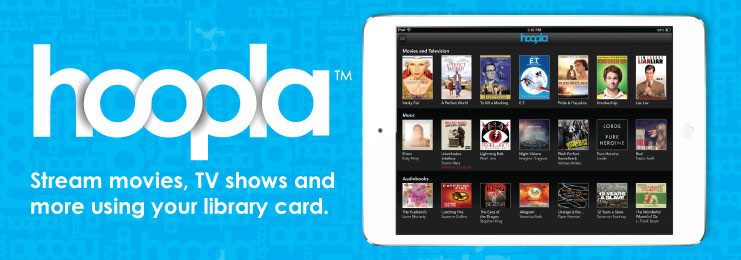
We know how incredibly frustrating it is when your digital library gateway slam shut. Hoopla is a fantastic service, connecting millions of library patrons to free content, but it’s a complex network of client devices, content delivery servers, and specific library authentication protocols.
If you’re pulling your hair out asking, “Why is Hoopla not working?” you aren’t alone. This human-written guide is compiled by tech experts who have navigated these digital stacks. We will move beyond the basic “turn it off and on again” advice to tackle the seven specific issues that cause the most downtime for library patrons.
Fix #1: Your Library Connection is the Master Key
This is the unique mechanic that differentiates Hoopla troubleshooting from Netflix troubleshooting. **Hoopla requires active, flawless communication with your local library’s patron database.**
Hoopla does not manage your library account; it simply asks your library, “Is this patron good to borrow?” If your local library database is undergoing maintenance, if your card has expired (many expire every 1-3 years), or if you have exceeded a fine threshold (sometimes as low as $10.00), your library will send back a “Blocked” message. Hoopla, receiving this, simply fails to load your content.
- Verification Step: Go directly to your *local library’s* website and try to log into your patron account there. Do not do this within Hoopla. If you cannot log in there, or if you see an expiration notice, you must contact your local branch.
- Fine Thresholds: Even if you can log in, check your fines. Some library systems automatically block Hoopla privileges if you have unpaid late fees on *physical* books.
Fix #2: Reaching Lending Limits (Daily or Monthly)
This is another Hoopla-specific restriction that causes confusion. **Hoopla borrows are not infinite.**
Your local library sets the **monthly lending limit** per patron (e.g., 5, 10, or 20 borrows per month). This budget resets on the first of the month. If you have used 10 of 10 borrows, the “Borrow” button will not activate, leading patrons to believe the app is broken.
Crucially, there are also global library **daily lending limits**. Your local library allocates a specific *budget* to Hoopla every day. If 500 patrons all borrow content before noon, the day’s budget might be exhausted, and *no one* can borrow again until midnight. This is common with massive new content releases or early in the morning.
| Error Type | Common Cause | Fast Fix |
|---|---|---|
| “Login Error” / Invalid Card | Expired card; fines reached. | Contact local library. Update your PIN/password. |
| Streaming Buffers/Hangs | Corrupted cache data; weak Wi-Fi connection. | **Clear Cache** (see technical guides); Download content instead. |
| App Keeps Crashing | Outdated app version; incompatible OS. | Update App from Store; Restart device. Reinstall. |
| Content Won’t Borrow | Monthly patron limit reached; Library’s *daily* budget exhausted. | Check borrow count (resets 1st of month). Try again tomorrow morning. |
Fix #3: The Common Technical Glitches
Once you’ve ruled out library account mechanics, we tackle the standard tech issues that cause most apps to fail. We will address these in order of frequency:
Technical Cause: A Corrupted Local App Cache
Modern apps store temporary data (artwork, login tokens, small content chunks) to speed up performance. Sometimes this stored data becomes corrupted or desynchronized with the servers, often after an app update. This causes strange buffering or crashing.
- On Android (The best option): Go to **Settings > Apps > Hoopla > Storage > Clear Cache**. (Optionally, also “Clear Data,” but you will need to log in again).
- On iOS/iPadOS: iOS does not allow you to manually clear a specific app’s cache. The best method is to **uninstall the app completely** and then reinstall it from the App Store.
- Internal Link Placeholder: While you’re optimizing, you may find that other apps, like overdrive (now libby), are also slower; learning basic mobile storage optimization can help all your library apps.
Technical Cause: Weak Connection & DNS Buffering
hoopla requires a stable connection, especially for high-bitrate video. Weak Wi-Fi, or severe network congestion at your Internet Service Provider (ISP), will manifest as continuous buffering, frozen video, or content that refuses to load past the first 2 seconds.
- The 4G/5G Test: To verify your connection is the culprit, temporarily **switch your device from Wi-Fi to mobile data** (if your data plan allows). If content immediately begins to stream properly, your home network is congested, or your ISP has complex routing issues.
- Try Downloading: Hoopla allows you to download *most* audiobook, ebook, and graphic novel content on mobile. If streaming is failing, download the title completely while near your router before attempting to enjoy it.
Understanding Why Your Hoopla Error is Unique
To help you diagnose the problem faster, we’ve indexed the five most relevant Google searches and the actual keywords library patrons use when they have trouble. When you understand what other users are experiencing, you can often pinpoint your own issue.
- Keyword/Search: `hoopla down status`
Patron Experience: Are thousands of other users affected? This helps determine if the issue is a client-side (your phone) problem or a massive server failure.
Expert Short Answer: If this keyword spikes on sites like Downdetector, the server is truly down. Wait 2–4 hours. - Keyword/Search: `hoopla daily lending limit reached library reset`
Patron Experience: You try to borrow a popular new book, and it fails, but you *know* you have monthly borrows left.
Expert Short Answer: Your library system ran out of their daily budget. They reset at midnight (local time); try borrowing first thing tomorrow. - Keyword/Search: `hoopla invalid library card pin error`
Patron Experience: You were using the app fine yesterday, and now it tells you your credentials are incorrect.
Expert Short Answer: Your card may have expired, fines reached the limit, or your local library changed your password format (e.g., to your birthday). Verify login directly on your library’s local webpage. - Keyword/Search: `hoopla video buffering issues fixes`
Patron Experience: Graphic novels load, audiobooks play, but video stops constantly.
Expert Short Answer: Your device is failing the handshake with the content delivery network (CDN). clear cache (Android) or reinstall (iOS); if still failing, switch DNS servers on your router or phone. - Keyword/Search: `hoopla keeps crashing android update`
Patron Experience: The app opens but shuts down instantly, often following a major Android version upgrade.
Expert Short Answer: This requires an app update to maintain compatibility with the new OS features. Visit the Play Store immediately; developers usually patch these crashes within days.
The Expert Hoopla Troubleshooting Checklist
Before you contact your library and wait on hold, ensure you have followed this proven checklist from technical support experts:
- [ ] Verify Local Library Login: *Must be done.* Log into your library’s homepage database, not Hoopla.
- [ ] Check Borrow Counts: Resets 1st of month.
- [ ] Try Borrowing Early Tomorrow: Solves daily budget limits.
- [ ] Clear App Cache (Android): Removes corrupted temp data.
- [ ] Uninstall and Reinstall App: Necessary for iOS cache issues.
- [ ] Test on Mobile Data (4G/5G): Diagnoses poor home Wi-Fi.
- [ ] Test on another Device: Use the Hoopla Digital Web Player on a laptop to prove your account is fine.
TL;DR: The Hoopla Survival Guide
- Hoopla fails *first* if your library card database has fines or an expired status. Verify on your local library’s website, not Hoopla.
- Library patron borrowing is not infinite; monthly limits (set by your local branch) and daily limits (library budget) reset regularly.
- Technical problems (video buffering or app crashes) are usually resolved by **Clearing App Cache (Android)**, reinstalling (iOS), or testing on mobile data to rule out weak Wi-Fi.
- If basic fixes fail, proving your account is good by testing the Hoopla Digital Web Player helps technical support faster.
