
sayouth.mobi Login Register Online
To register and apply for opportunities on SAYouth, follow these steps:
- Visit the SAYouth Mobi website at https://sayouth.mobi/Join.
- Click the “I’m ready to join” prompt.
- Fill out your personal information and contact details.
- Provide answers to all the questions after accepting the terms and conditions of the program.
Remember, SAYouth offers various opportunities, including trade jobs, digital jobs, retail and hospitality roles, call center positions, agriculture jobs, admin roles, government positions, and skill-building opportunities. If you’re a South African citizen, permanent resident, refugee, or foreign national with a valid work permit, you’re eligible to join! 🌟
If you’re already registered, you can log in by following these steps:
- Go to SAYouth Mobi Login.
- Enter your South African ID number or username.
- Input your password.
- Click “Login” to access your dashboard. 🚀
Feel free to explore the available opportunities and grow your skills with SAYouth! 😊🌱
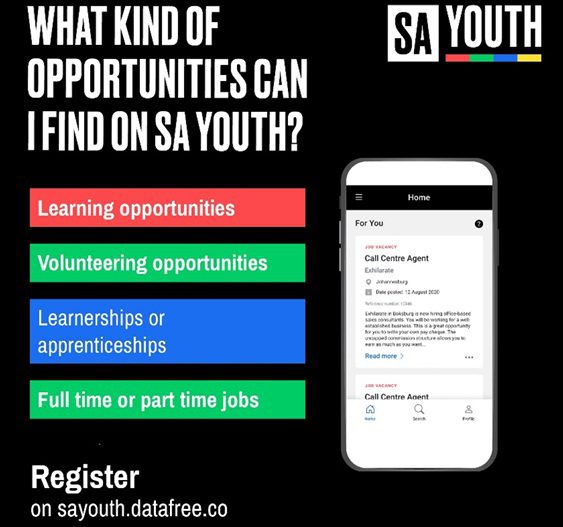
What kind of opportunities does SAYouth offer?
SAYouth offers a wide range of opportunities to South African citizens, permanent residents, refugees, and foreign nationals with valid work permits. Here are some of the opportunities available:
- Trade Jobs: These include skilled trades such as plumbing, electrical work, carpentry, and welding.
- Digital Jobs: Opportunities in the digital space, including web development, graphic design, digital marketing, and content creation.
- Retail and Hospitality Roles: Positions in retail stores, restaurants, hotels, and other customer-facing businesses.
- Call Center Positions: Customer service roles in call centers.
- Agriculture Jobs: Opportunities in farming, agriculture, and agribusiness.
- Admin Roles: Administrative positions in various organizations.
- Government Positions: Opportunities within government departments and agencies.
- Skill-Building Programs: SAYouth also provides programs to enhance skills and employability.
Remember to explore the SAYouth website for specific details on each opportunity! 🌟👷♂️🌐
How can I apply for a specific opportunity?
To apply for a specific opportunity on SAYouth, follow these steps:
- Visit the SAYouth website: Go to SAYouth Mobi and explore the available opportunities.
- Choose an Opportunity: Browse through the different categories, such as trade jobs, digital roles, retail positions, and more. Select the opportunity that interests you.
- Register or Log In: If you haven’t already, register by providing your personal details. If you’re already registered, log in using your South African ID number or username.
- Complete the Application: Fill out the required information for the specific opportunity. Be sure to provide accurate details.
- Submit Your Application: Once you’ve completed the application, submit it through the SAYouth portal.
Remember to check the eligibility requirements and any additional instructions provided for each opportunity. Good luck! 🌟👍
