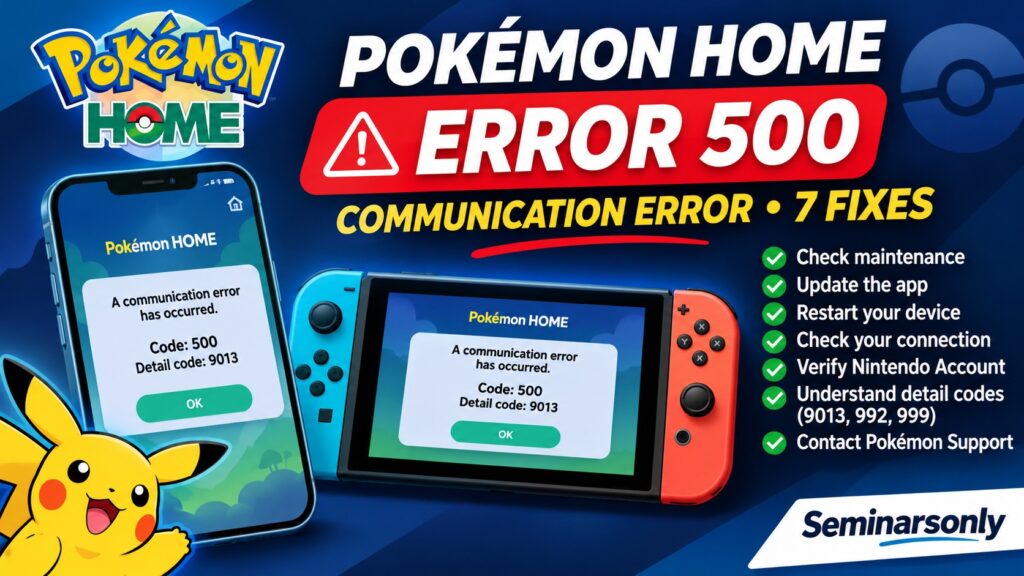

Pokémon HOME Error Code 500: Causes & Fixes
Updated: November 1, 2026 | Service: Pokémon HOME | Platforms: Nintendo Switch, Nintendo Switch 2, Android and iPhone
Quick Answer: How to Fix Pokémon HOME Error Code 500
Pokémon HOME error code 500 is a communication or access error that may prevent you from opening the app, signing in or accessing stored Pokémon. The exact cause depends on the accompanying detail code.
Start by recording both numbers, checking for Pokémon HOME maintenance or announcements, updating the app and restarting it. If the issue affects many players, wait for official service recovery rather than repeatedly reinstalling the app.
If the error persists only on your account, check your Nintendo Account connection and contact Pokémon Support. Detail codes such as 9013, 992 and 999 have different historical explanations and should not be treated as identical.
Official help: Pokémon HOME Support Center.
What Does Pokémon HOME Error Code 500 Mean?
Pokémon HOME is a cloud-based service that allows players to manage compatible Pokémon collections and move Pokémon between supported games.
Because the service requires communication with online systems, problems accessing those systems can interrupt normal operation.
Some users encounter a message similar to:
A communication error has occurred.
Code: 500
Detail code: 9013
The detail code in this example is 9013, but other numbers may appear.
It is important to record the complete message because different detail codes have been associated with different problems.
For example, historical Pokémon HOME announcements described temporary service issues involving code 500 and detail code 9013.
Separate historical announcements described detail codes 992 and 999 in connection with certain problematic Pokémon transferred from Pokémon Bank.
Therefore, a general statement that every code 500 error means the servers are down would be inaccurate.
Pokémon HOME Error 500: Detail Codes Explained
| Error | Known Information | Recommended Action |
|---|---|---|
| 500 / 9013 | Previously associated with temporary Pokémon HOME service interruptions | Check official notices and retry after service recovery |
| 500 / 992 | Historically associated with problematic Pokémon transferred from Pokémon Bank | Update the app and contact Pokémon Support |
| 500 / 999 | Also documented in historical transferred-Pokémon issues | Use official support guidance for the specific detail code |
| 500 / 10390 | Player reports exist, but no confirmed public explanation was found | Record the code and contact support |
| 500 / Other number | Cause cannot be determined from code 500 alone | Check announcements and provide the full error to support |
The explanations above distinguish historical documented cases from newer user reports. They are not confirmation of an active outage or an account-specific diagnosis.
Fix 1: Check Pokémon HOME Maintenance and Service Announcements
Before changing your device settings, check whether Pokémon HOME is experiencing maintenance or a known service issue.
Cloud services can become temporarily unavailable during scheduled maintenance, updates or unexpected technical problems.
When a problem affects many users simultaneously, restarting or reinstalling the app may not help.
- Open the official Pokémon HOME Support Center.
- Look for current announcements about Pokémon HOME.
- Check the latest update or maintenance information.
- Compare any reported error codes with your own message.
- Wait for a confirmed service problem to be resolved before attempting major changes.
Always check the date of an announcement. An incident reported in 2020 or 2024 does not establish that the same problem is happening today.
There is no confirmed Pokémon HOME-wide outage stated in this article for November 1, 2026.
Fix 2: Update Pokémon HOME to the Latest Version
Pokémon Support recommends using the latest available version of the mobile app when troubleshooting problems.
Outdated app versions can be incompatible with service changes or required updates.
On Android
- Open Google Play Store.
- Search for Pokémon HOME.
- Open the official app listing.
- Select Update if available.
- Wait for the update to complete.
- Open Pokémon HOME and try again.
On iPhone
- Open the App Store.
- Search for Pokémon HOME.
- Check whether an update is available.
- Install the latest version.
- Restart the app and test access.
On Nintendo Switch
- Highlight Pokémon HOME on the HOME Menu.
- Press the + or – button.
- Open Software Update.
- Choose the internet update option.
- Install any available update.
- Launch Pokémon HOME again.
Only download Pokémon HOME through official Nintendo, Google or Apple distribution channels.
Fix 3: Restart Pokémon HOME and Your Device
If no maintenance is reported and the app is updated, try a complete restart.
Restarting can resolve temporary app or connection problems, although it cannot fix a confirmed server-side outage.
On Nintendo Switch
- Return to the HOME Menu.
- Highlight Pokémon HOME.
- Press X to close the software.
- Confirm the closure.
- Restart the console if necessary.
- Open Pokémon HOME again.
On Android or iPhone
- Close Pokémon HOME completely.
- Restart your phone.
- Connect to a stable internet connection.
- Open Pokémon HOME.
- Check whether the error has disappeared.
If code 500 continues, note whether the detail code is unchanged. A different detail code may indicate that the situation has changed.
Fix 4: Check Your Internet Connection
Pokémon HOME depends on an internet connection for cloud features.
If your device has an unstable connection, you may experience communication problems.
Basic checks include:
- Confirm that your device can open other online services.
- Check whether Wi-Fi is connected.
- Move closer to your router if the signal is weak.
- Restart your router if other services are also failing.
- Try another trusted network when practical.
- Temporarily disconnect a VPN if it is interfering with access.
On a mobile device, switching between Wi-Fi and mobile data can help determine whether the problem is specific to one network.
Do not make advanced DNS or router changes unless there is evidence of a network issue.
For a widespread Pokémon HOME service problem, changing networks will not necessarily resolve the error.
Fix 5: Check Your Nintendo Account Login
Pokémon HOME uses Nintendo Account linking to associate users with their Pokémon HOME data.
Problems completing the sign-in process can prevent normal access.
Pokémon Support recommends additional login checks for mobile users, including manually entering Nintendo Account credentials instead of relying on automatic password or biometric login features in certain situations.
If you are having trouble signing in:
- Confirm that you are using the Nintendo Account normally linked to Pokémon HOME.
- Check whether you can sign in through the official Nintendo Account website.
- On iPhone, try manually entering login credentials when prompted.
- Restart Pokémon HOME and attempt the login again.
- Record any additional error code.
Important: Do Not Delete Your Pokémon HOME Account
Deleting an account is not the same as uninstalling an app. Do not delete your Pokémon HOME account, unlink accounts or change account ownership as an experiment. These actions can have consequences for access to your stored Pokémon.
If your account cannot be accessed, contact official support rather than creating a replacement account and assuming your Pokémon will transfer automatically.
Fix 6: Understand Error 500 With Detail Codes 992 or 999
Some Pokémon HOME error 500 reports involve detail codes 992 or 999 after transferring Pokémon from Pokémon Bank.
Historical official Pokémon announcements associated these particular errors with certain Pokémon whose data was considered invalid or altered.
The Pokémon Company issued updates addressing those historical problems, including changes to how affected Pokémon were handled.
If your error appears immediately after a Pokémon Bank transfer:
- Record the full error message.
- Check the exact detail code.
- Make sure Pokémon HOME is updated.
- Do not repeatedly attempt the same transfer while an error persists.
- Contact Pokémon Support and describe the transfer.
Do not assume that a code 500 message automatically means you possess an invalid Pokémon.
The historical explanations for 992 and 999 should not be generalized to every detail code.
Also avoid deleting or releasing Pokémon solely because an unofficial guide claims doing so will resolve code 500.
Fix 7: Contact Pokémon HOME Support
If code 500 persists after checking maintenance, updating the app, restarting and verifying your connection, contact Pokémon Support.
Provide enough information for support staff to investigate the specific error.
- Your platform: Switch, Switch 2, Android or iPhone.
- The exact error code and detail code.
- When the error began, including time zone.
- Whether the problem happens during login or after opening the app.
- Whether a Pokémon Bank transfer occurred recently.
- Whether the issue affects both mobile and console versions.
- Your Pokémon HOME app version.
- The troubleshooting steps already attempted.
A screenshot may be useful, but do not publicly disclose your Nintendo Account password, verification codes or other sensitive account information.
Visit Pokémon HOME Support to locate the appropriate help article or contact option.
Pokémon HOME Error 500 on Switch vs. Mobile
| Platform | First Checks | Next Action |
|---|---|---|
| Nintendo Switch / Switch 2 | Maintenance, software update, internet connection | Restart and contact support if persistent |
| Android | App version, network, Nintendo Account login | Restart app and test another connection |
| iPhone | App version, sign-in method, network | Try manual account login and restart |
| Both console and mobile | Shared service or account-specific problem may exist | Record both error messages for support |
When the same error occurs across multiple devices using one account, the problem may not be caused by a single installation.
That pattern is useful information to provide to Pokémon Support, but it does not establish the exact cause.
Should You Reinstall Pokémon HOME to Fix Error 500?
Reinstallation should not be the first step for an unexplained code 500 error.
Pokémon Support does recommend reinstalling the mobile app for certain specific errors, including error 8807. However, that does not mean the same procedure is officially prescribed for every code 500 problem.
If official support recommends reinstalling, make sure you know which Nintendo Account is linked to your Pokémon HOME data.
Pokémon Support explains that deposited Pokémon remain accessible after reinstalling the mobile app for error 8807 when users link back to the same Nintendo Account.
Nevertheless, follow instructions for your actual error code rather than applying another code’s procedure without checking.
Do not delete your Nintendo Account or Pokémon HOME account.
Can Clearing Pokémon HOME Save Data Fix Error 500?
Nintendo and Pokémon Support provide a save-data deletion procedure for the specific error code 8807.
That guidance should not automatically be applied to code 500.
Deleting save data or changing account connections without a clear reason may complicate troubleshooting.
If support identifies a particular local data issue and explicitly instructs you to delete save data, follow the official steps for your device and error.
Otherwise, use less disruptive methods first.
Is Pokémon HOME Down Right Now?
Error 500 can occur during a service issue, but the message alone does not confirm that Pokémon HOME is currently offline for all users.
Check official announcements and compare reports from the same time period.
A large number of simultaneous reports may suggest a shared problem, but user reports are not a substitute for confirmation from the service provider.
If maintenance or an outage is confirmed, wait for an official update before attempting repeated logins or account changes.
How Long Does Pokémon HOME Error 500 Last?
There is no fixed repair time for error code 500.
Temporary service interruptions may resolve when Pokémon HOME restores access. Account-specific problems can require investigation by support.
The accompanying detail code, affected devices and timing are more useful than assuming every occurrence will disappear after a particular number of minutes.
If the error continues over multiple days, contact support and retain a record of the exact message.
Will Error Code 500 Delete My Stored Pokémon?
An error message does not, by itself, prove that deposited Pokémon have been deleted.
Pokémon HOME stores deposited Pokémon through its linked account service, rather than treating the mobile app installation as the sole storage location.
However, the condition of an individual account or transfer cannot be established from code 500 alone.
If you cannot access your collection, avoid unnecessary account deletion, unlinking or repeated transfers.
Wait for service recovery when applicable and contact Pokémon Support if access does not return.
Official Pokémon HOME Support Resources
- Pokémon HOME Help Center
- Pokémon HOME Mobile Troubleshooting
- Pokémon Support: Error 8807
- Nintendo: Pokémon HOME Error Codes
- Nintendo Account Login
Related Game Error Guides
Find more Nintendo, Pokémon and online game troubleshooting articles in the Seminarsonly Troubleshooting Hub.
Related topics include:
- Battlefront 2 Error Code 1756: Inventory Not Loading
- Fortnite Error Code LS-0016: Game Unavailable
- Destiny 2 Error Code TAPIR: Server Maintenance
Publishing note: Verify that these related articles are live at the listed URLs before retaining their links.
TL;DR: Pokémon HOME Error Code 500
- Meaning: Pokémon HOME is experiencing a communication or access problem.
- Important: The detail code helps distinguish different issues.
- 9013: Historically associated with temporary service interruptions.
- 992 and 999: Historically associated with certain problematic transferred Pokémon.
- First fix: Check official maintenance and support announcements.
- Next: Update Pokémon HOME and restart the app.
- Connection: Test a stable internet connection.
- Account: Confirm the correct Nintendo Account is linked.
- Persistent issue: Contact Pokémon Support with both error numbers.
- Avoid: Deleting accounts, save data or Pokémon without specific official guidance.
Bottom line: Pokémon HOME error 500 does not have one universal fix. Record the detail code, check service availability and use the troubleshooting steps appropriate to your specific situation.
Editorial note: Updated November 1, 2026. This independent guide uses official Pokémon and Nintendo support resources and distinguishes historical incidents from current service status. Seminarsonly.com is not affiliated with The Pokémon Company or Nintendo.
