
Log into your Old Navy credit card account online to pay your bills, check your FICO score, sign up for paperless billing, and manage your account. Activate and begin using your new Navyist Rewards Credit Card from Barclays.
If you’re looking to manage your Old Navy credit card, you can log in to your account on the Old Navy Card Servicing website. Simply enter your username and password to access your account. If you’ve forgotten your login details, don’t worry – there are options to retrieve them.
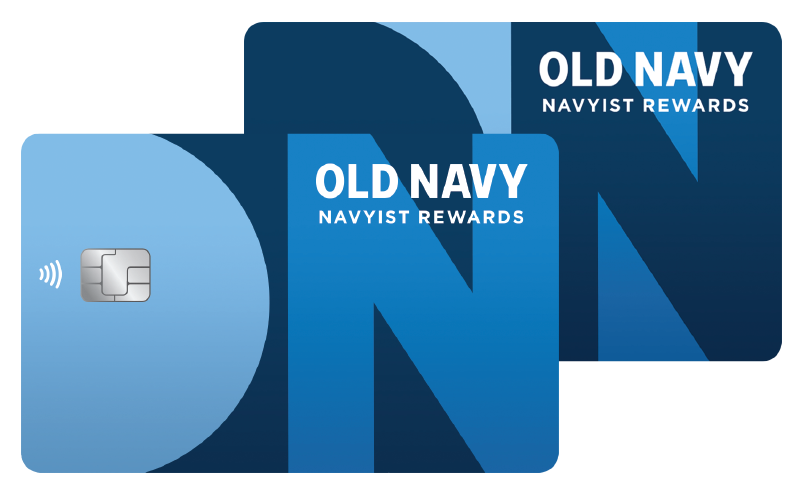
Navyist Rewards is moving the credit card program from Synchrony to Barclays. Starting mid-June, your new credit card will be arriving in the mail. This card has a brand new look, but the same great perks you know and love. As always, you’ll still get to enjoy great benefits with no annual fee. Continue to check back here for the latest information and details for this change.
If you plan to make a payment in June, see the MAKING PAYMENTS section below to make this transition a seamless one.
Please note: If you opened your account on or after March 31, your new credit card will be mailed between June 20-24. Activate and begin using your card right away.
MID-JUNE 2022
Your new Navyist Rewards Credit Card will arrive by mail
JUNE 13-15
From June 13 to June 15, you will have limited access to servicing your account online
JUNE 16
Beginning June 16, you will no longer have access to your online credit card account through Synchrony
If you have a payment due in June, you must either make it online at oldnavy.syf.com/login before June 16 or mail it to the address for payments provided on your Synchrony billing statement at least 7 days before it is due.
If you have arrangements with other electronic bill payment services, please notify them that payments will no longer be processed by Synchrony after June 16.
JUNE 20
Activate and begin using your new Navyist Rewards Credit Card from Barclays on June 20, any time after 6am ET. Your Navyist Rewards Credit Card from Synchrony Financial will no longer work after this time.
You can set up electronic payment arrangements or bill payment services on June 20 to be processed through Barclays.
1. Activate your new card starting June 20, any time after 6am ET.
2. Please destroy your Navyist Rewards Credit Card from Synchrony at that time as it will no longer be valid
3. Visit oldnavy.barclaysus.com to set up and manage your account online, set up repeat payments and enroll in paperless statements
4. Notify any merchants that automatically bill your account regularly, such as utilities, mobile phone, or insurance providers, of your new account information.
Also, you should update any online merchant accounts that store your credit card information for expedited check-out as well as any digital wallets.
MAKING PAYMENTS
Before June 16, continue to make payments as you normally do.
Beginning June 16, you will no longer have access to your online credit card account through Synchrony Financial at oldnavy.syf.com/login.
Payments scheduled to be processed on your Navyist Rewards Credit Card after June 16 will be canceled.
ONLINE PAYMENTS
If you plan to make an online payment, you can do so until 11:59pm ET on June 15. Please note, that you can modify a scheduled payment or autopayment until 7:00pm ET on June 15.
PHONE PAYMENTS
If you plan to make a payment via phone, you can do so until 11:59pm ET on June 15. Please note, that you can modify a scheduled payment or autopayment until 7pm ET on June 15.
PAYMENTS BY MAIL
If you plan to make a payment by mail, please mail it to the address for payments provided on your Synchrony billing statement at least 7 days before it is due.
Payments due between June 16 and June 19 should be mailed to Synchrony.
If you have arrangements with other electronic bill payment services, please notify them that payments will no longer be processed by Synchrony after June 16.
STARTING JUNE 20, 2022, HERE’S HOW TO PAY YOUR BILL
Online: Visit oldnavy.barclaysus.com to set up payments directly from a checking or savings account or make arrangements using your new account information with your other bill payment services.
Mail: Make checks payable to Barclays and send to:
Barclays
P.O. Box 13337
Philadelphia, PA 19101-3337
or
Barclays
P.O. Box 60517
City of Industry, CA 91716-0517
