
Macy Credit Card Payment : Pay Your Credit Card Bill Macy’s
Making a payment on your Macy’s Credit Card Account is simplest when done online. A payment can also be made by calling (888) 257-6757, sending a check in the mail, or visiting a physical location of Macy’s.
How to Pay Your Macy’s Credit Card
Online: Log in to your online account and click on “Make a Payment”.
Over the phone: Call (888) 257-6757 and enter your card information when prompted.
By mail: Send a check or money order (but not cash) to:
Macy’s Credit Card
PO Box 9001108
Louisville, KY 40290-1108
Express payments:
Macy’s Payment Department
6716 Grade Lane
Bldg. 9, Suite 910
Louisville, KY 40213
In store: You can make a payment at any Macy’s location.
If you choose to make a payment via mail, make sure to always send it at least 5-7 days before your due date. Write your credit card number on the check, too.
Macy’s Pay
1. Download the Macy’s app
Then sign in to your Macy’s account or Create An Account.
2. Add your Macy’s Card to your Wallet
You’ll find it in the toolbar at the bottom of your screen.
3. Register for Macy’s Pay & verify your Macy’s Card
Follow the prompts to confirm your card security code (CVV) — you’ll only need to do this step once!
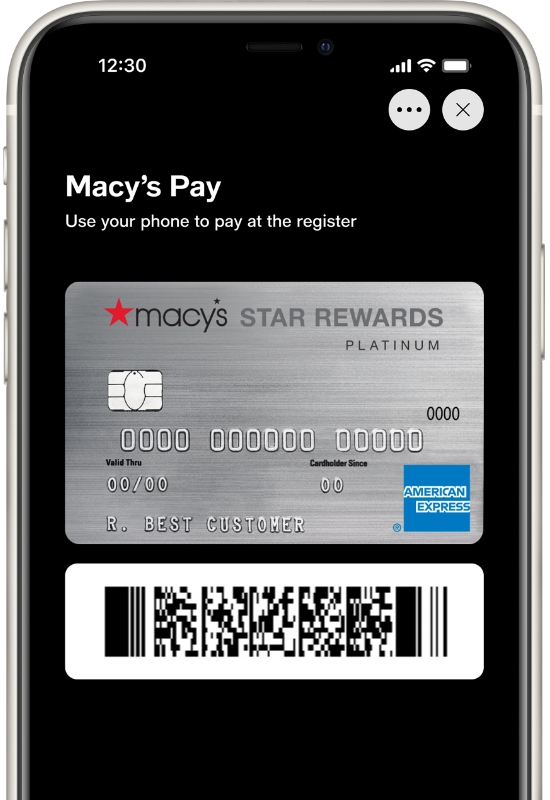
4. Pay with your single-use barcode at the register
Each time you use Macy’s Pay, a unique barcode will be generated. A Store Colleague will scan it at the register. Heads-up: after your purchase, we’ll send a confirmation with any Star Rewards points earned. (You’ll need to turn on push notifications.)
Hooray, you’re all set with Macy’s Pay!
Now head to your nearest participating store & start shopping.
How can I activate my new card?
Activating your card online is easy!
To activate your new Macy’s American Express® Card, please follow these simple steps:
- Click here to access the ” my Macy’s Credit Card ” @ https://www.macys.com/creditservice/gateway page.
- Click on the black “Activate Card” button.
- On the “Macy’s Credit Card Verification” page, you can submit your information to activate your card so you may begin shopping!
Create or activate your online account
If you would like to create a macys.com account, go to our secure https://www.macys.com/account/createaccount page and fill out all the information.
If you started creating a macys.com account in store or by phone, complete the setup by following these steps:
- For a link to activate your account, look for an email from Macy’s entitled “Here’s how to activate your account” or a text message from 38764.
- Select the link in the email, then fill out and submit the online form. Your account will then be activated.
When will I receive my new Macy’s Card?
Once you’re approved, you should receive your new Macy’s Card within 7-10 business days of your account opening. Plus, look out for exclusive offers delivered with your card that you can use instantly!
How can I check my card balance?
Once you’ve added your Macy’s Card to your online account & signed in, select the ‘Macy’s Credit Card’ option from the drop-down account menu. From this page, you’ll be able to view your statement balance, minimum payment due and your payment due date along with any other account-related information.
How do I pay my bill online?
Once you’ve added your Macy’s Credit Card to your account and signed in:
Select ‘My Account’
Select ‘Macy’s Credit Card’
Select the ‘Make a Payment’ button
Select your payment amount, date and source, then select the ‘Continue’ button.
Verify your information and select ‘Authorize’
Quick note: Debit cards are not accepted for online payments
