
https //qceservices.quezon city.gov.ph Access QCeServices
QCeServices at qceservices.quezoncity.gov.ph is the online platform of the Quezon City government that provides residents with convenient access to various government services.
Through this portal, residents can apply for permits, pay taxes, and request documents, among other things, without having to physically visit government offices.
Key features and services accessible through QCeServices:
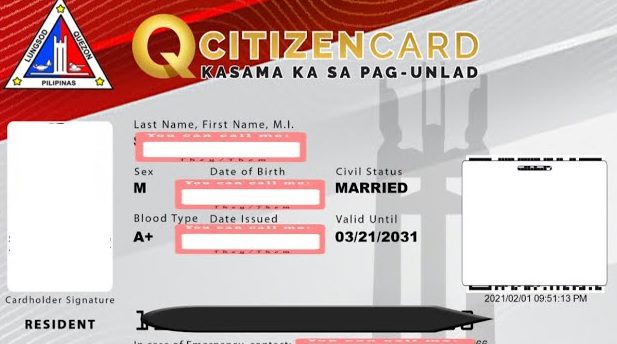
• QCitizen ID e-Application: This allows residents to apply for their QCitizen ID, which serves as their official digital identification within Quezon City.
• Business One Stop Shop (BOSS): This streamlines the process of starting and managing businesses in Quezon City by providing a single platform for business registration and permit applications
• Building Permit One Stop Shop: Similarly, this simplifies the process of acquiring building permits by consolidating all necessary steps into one platform.
• Occupational Permit and Health Certificate Application: Individuals and businesses can apply for necessary permits and health certificates through QCeServices.
• Real Property Tax (RPT) Payment: Property owners can pay their RPT online, eliminating the need to visit the City Treasurer’s Office.
• Social Services: Residents can access and apply for various social services offered by the Quezon City government.
Benefits of using QCeServices:
• Convenience: Residents can access government services from the comfort of their own homes, saving time and effort.
• Efficiency: Online transactions are often faster and more streamlined than traditional in-person processes.
• Transparency: QCeServices provides residents with clear information about the status of their applications and transactions.
Note: Although QCeServices aims to provide efficient online services, users may encounter technical issues or delays. Additionally, some services may still require in-person visits for verification or other purposes. It’s advisable to check the QCeServices website or contact the Quezon City government for the latest information on available services and requirements.
How to Access QCeServices
You can access QCeServices in two primary ways:
-
Website:
- The most direct way to access QCeServices is through their official website: https://qceservices.quezoncity.gov.ph/
- Once on the website, you can navigate to the specific service you need, whether it’s applying for a QCitizen ID, paying taxes, or applying for permits.
- You will likely need to create an account to use most of the services.
-
QCitizen Mobile App:
- The Quezon City government also has a mobile app called QCitizen, available on the Google Play Store
- This app provides access to a range of services, including QCitizen ID application and management, vaccine registration, and possibly other transactions in the future.
- Download the app, create an account, and access the services you require
QC e services Health Card registration
The QCeServices platform, as of now, does not offer direct online registration for a Health Card.
However, it does facilitate the application process for Health Certificates and Sanitary Permits, which are often necessary for employment and certain business operations in Quezon City.
-
Apply for a Health Certificate or Sanitary Permit:
- Navigate to the QCeServices website.
- Look for the “Occupational Permit and Health Certificate Application” section.
- Select the relevant permit type you need.
- Follow the online instructions and provide the necessary information and documents.
- Pay the corresponding fees, if applicable.
-
Check the status of your application:
- Use the QCeServices platform to track the progress of your application.
Periodically visit the QCeServices website or the official Quezon City government website for any announcements regarding online Health Card applications.
