Skip to content
Seminarsonly.com
  • Home
  • About
  • Contact Us
  • Disclaimer
  • Privacy Policy
  • facebook.com
  • twitter.com
  • t.me
  • instagram.com
  • youtube.com
Subscribe
Home » How To Reset Apple ID Password
Posted inLogin

How To Reset Apple ID Password

Posted by Freddy John July 17, 2024

How To Reset Apple ID Password

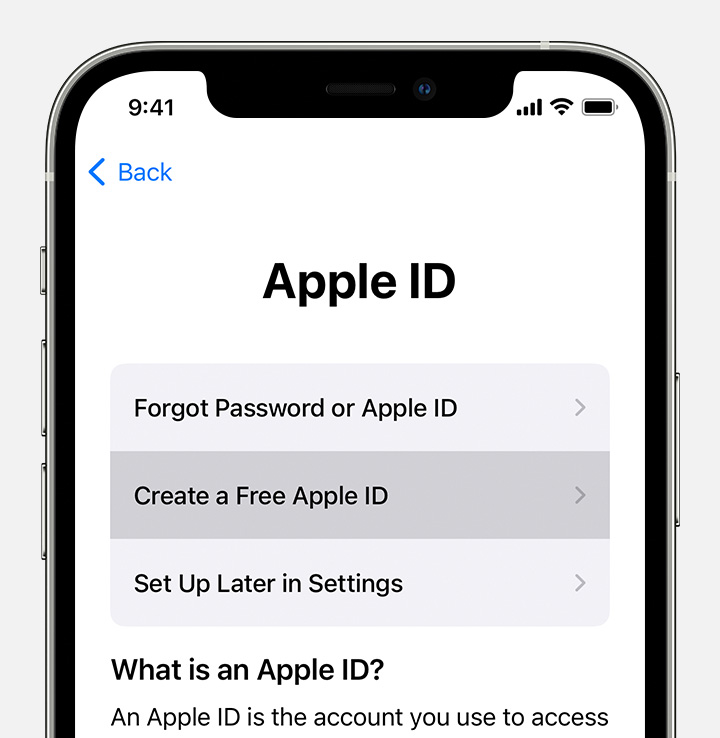
If you’ve forgotten your Apple ID password, here are some ways to reset it:

  1. On Your iPhone or Trusted Apple Device:

    • Go to Settings.
    • Tap your name > Sign-In & Security > Change Password.
    • Follow the onscreen instructions to reset your password.
  2. On a Trusted Mac:

    • Click the Apple icon at the top left.
    • Choose System Settings.
    • Click your Apple ID.
    • Select Sign-In & Security, then click Change Password.
  3. Using the Apple Support App on a Borrowed Device:

    • Download the Apple Support app (if needed).
    • Scroll down to Support Tools and tap Reset Password.
    • Choose A different Apple ID and follow the prompts.
  4. On the Web:

    • Visit iforgot.apple.com.
    • If possible, the browser will redirect you to a trusted device.
    • If not, follow the steps on the web to reset your password.

Remember to keep your new password secure! 🍎🔐
Also Read : How To Add Presto Card to Apple Wallet

How do I enable two-factor authentication for my Apple ID?

Two-factor authentication (2FA) is an essential security feature for your Apple ID. It adds an extra layer of protection to ensure that only you can access your account, even if someone else knows your password. Here’s how to enable it:

  1. On Your iPhone, iPad, or iPod Touch:
    • Open Settings.
    • Tap your name (Apple ID) at the top.
    • Select Password & Security.
    • Tap Turn On Two-Factor Authentication and follow the prompts.
  2. On Your Mac:
    • Click the Apple icon in the top-left corner.
    • Choose System Preferences > Apple ID.
    • Click Password & Security.
    • Next to Two-Factor Authentication, click Turn On and follow the instructions.
  3. On the Web:
    • Visit appleid.apple.com.
    • Sign in with your Apple ID.
    • Answer your security questions.
    • Tap Continue and follow the prompts to upgrade your account security.

Remember, two-factor authentication enhances your account’s security by requiring both your password and a verification code from your trusted devices.

Last updated on July 18, 2024
Freddy John
View All Posts

Post navigation

Previous Post
empower-retirement.com Register Login Account
Next Post
tfbyop.com Activate SIM Card : How To Activate New Tracfone With Old Number

Recent Posts

  • Social Security Electronic Benefits Update: Paper Checks Are Gone — Here’s What to Do
  • When Did Social Security Numbers Start? The Complete 1936 Story
  • How to Request a New Social Security Card (Free, Online & By Mail)
  • Social Security Max Contribution 2026: New $184,500 Limit Explained
  • How to Replace My Social Security Card: Free Online Method (2026)

Archives

  • June 2026
  • April 2026
  • March 2026
  • February 2026
  • January 2026
  • December 2025
  • November 2025
  • October 2025
  • September 2025
  • August 2025
  • July 2025
  • June 2025
  • May 2025
  • April 2025
  • March 2025
  • February 2025
  • January 2025
  • December 2024
  • November 2024
  • October 2024
  • September 2024
  • August 2024
  • July 2024
  • June 2024
  • May 2024
  • April 2024
  • March 2024
  • February 2024
  • January 2024
  • December 2023
  • November 2023
  • October 2023
  • September 2023
  • August 2023
  • July 2023
  • June 2023
  • May 2023
  • April 2023
  • March 2023
  • February 2023
  • January 2023
  • December 2022
  • November 2022
  • October 2022
  • September 2022
  • August 2022
  • July 2022
  • June 2022
  • May 2022
  • April 2022
  • March 2022
  • February 2022
  • January 2022
  • December 2021
  • November 2021
  • October 2021
  • September 2021
  • August 2021
  • July 2021
  • June 2021
  • May 2021
  • July 204

Categories

  • activate
  • Australia
  • BF6
  • Canada
  • Card
  • Error Fix
  • Games
  • India
  • Ireland
  • Italy
  • Kerala
  • Login
  • Lottery
  • Minecraft
  • news
  • Property
  • Result
  • Scam
  • Science Fair
  • Server
  • Social Security
  • South Africa
  • TV
  • UK
  • USA
  • Whois
Search
Categories
  • activate
  • Australia
  • BF6
  • Canada
  • Card
  • Error Fix
  • Games
  • India
  • Ireland
  • Italy
  • Kerala
  • Login
  • Lottery
  • Minecraft
  • news
  • Property
  • Result
  • Scam
  • Science Fair
  • Server
  • Social Security
  • South Africa
  • TV
  • UK
  • USA
  • Whois
Archives
  • June 2026
  • April 2026
  • March 2026
  • February 2026
  • January 2026
  • December 2025
  • November 2025
  • October 2025
  • September 2025
  • August 2025
  • July 2025
  • June 2025
  • May 2025
  • April 2025
  • March 2025
  • February 2025
  • January 2025
  • December 2024
  • November 2024
  • October 2024
  • September 2024
  • August 2024
  • July 2024
  • June 2024
  • May 2024
  • April 2024
  • March 2024
  • February 2024
  • January 2024
  • December 2023
  • November 2023
  • October 2023
  • September 2023
  • August 2023
  • July 2023
  • June 2023
  • May 2023
  • April 2023
  • March 2023
  • February 2023
  • January 2023
  • December 2022
  • November 2022
  • October 2022
  • September 2022
  • August 2022
  • July 2022
  • June 2022
  • May 2022
  • April 2022
  • March 2022
  • February 2022
  • January 2022
  • December 2021
  • November 2021
  • October 2021
  • September 2021
  • August 2021
  • July 2021
  • June 2021
  • May 2021
  • July 204
Copyright 2026 — Seminarsonly.com. All rights reserved.
Scroll to Top