Skip to content
-
Subscribe to our Seminarsonly.com & never miss our best posts. Subscribe Now!
Seminarsonly.com
  • Home
  • Activate
  • Error Fix
  • Benefits
  • Tech Topics
  • Game Errors
  • facebook.com
  • twitter.com
  • t.me
  • instagram.com
  • youtube.com
Subscribe
News » Login » GM Global Connect Login Account
Posted inLogin

GM Global Connect Login Account

Posted by Freddy John June 11, 2024
Contents show
1 GM Global Connect Login Account
1.1 What services can I access through GM GlobalConnect?
1.2 How do I access GM GlobalConnect from my vehicle?

GM Global Connect Login Account

If you’re looking to log in to General Motors’ GlobalConnect, you have a couple of options:

  1. VSP Logon Form:
    • Visit the VSP Logon Form.
    • Enter your User Name and Password, then click the “LOG IN” button.
  2. GMGlobalConnect Official Portal:
    • Open your browser and go to www.gmglobalconnect.com.
    • On the login page, provide your information to access your account.

Feel free to choose the method that works best for you! 😊
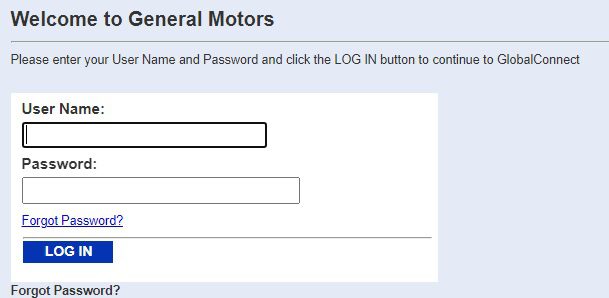
gm global connect login

What services can I access through GM GlobalConnect?

GM GlobalConnect offers a range of services for General Motors employees, suppliers, dealers, and partners. Here are some key features:

  1. Work Schedules and Emails:
    • Access your work schedules.
    • Check emails related to your work tasks.
  2. GM Benefits:
    • Manage 401k information.
    • Explore employee discounts.
  3. Health and Wellness:
    • Get advice and news related to health and wellness.
  4. Real-Time Collaboration:
    • Use instant messaging, video calls, and virtual meetings for global cooperation.

Remember, GM GlobalConnect works through an in-vehicle connectivity module in most Buick, Cadillac, Chevrolet, and GMC vehicles from the 2017 model year onwards. If you’re a GM employee, you can log in using the VSP Logon Form or visit the official GMGlobalConnect portal for more details.

Also Read : Minnesota Twins City Connect Jersey

How do I access GM GlobalConnect from my vehicle?

To access GM GlobalConnect from your vehicle, follow these steps:

  1. VSP Logon Form:
    • Visit the VSP Logon Form.
    • Enter your User Name and Password, then click the “LOG IN” button.
  2. Mobile App:
    • Download the GM Global Connect app on your compatible Android or Apple device.
    • Use the app to remotely start or stop your vehicle, check diagnostics, receive status alerts, and more.

Choose the method that suits you best!

Last updated on June 11, 2024
Freddy John
Freddy John is a Tech Support Specialist with 8+ years of experience troubleshooting government digital services, authentication systems, and enterprise IT infrastructure. Passionate about making technology accessible and helping users resolve complex login issues quickly. 📧 contact@seminarsonly.com | | facebook.com/seminarsonly | twitter.com/seminarsonly | 🌐 seminarsonly.com
View All Posts

Post navigation

Previous Post
Fathers Day Quotes in Marathi From Daughter : Happy Father’s Day Quotes, Wishes, SMS, Messages, Images
Next Post
Minnesota Twins City Connect Jersey 2024

Enjoy our latest technology and troubleshooting updates?

★ Add Seminarsonly as a Preferred Source on Google

Select Seminarsonly.com in Google to see more of our relevant articles in your personalized Search results.

ABOUT THE AUTHOR

Freddy John

I am a Tech Support Specialist with 8+ years of experience troubleshooting government digital services, authentication systems, and enterprise IT infrastructure. Passionate about making technology accessible and helping users resolve complex login issues quickly.

Learn More About Us →

Recent Posts

  • Crunchyroll Not Working on LG TV: 6 Quick Fixes
  • Buy and Activate a Qualifying Windows PC by 12/31/26 and Get 25 Iconic PC Games
  • How to Activate Auto Drive in GTA 6: Controls and Feature Explained
  • SMTP Error Code 550 5.7.1: Fixing SPF, DKIM, and DMARC Email Rejections
  • AdSense and Publisher Payment Error Code: Fixing Hold and Verification Blocks
Copyright 2026 — Seminarsonly.com. All rights reserved.
  • Privacy & Cookie Policy
  • Terms of Service
  • Disclaimer
  • Contact Us
  • About
Scroll to Top