
Activate Facetime to Make and Receive Calls
You can activate FaceTime calls over a cellular data connection, which may incur additional charges. To turn this feature off, go to Settings > Cellular, then turn off FaceTime.
With an internet connection and an Apple ID, you can make and receive calls in the FaceTime app.
Note: You must set up FaceTime before you can make and receive calls.
Make a FaceTime call
1. Open the FaceTime app on your iPhone, then tap New FaceTime near the top of the screen
2. Type the name or number you want to call in the entry field at the top, then tap to make a video call or to make an audio call (not available in all countries or regions)
Alternatively, you can tap to open Contacts and add people from there; or tap a suggested contact in your call history to quickly make a call.
To call multiple people, see Make a Group FaceTime call
You can also use Siri. Say something like: “Make a FaceTime call” or “Call Eliza’s mobile.”
Tip: To see more during a FaceTime video call, rotate iPhone to use landscape orientation
Also Read : WWE Pay Per View Schedule List 2024
Record a video message
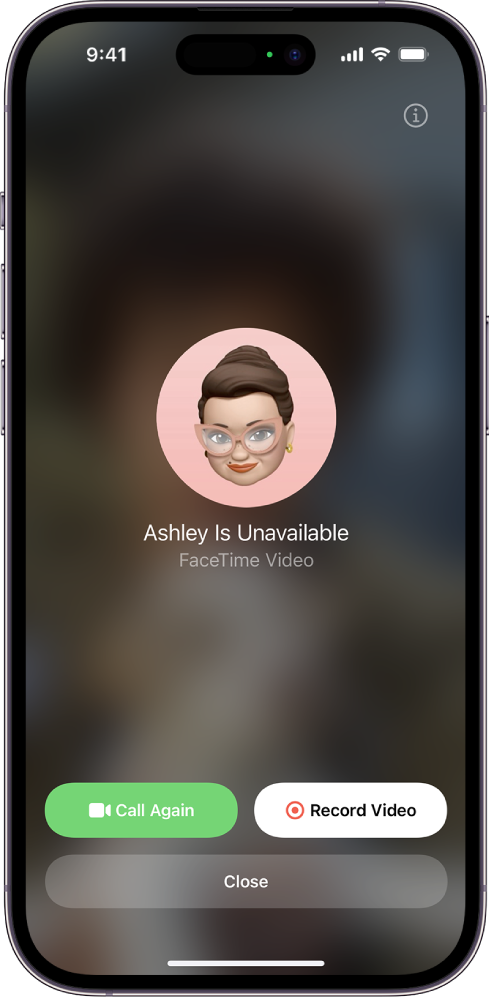
If someone doesn’t answer your FaceTime video call, you can record a video message to convey exactly what you want to say.
1. Tap Record Video, wait for the countdown (from 5 to 1), then record your message.
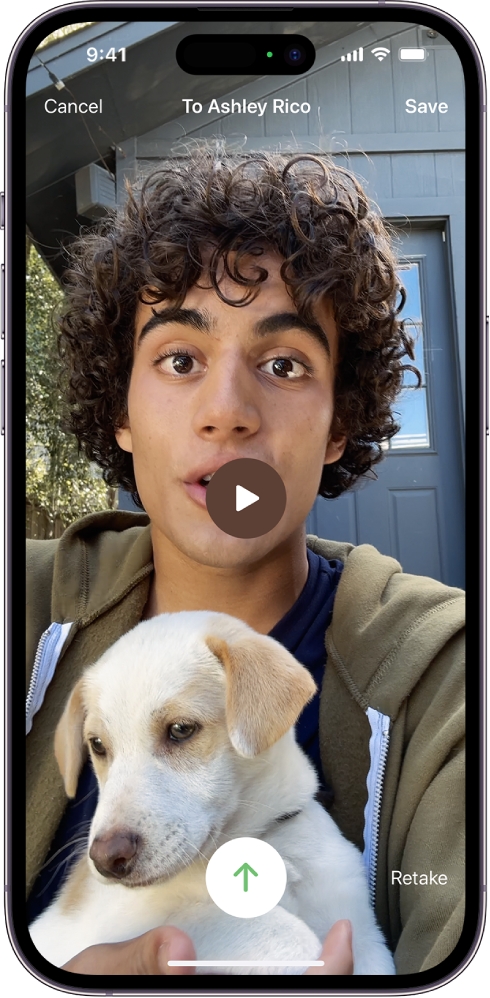
2. Tap  to send your recorded message, or tap Retake to rerecord the message. You can also tap Save to save it to Photos.
After you send your video message, the recipient is notified.
Note: You can receive video messages only from saved contacts, people you’ve called, and people suggested by Siri.
Also Read : Errors Found Code 0x643
Leave a voicemail
If someone doesn’t answer your FaceTime audio call, and the person you’re calling has Live Voicemail turned on in Settings  > Phone, you’re prompted to leave a voicemail.
If you leave a voicemail, your message is transcribed on their screen as you speak, letting them know what you’re calling about and giving them a chance to pick up your call.
Note: Live Voicemail is available only in English in the U.S. (excluding Puerto Rico) and Canada.
Call again
To call someone again in FaceTime, do any of the following:
- Tap Call Again on the Record Video screen.
- In your call history, tap the name or number of the person (or group) you want to call again.
Start a FaceTime call from a Messages conversation
In an iMessage conversation, you can start a FaceTime call with the person you’re chatting with.
- Tap
 at the top right of the iMessage conversation.
 - Do any of the following:
- Tap FaceTime Audio.
- Tap FaceTime Video.
 at the top right of the iMessage conversation.
Comments are closed