
athletic .net Track and Field : Creating Your Account on Athletic.net
Creating an account on Athletic.net and activate it is the first step in order to use all of the features like Track and Field that Athletic.net provides. Whether you’re a coach, event director, timer, athlete, parent, or fan, you’ll need an account to begin taking advantage of the tools Athletic.net provides. Don’t worry, it’s a simple process.
Create Your Account
From the main Athletic.net homepage, click on Create Free Account.
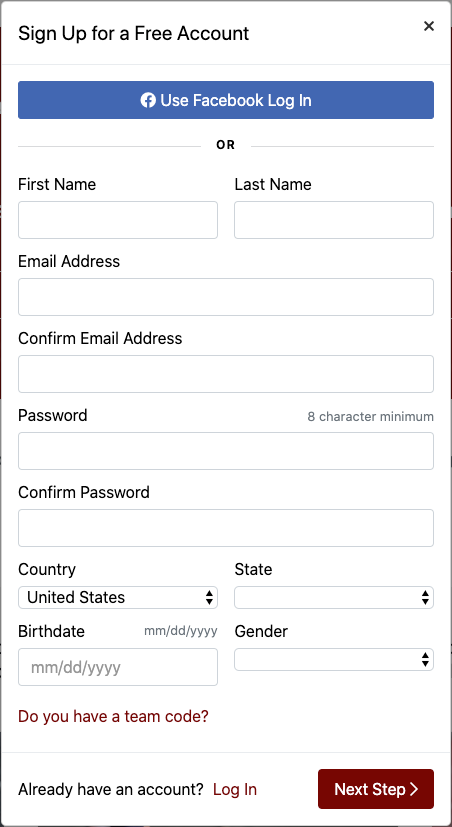
This will take you to the Signup Page, where you can create an account. You can also choose to sign in via Facebook.
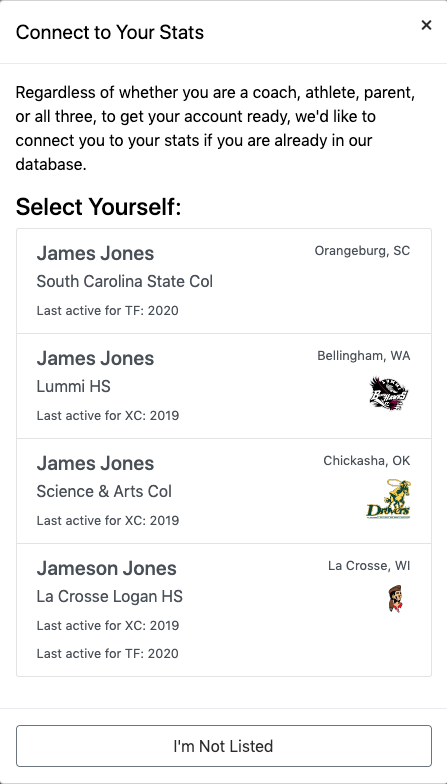
Once you’ve entered your information, the system will search Athletic.net’s entire database for athletes with similar names to yours. If you already have results listed on Athletic.net, we want to make sure that your account is connected with those results. If you see yourself in the list, ensure that the details listed are correct, and click on your name. Otherwise, click I’m Not Listed at the bottom.
Next, you will be prompted to select the type of account you want to create.
Clicking on each account type will give you a brief overview of the abilities of each. Select the appropriate account type, and, optionally, choose any checkboxes with items that interest you. Finally, choose either Create Free Account or Create Supporter Account .
If you’re not sure which of these is right for you, choose a free account for now. It’s easy to upgrade to a supporter account at a later time.
If you’re a parent, fan, or athlete, you will be taken to your homepage. You’re done! If you are a coach, however, you will need to take an additional moment to verify your email address.
Verify Your Email Address (Coaches Only)
Once you click on either of the Create Account buttons, a verification email is immediately sent to your email address.
If you don’t receive the email, check any spam folders you may have. You (or your system administrator) may need to “white-list” the email address support@athletic.net so that the verification email is not filtered out as spam.
Once you click Activate Account, you’ll be returned to a browser window.
Finding Your Team
If you are joining a team that has existing coaches already using Athletic.net, you should request one of them to invite you to join the team using the Invite a Coach feature. Using the Invite a Coach feature allows existing coaches to add new ones without the need for verification by Athletic.net support staff.
After you’ve clicked Activate Account in the verification email, you’ll be taken to the Find a Team Wizard.
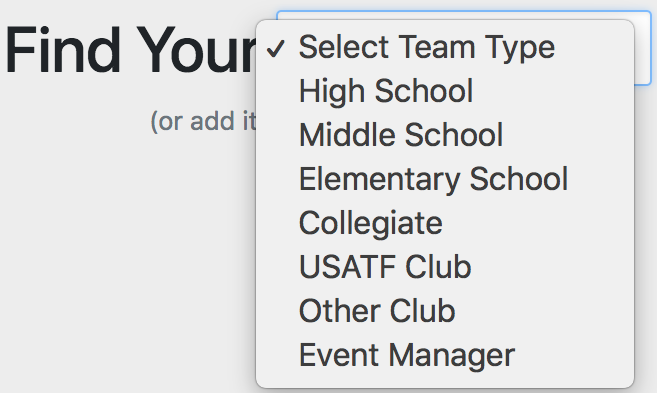
You’ll then be asked to select the type of team you’re looking for.
Select your location, and you’ll be presented with a list of teams. If you don’t see your team, try typing the team name into the search box.
If you still don’t see your team, click on I Can’t Find My [Team Type], and follow the prompts provided to enter the information about your team and get it added to the Athletic.net database.
If you do find your team in the list, click on it. You’ll be taken to the Request Access screen. You’ll be asked to send us a brief note explaining what your relationship to the team is, and why you’re requesting access. Choose whether you’re looking for Track and Field or Cross Country access, or both, then click on Request Access. A member of the Athletic.net support staff will contact you shortly with further details.
You can be granted instant access to a team—without waiting for a response from Athletic.net support staff—if you have an existing coach on the team use the Invite a Coach Feature. This is the recommended procedure if the team you are joining already has coaches using Athletic.net.
