
Samsung Cash Back : How to earn Cash back In Samsung?
You can now earn and redeem Samsung cash back when making eligible purchases in the Samsung app. You already get tons of rewards through Samsung Pay, like amazing prizes. And as if that wasn’t enough, Samsung has added something new.
What is Cash back and how do I find it?
In the Samsung Pay app, you can now earn cash back when you buy something from select merchants. You’ll earn money for everything you buy from a participating merchant’s online store or app during the promotional period. Once you’ve received the cash back, you can redeem it and use it to make purchases through Samsung Pay!
To find the latest cash back offers, open Samsung Pay. From the Home tab, tap the Deals tab, and then tap CASH BACK at the top of the page.
How to earn Cash back
Before you can start earning, you need to set up Cash back in Samsung Pay.
From the Home tab, tap the Deals tab, and then tap CASH BACK at the top of the page. Select your desired merchant, read the Terms and Conditions, and then tap EARN CASH BACK. Choose whether you want to shop in the store’s app or on their online website. Select your desired option, and then begin shopping.
Note: Your purchase must be completed on your phone through the provided cash back link. You cannot add items to the cart on your phone, and then complete the purchase later on your computer or another device.
How much will I earn?
The percentage of cash back you earn depends on the retailer. For example, some retailers may offer 2 percent cash back, while others offer 5 percent. Some merchants also have restrictions, so make sure you read the merchant’s Terms and Conditions before buying anything. After making a purchase, you will get a notification about how much cash back you earned.
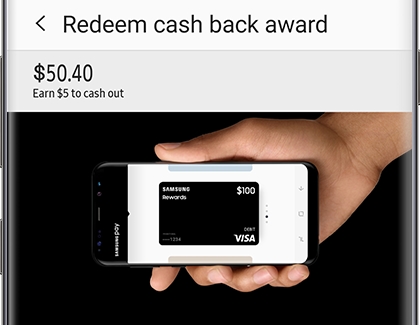
Redeem your cash back

Comments are closed