
How To Cancel Adobe Subscription Online without Fee: Can I cancel my Adobe subscription?
If you purchased from Adobe, learn how to cancel your plan or free trial. If you purchased elsewhere, contact the store directly.
You can cancel your trial or individual plan (purchased from Adobe) through your Adobe account page.
-
Sign in at https://account.adobe.com/plans.
-
Select Manage plan for the plan you want to cancel.


-
Select Cancel your plan.
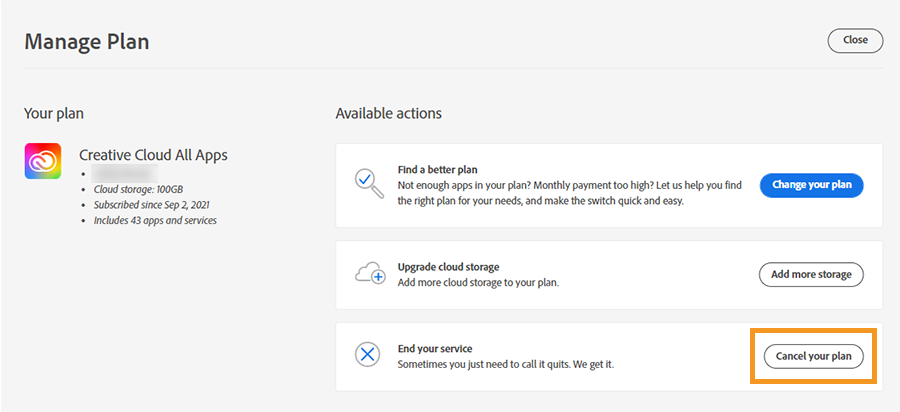
Don’t see Cancel your plan? The option isn’t available if we’re processing your payment or had a problem with it. Try again in 24 hours.

-
Indicate the reason for cancellation, and then select Continue.


-
Follow the onscreen instructions to complete your cancellation.
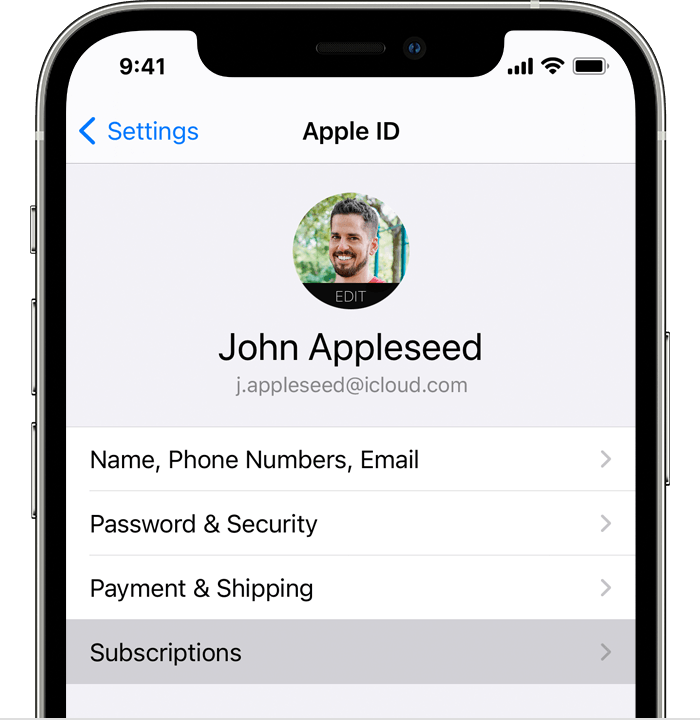
How to cancel a subscription on your iPhone, iPad or iPod touch
- Open the Settings app.
- Tap your name.
- Tap Subscriptions.

- Tap the subscription.
- Tap Cancel Subscription. You may need to scroll down to find the Cancel Subscription button. If there is no Cancel button or you see an expiration message in red text, the subscription has already been cancelled.
How to cancel a Stock membership
To cancel your Stock membership that comes with an Adobe Creative Cloud plan or a stand-alone Stock membership, do the following:
-
Sign in to https://account.adobe.com/plans.
-
Select Manage plan.

See a message prompting you to update your payment details?
If the credit card on your account has expired or the account is in a suspended state, you can’t cancel your membership. In this case, a message “Your plan has expired. Please update your payment details to reactivate it.” is displayed. Select Update payment and update your payment details before canceling your membership.
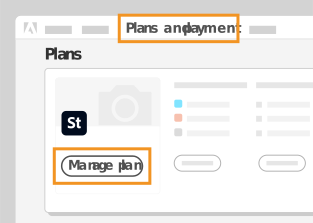
-
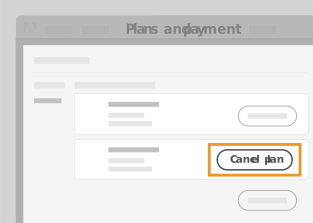
Under Manage Plan, select Cancel plan or Cancel your plan.
-
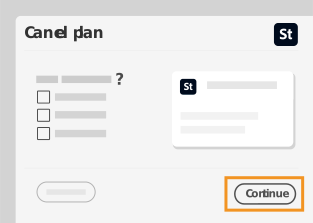
In the confirmation window, select the reason for canceling from among the given options. If you still want to cancel, select Continue.
-
On the screen that follows, you can choose to either keep your plan, change your plan, or continue with cancellation.
-
If you proceed with cancellation, you will receive an email confirmation. To purchase a Stock plan again, visit the Adobe Stock plans page and sign in to your Adobe account anytime.

Comments are closed