

Steam Activate Key : How to Activate Steam Game Key/Code
To activate your Steam Key, Log in to your Steam account and find in the top menu the “Games”. Then click on Redeem a Steam Wallet Code. In this next screen enter the code you purchased and click on “Continue”.
Here’s how to activate a Steam game key:
1. Launch Steam and Log In
- Open the Steam client on your computer.
- If you don’t have it installed, download it from the official Steam website and install it.
- Log in to your Steam account.
2. Access the Activation Window
- There are two ways to do this:
- Method 1: Click on “Games” in the top menu, then select “Activate a Product on Steam…”
- Method 2: Click the “+ ADD A GAME” button at the bottom left corner of the Steam window, then select “Activate a Product on Steam…”
3. Follow the Prompts
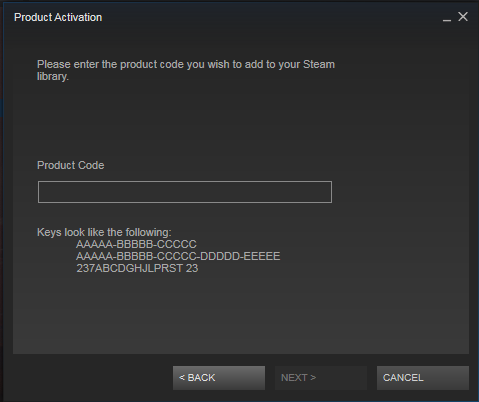
- The Product Activation window will appear.
- Read the Steam Subscriber Agreement and click “I Agree” to continue.
- Enter your product key (the game code you received) in the provided field. Make sure you enter it correctly, paying attention to any similar-looking characters (like 0 and O, 1 and I).
- Click “Next.”
4. Confirm and Install
- Steam will verify your key and display the product you’re about to activate.
- Click “Finish.”
- The game will be added to your Steam library. You can now install it and start playing!
• Launch Steam and log into your account.
• Go to Games then click on Activate a Product on Steam…
• Click on “Next”.
• Click on “I agree”.
• Enter the code you purchased.
• Go to your Steam Game Library, highlight the game, and click install.
Also Read : 2048 Cupcakes Unblocked
How to redeem a Steam Gift Card or Wallet Code
Follow the steps below to redeem your Steam gift card:-
1. Log in to your Steam account and find in the top menu the “Games”.
2. Then click on Redeem a Steam Wallet Code
3. In this next screen enter the code you purchased and click on “Continue”
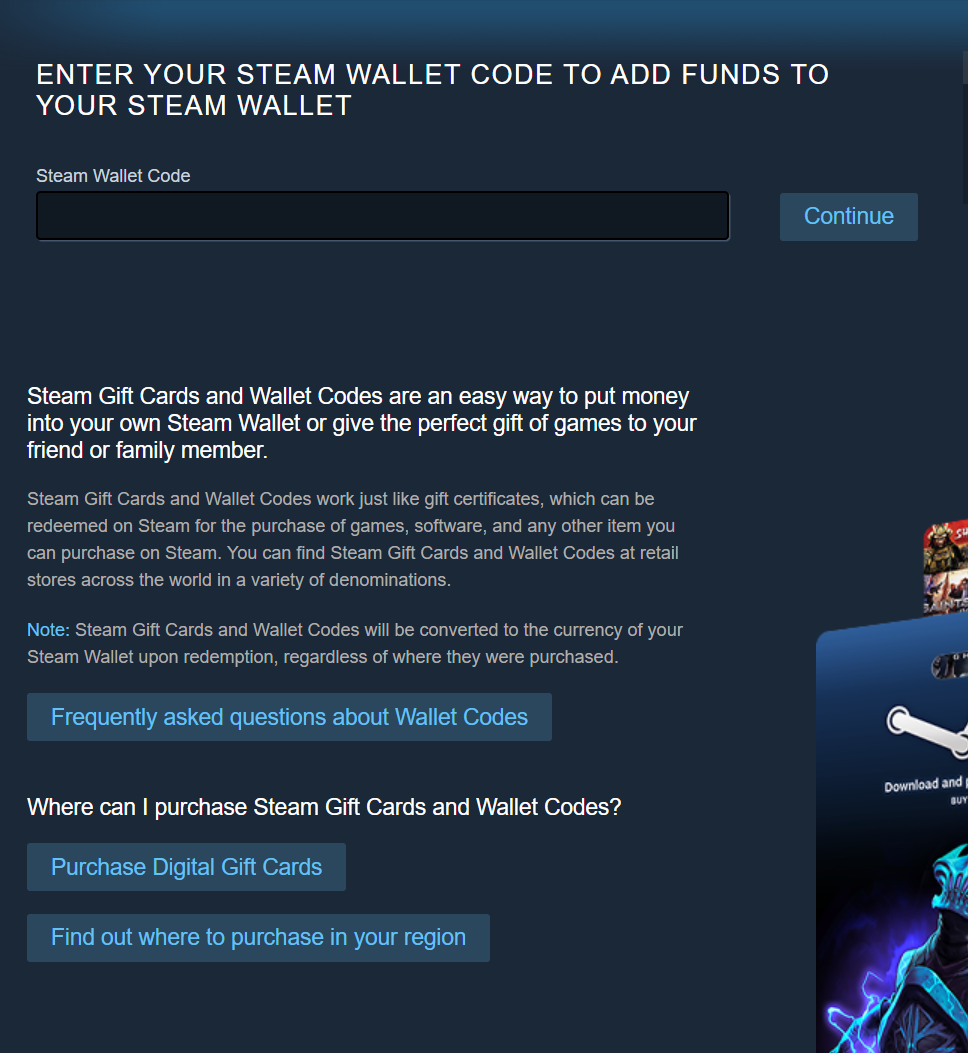
4. Follow any other necessary steps to proceed to redeem your code.
How do I activate a PSN code?
PS4 Console Steps
- Open a Sony Network Entertainment account on PSN (or use your existing Sony Entertainment Network account).
- Select the PlayStation®Store icon on the PS4™ system home screen.
- On PlayStation®Store, select Redeem Codes at the bottom of the menu.
- Enter the code.
- Once the code has been entered correctly, select Continue on the dialog box.
- Select Confirm to accept the Trial Code Terms of Service.
- Select Continue to complete code redemption.
Please note that the code is case-sensitive and must be entered exactly as displayed.
Web Browser Steps
1. Go to http://account.sonyentertainmentnetwork.com.
2. Create a Sony Entertainment Network account (or log in using an existing Sony Entertainment Network or PlayStation®Network account).
3. Select Redeem Prepaid Card
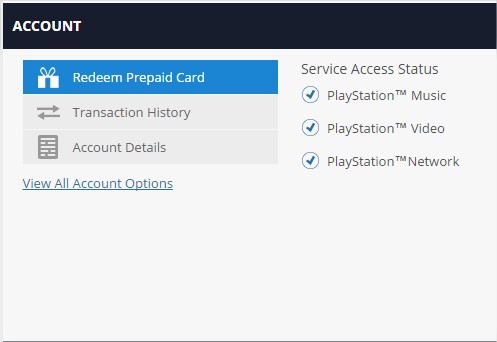
4. Enter code and click Continue


Comments are closed