
paychecks.intuit.com Sign Up : View paychecks in ViewMyPaycheck Intuit
You can now view your pay stubs online – anytime, anywhere. ViewMyPaycheck (paychecks.intuit.com) is an online web site created by Intuit that lets you view your pay stubs and other payroll info.
Don’t have a computer? Don’t worry! You can also access ViewMyPaycheck from your mobile device. Here’s some info to help you get started with ViewMyPaycheck
Get Started
To access ViewMyPaycheck, you’ll need:
An Intuit account. You may already have one if you use Intuit products like TurboTax or Quicken. If you don’t have one, one will be created for you when you sign up.
Your Social Security number (SSN) and the net pay (your take home pay) from your last paycheck. Be sure to have that handy – ViewMyPaycheck needs it to verify you are who you say you are!
Then, do this:
1. Open a web browser and go to paychecks.intuit.com
2. Click Sign Up.
3. Enter your email address. If you get a message that says You already have an Intuit account associated with this user ID then click the Sign In link and sign in to your existing Intuit account and skip to step 7.
4. Create and confirm a password you’ll use when you sign in to ViewMyPaycheck.
5. Pick a security question. You may need this later if you forget your user ID and password.
6. Click Sign Up.
7. Enter your SSN and the net pay from your last paycheck. Your net pay is the amount of your paycheck after all of the taxes and other deductions have been taken out.
8. Click All Done!
Next Steps
When you sign in, explore a bit. Here are a few highlights.
ViewMyPaycheck itemizes your current and year-to-date earnings and deductions so you always know your paycheck was calculated and where your money is going. Need a printed copy of your pay stub? No problem.
Click Save As PDF to save a PDF copy of it to your computer and then print it for your records.
If you want to be notified any time a new pay stub is uploaded to ViewMyPaycheck, go to Preferences and click the Send me an email when new pay stubs are available checkbox.
View paychecks in ViewMyPaycheck
To view paychecks in ViewMyPaycheck, employees need to:
- Sign up for ViewMyPaycheck, if they haven’t already. How?
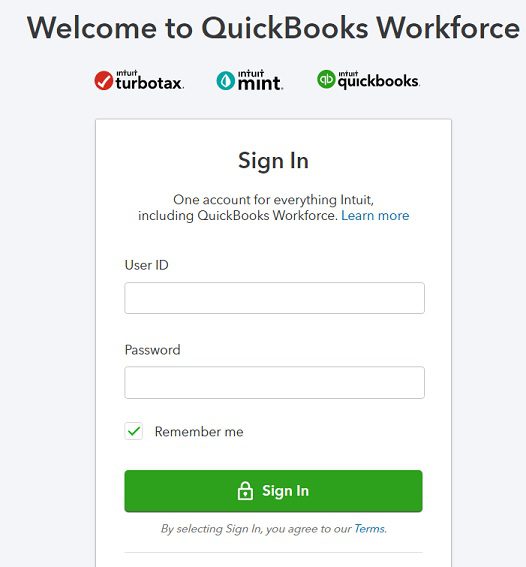
- Sign in to ViewMyPaycheck: https://paychecks.intuit.com/
- Click Preferences and set up email notifications. How?
- Click Paychecks.
Can I get the ViewMyPaycheck for Mobile app through the App Store?
No. ViewMyPaycheck for Mobile is a mobile website rather than an app you download from the App Store. Simply open your web browser on your mobile device, go to https://m.vmp.intuit.com/, and use your Intuit Account user ID and password to sign in.

Comments are closed