
Rolling Loud Activate Wristband or Register: How To Take Off Rolling Loud Wristband
General Admission at Rolling Loud can be provided by registering your Wristbands and then Activate it through the page https://rollingloud.frontgatetickets.com.
Wristbands begin shipping about a month before your event.
If the event is getting pretty close and you haven’t received any information on your wristband’s shipment, you’ll want to contact Front Gate Tickets at https://frontgate.zendesk.com/hc/en-us/requests/new
If you purchased your ticket through a third-party vendor (SeatGeek, VividSeats, etc), we can not confirm your order. You will need to contact your point of purchase.
In the event you accidentally cut, tighten, or lose your wristband, don’t worry! We will have replacements for $50 available at Will-Call during the event.
You’ll just need to show
(1) A confirmation of your order
(2) A photo ID that matches your name to the order
To attend Rolling Loud Miami and Toronto you must be at least 16 years of age. For VIP, you must be at least 18 years old in the U.S., or 19 years old in Canada.
DATES & TIMES
March 14-17, 2024
Thursday, March 14: 5:00 PM – 10:00 PM
Friday, March 15: 3:00 PM – 11:00 PM
Saturday, March 16: 1:00 PM – 11:00 PM
Sunday, March 17: 1:00 PM – 10:00 PM
FESTIVAL HOURS:
March 14 – March 17, 2024
FOR WILL CALL/REPLACEMENT WRISTBAND, PLEASE BRING THE FOLLOWING:
– Your email confirmation
– A valid photo ID matching the name on the order (or a photo of it)
– Barcode Confirmation
Rolling Loud is a rain or shine event.
General Admission at Rolling Loud includes:
- Access into the only festival in the world where you can see over 85+ Hip-Hop acts across 3 days on 3 stages!
- Access to all our food vendors, a wide selection of drink options, art activations, our sponsored activations AND MORE!
NOTE:
All Tiers are the same type of ticket. Please select the lowest tier for the best available price.
Upgrades/Downgrades + Single Day passes are not available.
Also Read : How To Loosen Rolling Loud Wristband
How To Take Off Rolling Loud Wristband
1. Get a plastic bag—any kind will work—that is deep enough to fit your hand into and extends three or four centimeters beyond the wristband’s line of attachment. A slender bag with handles, such as this one from the supermarket (there are various options), would be perfect.
2. Slip your festival wristband-adorned hand into the bag.
3. Bring the bracelet all the way up to cover the bag, making sure it isn’t contacting your skin. Then tuck the ends of the bag below it.
4. Make sure your fingers touch the bag’s base as you pull it taut.
5. As your wristband tightens, you’ll need to bring the plastic bag top down to your fingers’ level in order to begin tugging. Next, you should be able to roll the band off your hand.
6. Look at your fulling wristband with awe.
What kind of ID do I need to bring?
- Any official and unexpired US government-issued driver’s license or ID card containing a photograph and date of birth.
- Any official and unexpired US or foreign government-issued passport containing a photograph and date of birth.
- Any official and unexpired foreign government-issued driver’s license/ID with color photocopy of passport.
- Any official and unexpired temporary DMV documents proving you are currently renewing a license—ONLY if accompanied by passport or expired license.
UNACCEPTABLE FORMS OF ID:
- NO school ID
- NO consular ID
- NO birth certificate
- NO expired ID of any kind
- NO photocopy of any ID (except as noted)
- NO temporary DMV license without passport or expired license
How do I manage my layaway plan?
Rolling Loud offers payment plans to fans who wish to pay their tickets off over time. A minimum deposit is required and payments are taken out periodically.
In order to manage your layaway plan please follow the steps below.
1. Visit your ticket page : https://rollingloud.frontgatetickets.com
2. Click “Sign In” and enter your account details.
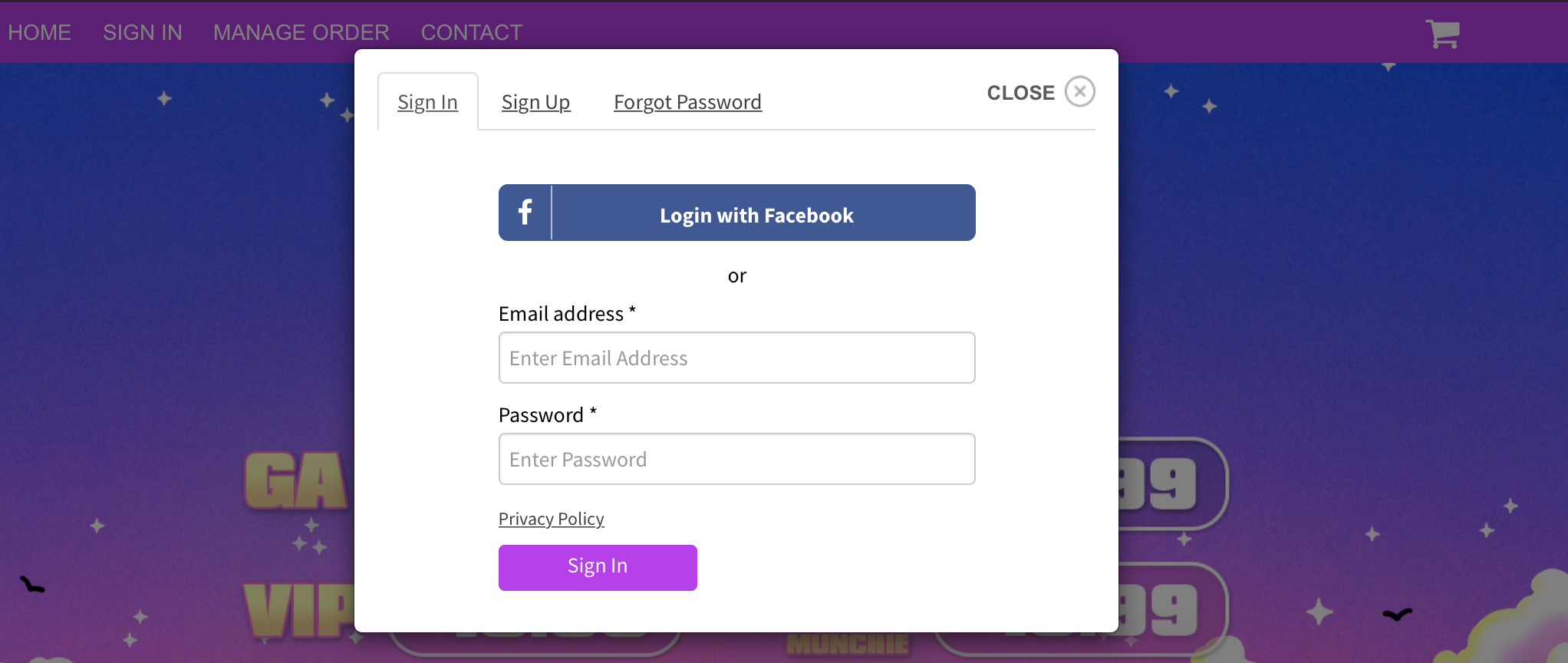
Don’t remember your details? Click “Manage Order” in order to locate your account details.
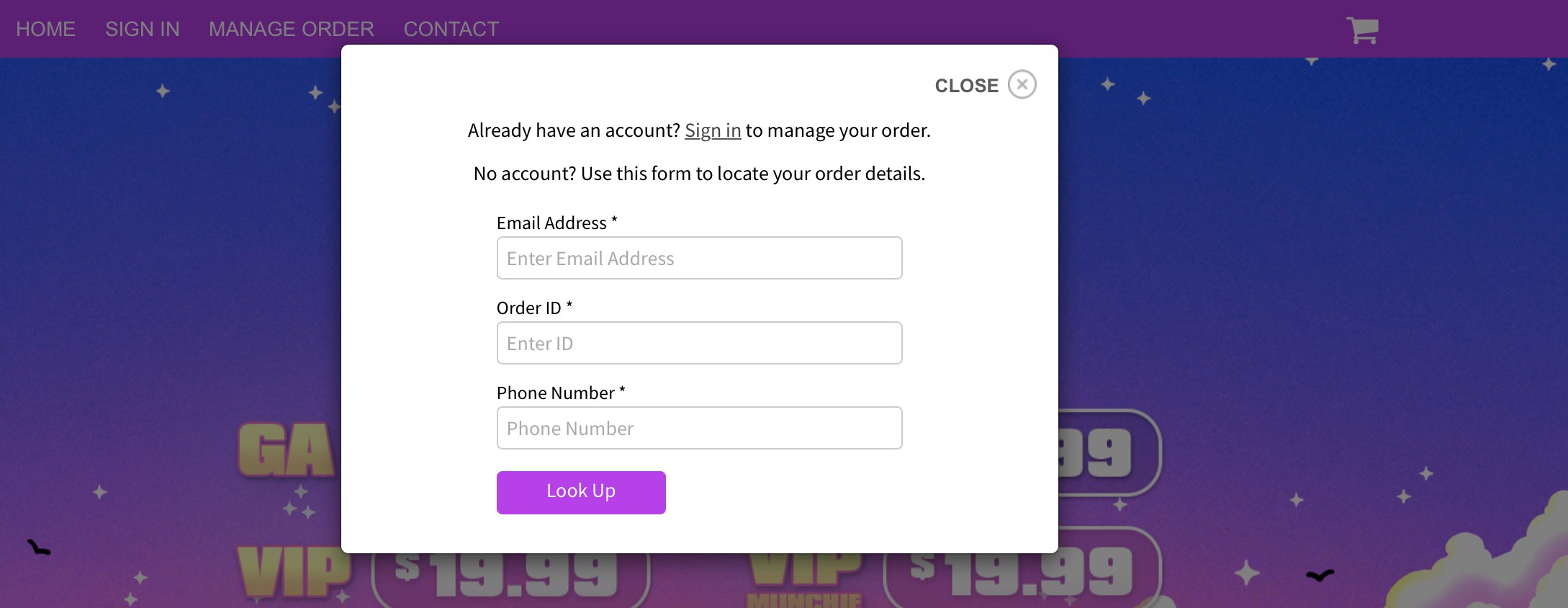
3. Scroll to the bottom of the page and select “Manage Layaway Plan”

You will need to Log-In to make changes to your Layaway Plan. We do not have access to your password.

Comments are closed