
Diablo Immortal Redeem Code 2022 : How to Claim a Diablo Immortal Code
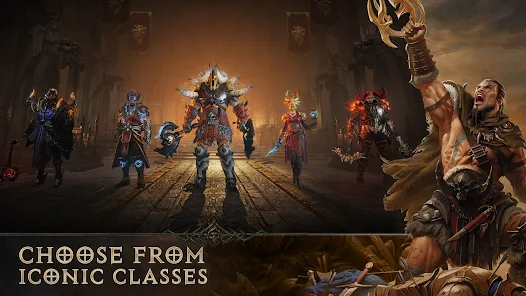
Diablo Immortal™ is a brand-new game in Blizzard Entertainment’s genre-defining action role-playing game series set between the events of Diablo® II: Lord of Destruction® and Diablo III®. Explore the nightmarish realm of Sanctuary like never before, now a massively multiplayer online role-playing game (MMORPG) where angels and demons wage an endless war over dominion of the mortal realm.
You can add codes to your Blizzard account through the website or through the Battle.net App. This includes game keys, Blizzard Balance codes, game time codes, gift codes, pets and mounts, and promotional codes.
Claim Your Code on the Website
To claim a code on the website:
- Log into your Account Overview
- Enter the code in the Redeem a Code box and click Redeem Code
Claim Your Code on the App
To claim a code on the Battle.net App:
- From the Games tab, click the Redeem a Code button found under the logo of any game
- From the Shop tab, click Services and then Redeem a Code
Limitations and Restrictions
- Some codes have regional restrictions. You cannot use a code that doesn’t belong to your region.
- Some codes must be activated by the cashier before they work. For example, Blizzard Balance purchased in a shop.
- Some codes must be claimed before their expiration date. For example, promotional codes.
Error: This code has already been claimed
Common Problems
- Error: “An error has occurred. This code has already been claimed”
- Error: “This code has already been claimed! You can only redeem a code once. If you didn’t already claim this code, please make sure you entered it correctly and try again. For more information, please visit our Support Site.”
Game codes can only be redeemed once.
I HAVE HAD THIS CODE FOR A WHILE
You probably added this code to another Battle.net account. Try remember the email you used the first time. Contact us if you can’t remember the previous email or you can’t access the Battle.net account where you claimed the code the first time.
I JUST OBTAINED THIS CODE
Make sure you are entering the code correctly and try again. If the problem persists, contact the vendor that sold it to you. If the code was a gift, speak to the person who gifted it to you.
You can only claim a code in your account once. If you receive this error, it means your code was successfully added to your Blizzard account.
- If it is a game, check your Games & Subscriptions page to verify you have successfully added it to your account
- If it is an in-game item, log into the game to verify you received the item
Always make sure you are logged in with the correct email or BattleTag.

Comments are closed