
Bank of America: Activate Your Card or Change Your Pin
The quickest way to activate your personal credit card is with your Online Banking ID and Passcode. Bank of America will confirm your identity, verify your card and get you on your way. If you don’t use Online Banking yet, simply enroll to activate your credit card.
Already using Online Banking?
Sign in and save time.
Getting started with online enrollment
Stay on top of your finances with our secure Online Banking. Enrollment is easy and you can use the same password for our Mobile Banking app as well.
1. Visit bankofamerica.com and click on Enroll.
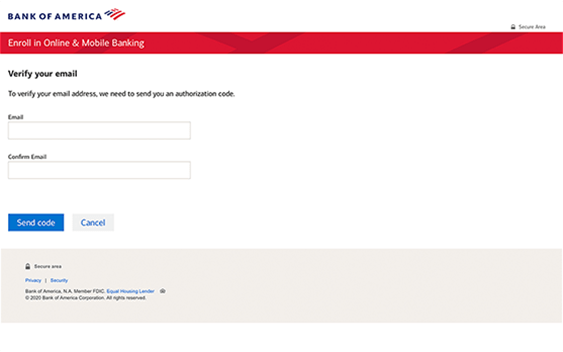
2. Fill in all required information and select Continue.
3. Fill in your email and we will send you a code to verify your identity then select Send code.
4. Fill in the authorization code and click Submit.
5. Review and acknowledge the Electronic Disclosure and click Continue.
6. Review and acknowledge the Online Banking Service Agreement and click Continue.
7. Create your new Online ID and Passcode and select Continue.
8. Select whether or not you would like us to remember the device you are using. If you are using a public computer, you should select No. Then, click Continue.
9. Congratulations! You are now enrolled in Online Banking and ready to log in with your new Online ID and Passcode.
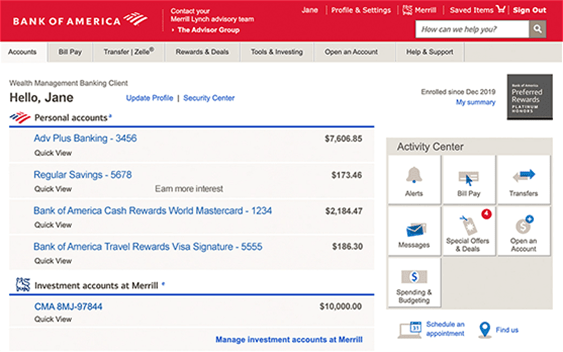
10. Once you complete your login, you will be directed to your accounts overview page. You can use the same ID and Passcode to login to the Mobile Banking app.
Getting started with mobile enrollment
1) Enter your Online ID and Passcode. If you use Online Banking, you can use the same sign in credentials.
2) To verify your identity an authorization code will be sent via email. Select SEND CODE.
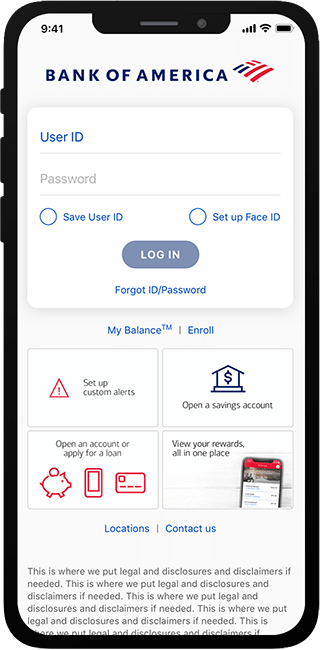
3) Check for an email from Bank of America with the authorization code and enter it here.
4) Select CONTINUE to proceed.
5) Choose Yes, remember this device if you would like to have the device remembered each time you sign in. Then, select CONTINUE.
6) Read the agreements and select CONTINUE.
7) Confirm and consent to your review of the eCommunications Disclosure and Online Banking Service Agreements. Select I AGREE. You are now ready to use the Mobile Banking app.
To change your PIN:
Visit a Bank of America ATM and select More Options then Change PIN. You can also change your PIN by scheduling an appointment or visiting a financial center.
If you don’t know your PIN:
You will need to request a new PIN by scheduling an appointment or calling 800.432.1000 (Mon-Fri 8 a.m.-11 p.m. or Sat-Sun 8 a.m.-8 p.m., excluding holidays; all times ET) and BOA will mail you a reminder.
Locking and unlocking a debit card
Misplacing a card is more common than it seems. This tutorial demonstrates how to lock and unlock your debit card to help prevent unauthorized transactions.
1. Log in to Online Banking by visiting www.bankofamerica.com.
2. Hover over the Accounts tab and select Manage card settings.
3. Your ATM/debit card will automatically appear. Click on Lock your card.
4. Read through the terms and conditions and select Lock card.
5. Your card is now locked. Once you’ve found your card, unlocking is just as easy. Simply follow the same process and click on Lock your card changing it to Off.

Comments are closed