
The tvq-st-103 Netflix error indicates a network connectivity problem. Your device (Smart TV, console, or streaming stick) is unable to communicate with the Netflix servers.
- Perform a Hard Restart: Unplug your TV or streaming device from the power outlet for at least 60 seconds. Plug it back in and try again. This clears out bad network cache.
- Restart Your Router: Unplug your modem and router for 30 seconds to refresh your home network’s IP assignments.
- Check Wi-Fi Signal: If your TV is far from your router, the signal might be too weak to maintain a secure connection to Netflix’s DRM servers.
You are settling in on the couch with some popcorn, ready to binge your favorite show, but instead of the familiar red N logo, you are greeted by a black screen and the tvq-st-103 Netflix error. Few things ruin a movie night faster than an unhelpful alphanumeric error code.
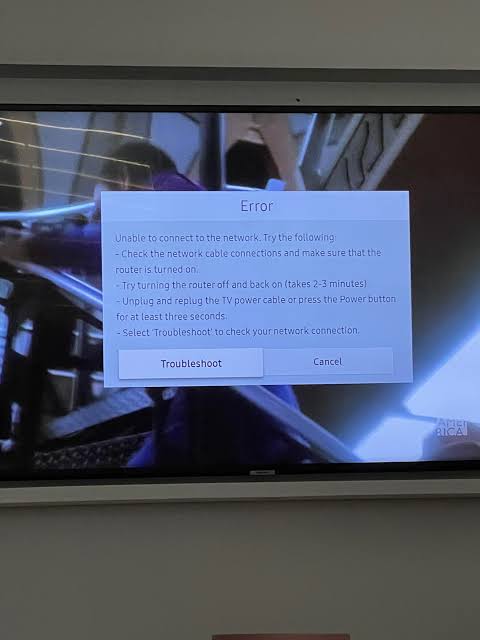
Don’t worry—your account hasn’t been banned, and your TV isn’t broken. The tvq-st-103 code is Netflix’s specific designation for a localized network failure. Essentially, the Netflix app on your device is shouting into a void and not getting a response from the internet. Below, we break down exactly how to restore your connection.
Why Does the tvq-st-103 Error Occur?
This error is almost exclusively related to your home network environment. It can be triggered by several common technical hiccups:
- Stale Network Cache: Smart TVs and consoles hold onto network data to load apps faster. If this data becomes corrupted, the TV will persistently try to use a dead connection pathway.
- IP Address Conflicts: If your router reboots or updates in the background, it might assign the TV an IP address that conflicts with another device in your home.
- ISP Routing Issues: Sometimes, your internet is working for browsing the web, but your Internet Service Provider is having trouble routing traffic specifically to Netflix’s Content Delivery Networks (CDNs).
Truist App Not Working? How to Fix Service Unavailable & Server Down Errors
Step-by-Step Troubleshooting
Because this is a localized network issue, you have full control over the solution. Follow these steps in order, testing Netflix after each one.
| Troubleshooting Step | Why It Works | How to Do It |
|---|---|---|
| 1. Power Cycle the Device | Clears corrupted RAM and forces the device’s network card to completely reset. | Unplug the TV/Console from the wall for 1 full minute. While unplugged, press and hold the power button on the device itself to discharge it. |
| 2. Reboot the Router | Clears ISP routing errors and reassigns a fresh, working IP address to your Smart TV. | Unplug your Wi-Fi router and modem for 30 seconds, plug them back in, and wait for all lights to turn green. |
| 3. Sign Out of Netflix | Re-authenticates your account token with Netflix servers, bypassing stale login data. | Inside the app, go to Settings > Sign out. Then log back in with your email and password. |
Advanced Fixes for Persistent Errors
If you have rebooted everything and the error persists, the issue might be your Wi-Fi signal strength. Video streaming requires a stable, uninterrupted connection. Try moving your router closer to the TV, or connect an Ethernet cable directly from the router to the TV for a hardwired, bulletproof connection.
For more detailed help on optimizing your home network for streaming, check out our guide to fixing Smart TV network drops. If you suspect Netflix itself might be having a global outage (which is rare but possible), you can verify their server status at the official Netflix Help Center.
TL;DR Summary
- The tvq-st-103 error is a generic network failure code meaning your device cannot reach Netflix servers.
- Always start by completely unplugging your TV/Console from power for 1 minute to clear the network cache.
- Restart your home Wi-Fi router to resolve any IP address conflicts or stale routing tables.
- If on Wi-Fi, ensure your signal is strong, or switch to a direct Ethernet connection to rule out wireless interference.
- Signing out of the Netflix app and signing back in can force a fresh server authentication token.
