
If you are asking, “Is TFT down?“, the answer usually depends on scheduled maintenance or unexpected Riot server outages. Because Teamfight Tactics shares a client with League of Legends, their server statuses are linked.
- Check Official Status: Always verify the current server health on the Riot Games Service Status page.
- Patch Day Maintenance: TFT patches typically drop every two weeks on Wednesdays. Servers go down early in the morning (usually around 3:00 AM PT) and take about 3 hours to come back online.
- Ranked Queue Disabled: If only Ranked is unavailable, it usually means a patch is about to be deployed or a ranked split is ending.
There is nothing worse than rolling down your gold for that crucial 3-star champion, only for the “Attempting to Reconnect” message to pop up. When Teamfight Tactics (TFT) stops working, players are left wondering if the problem is their own internet connection or a widespread issue on Riot Games’ end.
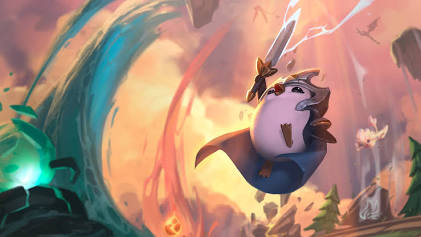
Because TFT is baked directly into the League of Legends client on PC (and shares backend infrastructure on mobile), an issue with League almost always means an issue with TFT. In this guide, we will cover how to check the Teamfight Tactics server status, common error codes, and troubleshooting steps you can take if the servers are actually fine.
Why Can’t I Play Teamfight Tactics?
When you cannot log in or queue up for a match, it is usually due to one of the following reasons:
- Scheduled Patch Deployment: Riot updates TFT on a strict bi-weekly schedule. During this time, the servers are brought down entirely to apply the new set or balance changes.
- Ranked Split Endings: Similar to League of Legends, when a ranked split concludes, ranked queues are disabled temporarily. Normal queues often remain active.
- Login Server Issues: Sometimes the game servers are fine, but the authentication servers are bottlenecked, preventing new players from logging into the Riot Client.
Scotiabank App Error Code 503: How to Fix Service Unavailable App Issues
Common Connection Errors and Solutions
If the official status page says everything is green, but you still cannot connect, use this table to diagnose the problem.
| The Problem | Probable Cause | How to Fix It |
|---|---|---|
| “Attempting to Reconnect” in-game | Your local network dropped packets, or ISP routing issues. | Restart your router, switch to a wired ethernet connection, or try flushing your DNS. |
| TFT Mobile App Won’t Load | Outdated app version or cache corruption. | Check the App Store/Google Play for updates, clear the app cache, or reinstall. |
| Stuck on “Authenticating” | Riot login servers are overloaded. | Check the Riot Support Twitter. Usually, you just have to wait in the queue. |
Where to Find Real-Time Updates
If you suspect a widespread outage, your best bet is to check real-time community reports and official channels. The Riot Games Service Status page allows you to select your specific region (like NA, EUW, or OCE) to see localized server issues.
If the servers are operational but you are still experiencing high ping or disconnection issues, the problem might be on your end. You can resolve many persistent network errors by following our detailed guide to optimizing your network connection for online gaming, which includes tips on port forwarding for Riot Games.
TL;DR Summary
- To find out is TFT down, check the official Riot Games Service Status page for the League of Legends PC client.
- Scheduled maintenance happens every other Wednesday morning to deploy new patches and sets.
- If only the Ranked queue is disabled, Riot is likely preparing for an incoming update or ending a ranked split.
- If servers are up but you cannot connect, troubleshoot your local internet connection by restarting your router or switching to a wired connection.
