
TL;DR: The 30-Second Summary
Your tickets first become visible inside the official FWC2026 Mobile Tickets app (rollout began May 18, 2026). However, the actual stadium entry barcode—the dynamic QR code—activates automatically 1 to 4 hours before stadium gates open on your specific matchday. Once downloaded inside the app, you do not need an active cellular or Wi-Fi connection at the turnstiles for the QR code to function.
If you managed to secure seats for the monumental FIFA World Cup 2026™ across the United States, Canada, and Mexico, congratulations! But as matchday draws near, you might be staring at your smartphone asking a very common operational question: when do FIFA tickets actually activate?
Because FIFA operates a strictly mobile-only entry tournament, traditional paper tickets, print-at-home PDFs, and static email screenshots will get you turned away at the security perimeter. Understanding the precise digital timeline between purchasing your seat and scanning into the stadium is crucial for a smooth experience. As an event tech specialist and veteran tournament attendee, I’ve broken down the complete digital roadmap below.
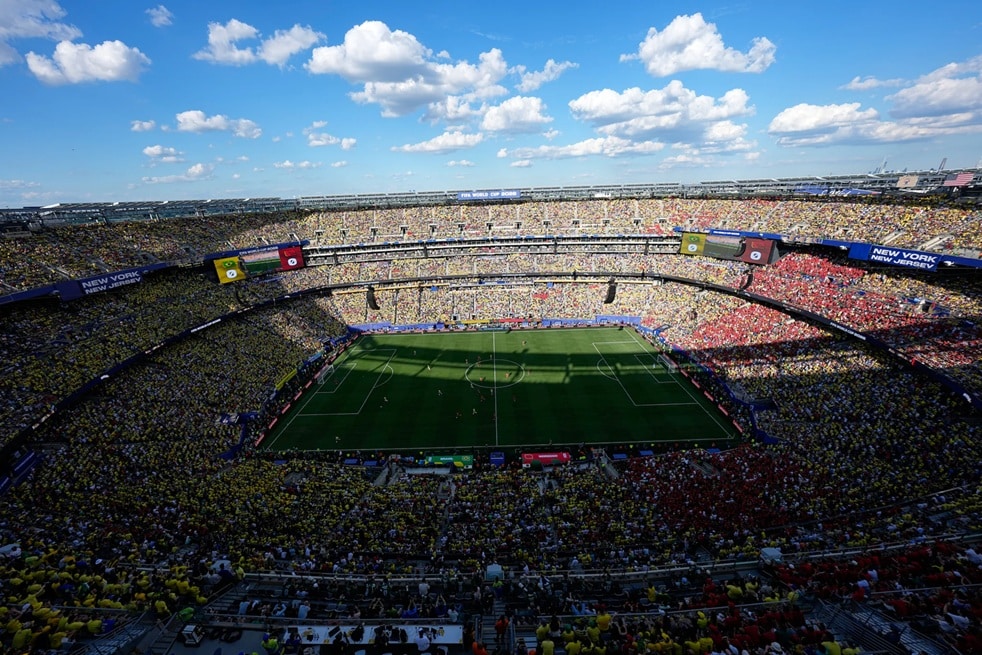
Stadium entry for the FIFA World Cup relies entirely on encrypted mobile passes rather than paper tickets.
💡 Quick Answer: When Do FIFA Tickets Activate?
FIFA ticket activation happens in two distinct technical phases:
- App Visibility (Phase 1): Your match metadata, seat numbers, and gate details appear inside the FWC2026 Mobile Tickets app once your batch is dispatched by FIFA.
- Gate Barcode Activation (Phase 2): The scannable entry QR code activates dynamically for security reasons exactly 1 to 4 hours prior to gate opening time on matchday.
1. The Digital Timeline: From Purchase to Kickoff
To combat ticket scalping, sophisticated counterfeit operations, and unauthorized third-party broker transfers, FIFA utilizes encrypted, dynamic ticketing. This means your ticket is a live digital token rather than a basic picture file.
Here is the exact operational sequence you should expect leading up to kickoff:
2. Step-by-Step: How to Access and Bind Your Account
Getting your tickets onto your personal device requires a secure authentication loop between your registered email and the official application. Follow these steps:
- Download the Correct Application: Search exclusively for “FWC2026 Mobile Tickets” on the Apple App Store or Google Play Store. Do not confuse this with the general “FIFA+” streaming and news app.
- Input Your Purchaser Email: Open the app and submit the exact email address used during the FIFA.com ticket ballot or general sales phase.
- Retrieve Your One-Time Passcode (OTP): FIFA’s automated system will instantly send a 6-digit verification code to your inbox. Submit this to bind the mobile device to your profile.
- Save Offline Pass Data: Navigate to the “My Tickets” tab. Tap “Download All” while connected to a stable home Wi-Fi network to cache the encrypted assets locally onto your phone storage.
3. Managing Guest Tickets: The “72-Hour Rule”
If you purchased tickets for a larger group, you hold the status of “Main Purchaser.” While you are technically allowed to keep all passes on your single smartphone and swipe your entire party through the turnstiles one by one, distributing them directly to your guests’ devices is highly recommended to prevent long entry queues.
How In-App Transfers Work:
Inside your ticket management interface, tap “Send” and input your recipient’s email address. You can dispatch up to 10 guest passes simultaneously.
4. Troubleshooting Common Matchday Barcode Errors
With tens of thousands of mobile clients pinging nearby access points simultaneously, technical bottlenecks can occur. Refer to our troubleshooting matrix below to resolve sudden gate-side errors.
5. Essential Matchday Checklist
Before departing for the stadium concourse, ensure you have completed these four critical preparations:
- Charge Battery to 100%: Carry a compact pocket power bank. High-brightness digital ticketing screens and localized Bluetooth/NFC background pings accelerate battery drain.
- Enable Network Time Synchronization: If traveling across regional zones (e.g., Eastern to Pacific time), verify your smartphone OS is set to set time automatically. Encrypted tokens require an exact clock match with stadium servers to display.
- Never Rely on Static Images: Access barriers utilize visual moving animations and localized radio frequency verifications. A screenshot will trigger an immediate access denial.
- Carry Physical Identification: If your mobile pass fails completely and you require assistance at the customer support kiosks, ticketing personnel will only reissue a seat pass if your physical government ID or passport matches the Main Purchaser registry.

About the Author: Elena Rostova
Elena is a major-event infrastructure analyst and sports logistics consultant. She has covered digital access systems and crowd management protocols for the past three FIFA World Cup cycles and UEFA European Championships.


Pingback: TBH: Task Bar Hero Error 500 Explained & Fixed (2026 Guide) - Seminarsonly.com