
US Cellular error code 410 means an Android update did not finish. Here is what it means, why it happens and 7 quick fixes that clear it for good.
If your phone just slapped you with US Cellular error code 410 right after a software update, take a breath. Your phone is almost certainly fine. This is one of those annoying messages that looks scary, sticks around in your settings, and makes you think the whole update broke, when in reality the update usually went through. Below is the plain English version of what 410 means, why it pops up, and how to clear it in a few minutes.
Quick answer
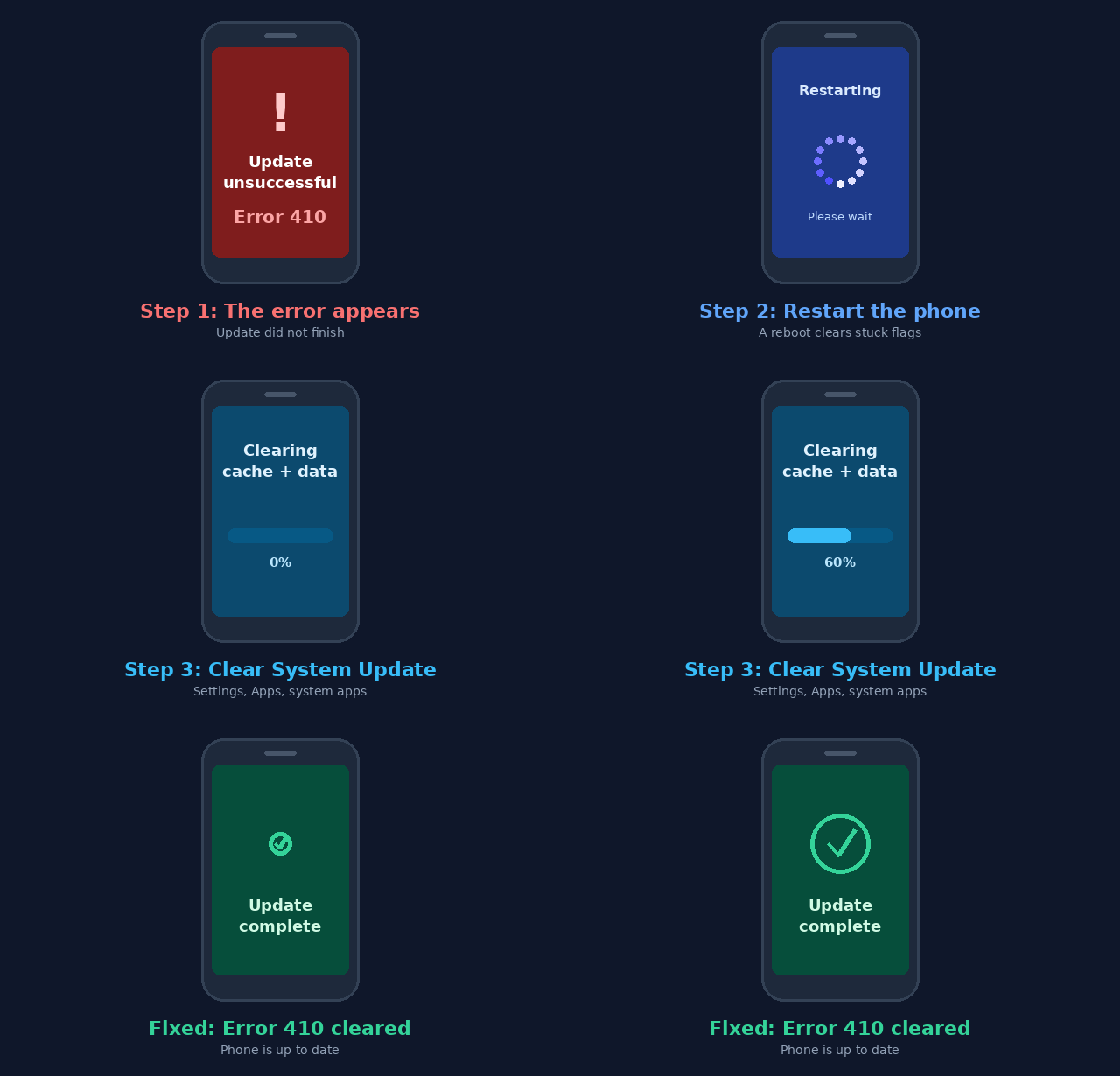
US Cellular error code 410 is an Android software update failure message (“Update unsuccessful, error code 410”). It usually appears when an update is interrupted, when the cache is cleared too early, or when storage runs low. In most cases the update actually installed, so the quick fix is to restart the phone, clear the cache and data of the System Update app, then check for updates again. If it still shows, reinstall the update over Wi-Fi or use Smart Switch.
On this page
What error code 410 means
In simple terms, 410 is your phone saying “I tried to update and something cut it off before I could finish.” On US Cellular Android phones (Samsung Galaxy models especially), the full message usually reads “Update unsuccessful. Your software update was not successful. Error code: 410.” Here is the catch that trips everyone up: the new version is often already installed. The error is a leftover flag, not always a broken phone.
| What you see | What it really means |
|---|---|
| Update unsuccessful, code 410 | The update process was interrupted or the cache was cleared too early |
| Error stays after reboot | A stuck flag in the System Update app, often cosmetic |
| Phone still works normally | The version usually installed; you just need to clear the flag |
| “No update available” when you recheck | You are already on the latest build, confirming the install worked |
Why error 410 happens
A handful of common situations set off this code. None of them mean your phone is dying.
| Cause | How likely |
|---|---|
| Cache or system cache cleared before the update finished | Very common |
| Weak Wi-Fi dropped during download or install | Very common |
| Not enough free storage for the update package | Common |
| Battery dropped too low mid update | Common |
| Server side hiccup during a wide rollout | Occasional |
7 quick fixes that work
Work through these in order. Most people clear the error by step 3.
1. Restart the phone
Hold the power button, restart, and let it boot fully. A simple reboot clears the stuck flag more often than you would expect.
2. Check what version you are on
Go to Settings, About phone, Software information. If it already shows the new version, the update worked and you only need to clear the leftover error.
3. Clear cache and data of the update apps
Open Settings, Apps, tap the three dot menu and turn on Show system apps. Find System Update and Software Update, then clear both cache and data for each. Restart and check again. This is the fix that solves most 410 cases.
4. Free up storage
Aim for at least 3 GB to 5 GB free. Delete old downloads, clear large app caches, and move photos to the cloud, then retry the update.
5. Use stable Wi-Fi and charge up
Connect to strong Wi-Fi, plug into a charger or stay above 50 percent battery, then run the update again from Settings, Software update, Download and install.
6. Reinstall the update manually
If the prompt still appears, choose Download and install one more time so the system can patch over the incomplete files cleanly.
7. Update with Smart Switch on a computer
For Samsung devices, install Smart Switch on a PC or Mac, connect by cable, and let it reinstall the firmware. This is the most reliable way to force a clean update and wipe the error.
Still stuck? Do this
If the error returns after every fix, back up your data and try wiping the cache partition from recovery mode, then let the update finish completely before touching the cache again. Clearing the cache too soon is the single biggest cause of code 410 coming back. As a last resort, a factory reset clears it, but only do that after a full backup.
When to contact US Cellular
If the phone is actually misbehaving, not just showing a leftover message, reach out for support.
| Option | Details |
|---|---|
| Customer service | Call 888 944 9400 for account and device help |
| Support site | Visit the UScellular support and help center online |
| In store | A retail location can flash firmware if the update keeps failing |
Frequently asked questions
Does error code 410 mean my update failed?
Not always. In most cases the new version installed fine and 410 is just a stuck flag. Check your software version in Settings to confirm before reinstalling.
What is the fastest fix for US Cellular error 410?
Restart the phone, then clear the cache and data of the System Update app under Settings, Apps with system apps shown, and check for updates again.
Why does the error come back after I clear it?
Usually because the cache was cleared before the update fully finished. Let the install complete entirely, wait for the success message, then leave the cache alone.
Will a factory reset fix error code 410?
Yes, it clears the error, but it should be your last step. Back up everything first and try the cache and Smart Switch fixes before resetting.
Is error 410 a sign my phone is damaged?
No. It is a software update message, not a hardware fault. If the phone otherwise works normally, you are simply clearing a leftover error.
Tip: bookmark this page before you start so you can follow the steps while your phone restarts.

Pingback: Roblox IAS Player-Script Migration: Common Errors and How to Fix Them - Seminarsonly.com
Pingback: What is Error Code 408 on US Cellular? (2026 guide) - Seminarsonly.com