
⚡ Quick Answer: How to Perform a 2002 Voter List Search by Name
You can search the historic 2002 Special Intensive Revision (SIR) Voter List online through the Election Commission of India’s centralized archive or your respective State CEO website.
- Visit the official ECI Citizen Service Portal: https://voters.eci.gov.in
- Navigate to the dedicated “Search in Last SIR E-Roll” or “SIR 2002 Search” tab.
- Select your State, District, and Assembly Constituency (AC).
- Enter your exact Full Name (or parent/grandparent’s name) in English or your state’s native language.
- Solve the Captcha and click Search to instantly view your legacy Part Number and Serial Number.
With the Election Commission of India (ECI) rolling out the nationwide Special Intensive Revision (SIR), performing a 2002 Voter List Search by Name has become one of the most critical digital verification tasks for Indian citizens. Because local Booth Level Officers (BLOs) are actively mapping current electoral data back to the legacy 2002 reference rolls, verifying your historical family entry is essential to ensure a seamless, error-free voter registration.
Whether you are verifying your own records, tracing ancestral details to establish legacy citizenship proofs, or resolving a Blo door-to-door mapping anomaly, this authoritative guide walks you through the exact official steps, direct portal links, and documentation requirements.
1. Why is the 2002 Voter List So Crucial Right Now?
The 2002 Electoral Roll serves as the official historical benchmark for the ECI’s modern house-to-house pre-mapping exercise. If you or your family members were registered voters during or prior to the 2002 Special Intensive Revision, finding your legacy record allows you to bypass complex reverification procedures.
- Automatic Pre-Mapping: Electors whose current details successfully match the 2002 database do not need to submit additional paperwork during annual summary revisions.
- Resolving ERO Notices: If you receive an anomaly notice from the Electoral Registration Officer (ERO), quoting your 2002 Part and Serial Number instantly resolves the discrepancy.
- Establishing Ancestry: For younger voters enrolled after 2003–2004, locating a parent or grandparent’s 2002 voter entry establishes clear generational residency.
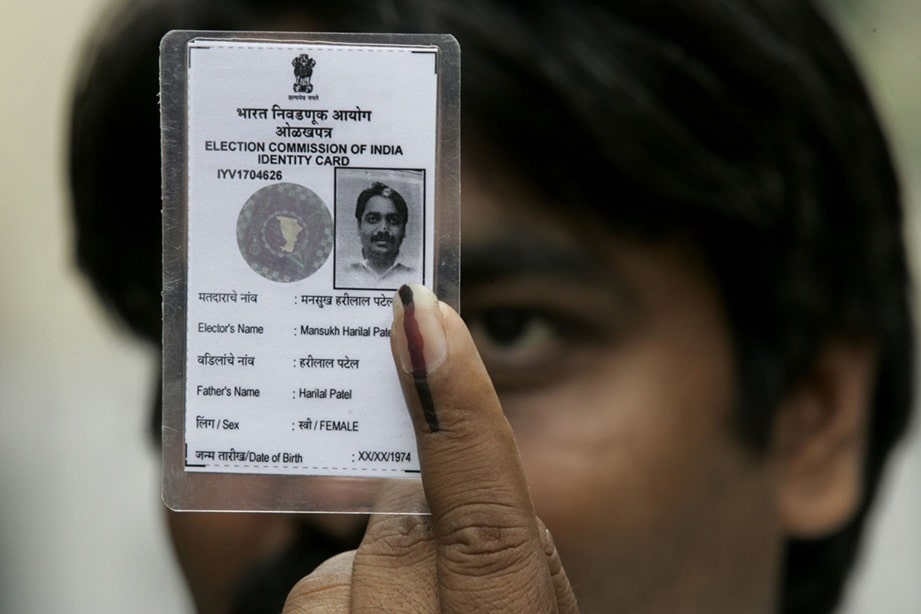
2. Official Search Parameters: What Details Do You Need?
Before opening the portal, gather your legacy documents. To successfully query the legacy database without experiencing “Record Not Found” errors, you can utilize three distinct search methodologies:
| Search Method | Mandatory Input Fields | Best Used For |
|---|---|---|
| Search by Details (Name) | State, District, Assembly Constituency, Full Name, Relative’s Name, and Approximate Age in 2002. | Citizens who lost their old physical Voter ID cards. |
| Search by EPIC No. | Legacy EPIC Number (Voter ID code issued prior to 2002) and State. | Fast, exact database matching. |
| Polling Station PDF Archive | District Name and exact Polling Booth / School Name. | Manual scanning when name spellings have changed. |
3. Step-by-Step Guide: Searching the 2002 Roll Online
Follow these verified steps to locate your legacy electoral entry safely:
- Navigate to the Central Portal: Open a secure browser and go strictly to the official web address:
https://voters.eci.gov.in. Ensure the domain ends in .gov.in to avoid phishing traps. - Select the Archive Service: Look on the homepage dashboard for the link reading “Search in Last SIR E-Roll” (often highlighted in state-specific portals like CEO Kerala, CEO Odisha, or CEO West Bengal as SIR 2002 Voter Search).
- Use Native Language Formatting: If searching by name, use the built-in transliteration tool. Entering names in the local regional script (e.g., Malayalam, Bengali, Hindi, or Telugu) yields a significantly higher match rate than English approximations.
- Input Relative Data: Always enter the exact Father’s or Husband’s name as it was spelled two decades ago.
- Download the Extract: Once the system returns your match, click “View Details” and print the official E-Roll extract. Keep this record handy for your local Booth Level Officer (BLO).
4. What If Your Name is Missing from the 2002 List?
If an online search yields no results due to data migration gaps or spelling mismatches, do not panic. Under official ECI standard operating procedures, you can establish your historical record by presenting alternate legacy documents to your ERO:
- Pre-1987 or Pre-2004 Official IDs: Any government identity card, public sector bank passbook, Post Office passbook, or LIC policy issued prior to December 2004.
- Land & Revenue Records: Registered deeds, historical property tax receipts, or government land allotment certificates.
- Educational Certificates: State Board Matriculation (10th standard) passing certificates mentioning your date and place of birth.
- Local Authority Registers: Certified extracts from local Gram Panchayat Family Registers or municipal birth archives.
📌 TL;DR Summary: The 30-Second Takeaway
The 2002 Voter List Search by Name is an essential online step for Indian citizens navigating the modern Special Intensive Revision (SIR) verification.
- Where to look: Strictly use voters.eci.gov.in or your official State CEO online portal.
- Why it matters: Finding your 2002 Part and Serial Number instantly authenticates your long-term citizenship/residency and maps your profile securely.
- Pro tip: Search using your state’s local regional script rather than English, or query using legacy family EPIC numbers for immediate results.
- Backup plan: If your digital record is missing online, historical land records, pre-2004 matriculation certificates, or old post-office passbooks serve as entirely valid legal substitutes.
