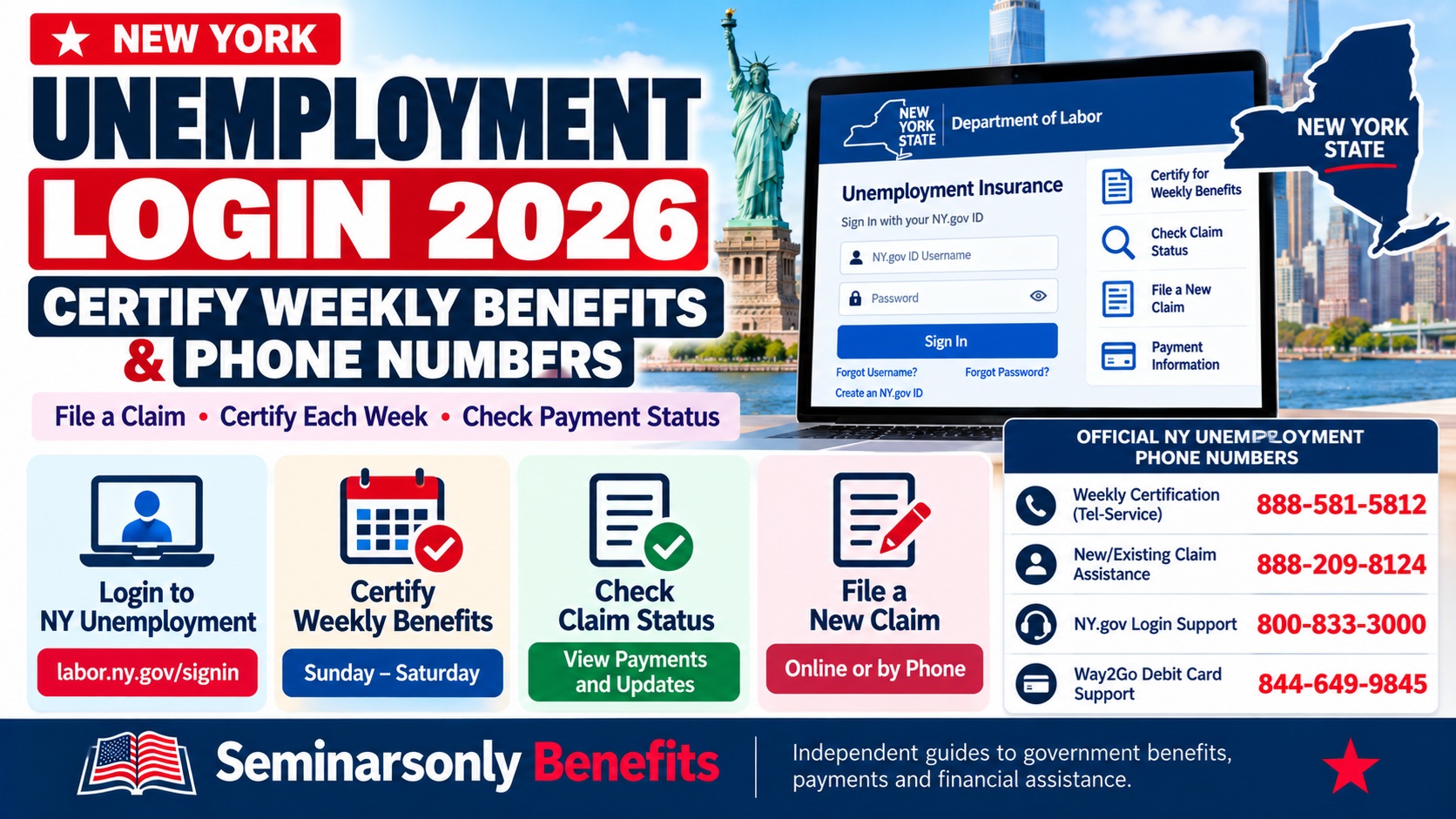
NY Unemployment Login 2026: Certify Weekly Benefits, Check Claim Status and Phone Number
Quick Answer: How Do I Certify for NY Unemployment Benefits?
To certify for New York unemployment benefits, visit labor.ny.gov/signin, sign in using your NY.gov ID, select Unemployment Services, then choose Certify to Claim Your Weekly Benefits Here. Answer the weekly eligibility questions and submit your certification. You can also certify by calling 888-581-5812. For help with an existing claim or to file by phone, call 888-209-8124. For NY.gov login problems, call 800-833-3000.
If you have filed an unemployment insurance claim in New York, you generally need to certify every week you remain unemployed and meet the program’s eligibility requirements.
Certifying means confirming your unemployment status, reporting any work and earnings, and answering questions about your availability and work search activities.
This guide explains how to use the NY unemployment login, certify weekly benefits, file a new claim, check payment status and contact the correct NYSDOL support number.
- NY unemployment login
- Certify weekly benefits online
- Weekly certification schedule
- Official phone numbers
- File a new unemployment claim
- Weekly certification questions
- Check claim and payment status
- Part-time work and earnings
- Login and certification problems
- Missing weekly payments
- Frequently asked questions
NY Unemployment Login: Official NY.gov Sign-In
The New York State Department of Labor uses NY.gov ID for online unemployment insurance services.
The official sign-in address is:
https://www.labor.ny.gov/signin
After signing in, you can access unemployment services, view benefit payment information, send secure messages and manage certain payment preferences.
Step-by-Step NY Unemployment Login
Step 1: Open the Official Login Page
Go to labor.ny.gov/signin. Avoid third-party sites asking for your Social Security number or NY.gov password.
Step 2: Enter Your NY.gov ID
Enter the username and password associated with your existing NY.gov account.
Step 3: Complete Security Verification
Follow any required authentication instructions to access your account securely.
Step 4: Select Unemployment Services
On the My Online Services page, choose Unemployment Services.
Step 5: Select the Service You Need
Choose the available option to certify weekly benefits, view payment history, file a claim or manage your unemployment account.
How to Certify Weekly Unemployment Benefits in New York
Filing an initial unemployment claim and certifying weekly benefits are two separate steps.
After filing your initial claim, NYSDOL instructs you to begin certifying when notified and to continue doing so each week you are unemployed and meet the requirements.
Online Weekly Certification Instructions
- Visit labor.ny.gov/signin.
- Enter your NY.gov username and password.
- Choose Unemployment Services.
- Click Certify to Claim Your Weekly Benefits Here.
- Review the questions about the week being claimed.
- Report work, earnings and other required information accurately.
- Confirm your answers and submit the certification.
- Check your account afterward for updated payment information.
Do not skip a weekly certification because your initial claim is still being processed. Continue following NYSDOL’s instructions while waiting for a determination.
Certify Weekly Benefits by Phone
If you cannot use the online system, call the automated Tel-Service line:
NYSDOL weekly unemployment certification and payment-status line.
Follow the automated prompts. You will generally need your Social Security number and unemployment insurance PIN.
When prompted, choose the option for claiming weekly benefits or other claim services.
Make sure the answers you give by phone are accurate and complete.
When Can You Certify for NY Unemployment Benefits?
For New York unemployment insurance, the benefit week runs from Monday through Sunday.
You certify for that week during the window beginning on the Sunday the week ends and continuing through the following Saturday.
| Certification Detail | New York Rule |
|---|---|
| Unemployment benefit week | Monday through Sunday |
| First day to certify for that week | Sunday, the final day of the benefit week |
| Last day of the regular certification window | Following Saturday |
| Sunday certification | Applies to the week ending that Sunday |
| Weekly certification required? | Yes, while unemployed and meeting eligibility requirements |
NY Unemployment Online Certification Hours
| Day | Published Online Certification Hours (Eastern Time) |
|---|---|
| Sunday | 12:01 a.m. to midnight |
| Monday–Friday | 7:30 a.m. to midnight |
| Saturday | 12:01 a.m. to midnight |
NYSDOL’s Tel-Service guidance publishes similar certification windows. Temporary maintenance or service interruptions may affect availability.
NY Unemployment Phone Numbers: Complete Contact Chart
Different NYSDOL phone lines handle weekly certification, new claims, account access and payment-card questions.
| Service | Phone Number | Purpose |
|---|---|---|
| Weekly benefits certification | 888-581-5812 | Automated weekly claims and payment information |
| Telephone Claims Center | 888-209-8124 | New claims and existing claim questions |
| NY.gov login help | 800-833-3000 | Username, password and account access issues |
| Way2Go debit card | 844-649-9845 | Debit-card customer service |
| Fraud reporting | 888-598-2077 | Report suspected unemployment insurance fraud |
| Hearing or speech assistance | 888-783-1370 | Telephone Claims Center assistance through applicable relay arrangements |
| TTY/TDD relay | 800-662-1220 | Ask the relay operator to connect you to 888-783-1370 |
Telephone Claims Center Hours
The Telephone Claims Center at 888-209-8124 operates Monday through Friday, 8:00 a.m. to 5:00 p.m. Eastern Time, according to NYSDOL.
For assistance with an NY.gov account, the Department of Labor Contact Center at 800-833-3000 publishes hours of Monday through Friday, 8:30 a.m. to 4:30 p.m. Eastern Time.
Weekly automated certification is available through the published Tel-Service schedule.
How to File a New NY Unemployment Claim
If you have recently lost your job or experienced a reduction in work, you may need to file an initial unemployment insurance claim before you can certify for weekly benefits.
Filing a new claim is different from requesting payment for an existing benefit week.
Information to Prepare Before Filing
- Your Social Security number.
- Your current mailing address and contact information.
- Details about your recent employers and employment dates.
- Information about your separation from employment.
- Applicable work authorization information.
- Banking information if you want to arrange direct deposit.
- Any other information requested by NYSDOL.
Review the official claimant handbook for the complete list relevant to your circumstances.
File a Claim Online
- Visit the NYSDOL login page.
- Sign in or create your NY.gov ID.
- Choose Unemployment Services.
- Select the option to file a new unemployment insurance claim.
- Complete the application accurately.
- Submit the claim and retain any confirmation information.
- Follow instructions for identity verification and weekly certification.
Official New York Claim Process
File a New Claim by Phone
Call 888-209-8124 during Telephone Claims Center business hours.
NYSDOL provides interpreter assistance for many languages. Follow the telephone menu for the appropriate language option.
What Questions Are Asked During Weekly Certification?
When certifying, you are confirming that you met the unemployment insurance requirements for the week.
The system may ask about:
- Whether you worked during the week.
- How many hours you worked.
- Whether you earned wages or other reportable income.
- Whether you were ready, willing and able to work.
- Whether you refused an offer of work.
- Whether you completed the required work search activities.
- Whether you were unavailable for work for any reason.
- Other eligibility circumstances relevant to your claim.
Answer according to your actual circumstances, even if you believe an answer might reduce your benefit.
Incorrect certification can cause overpayments, repayment obligations, penalties or disqualification.
Work Search Requirements
NYSDOL generally requires claimants to complete at least three qualifying work search activities each week or follow an approved work search plan, unless an applicable exemption or alternative requirement applies.
Maintain records of your activities as required by the department.
Examples may include applying for suitable jobs, participating in interviews, attending approved employment services or completing other recognized work search activities.
Consult NYSDOL’s current work search guidance for acceptable activities and recordkeeping requirements.
How to Check NY Unemployment Claim Status and Payment History
You can review benefit payment information through your NY.gov unemployment account.
Check Claim Status Online
- Sign in at labor.ny.gov/signin.
- Select Unemployment Services.
- Open the available payment history or claim information section.
- Review the weeks certified and any payment entries.
- Check for messages or requests for additional information.
The department may contact you to request documentation, identity verification or answers to questions about your eligibility.
Respond promptly to official requests to avoid unnecessary delays.
Check Payment Status by Phone
Call 888-581-5812 and follow the Tel-Service prompts for payment information.
NYSDOL’s Tel-Service line supports both weekly certifications and benefit payment status inquiries.
How Long Does NY Unemployment Take to Pay?
NYSDOL states that many claims receive their first payment within approximately two to three weeks, although claims requiring additional review can take longer.
This is not a guaranteed processing deadline.
Possible reasons for a delay include:
- Identity verification is incomplete.
- The department needs more information about job separation.
- Reported wages require review.
- Eligibility questions remain unresolved.
- Required weekly certifications are missing.
- Additional documents or questionnaires have not been returned.
Continue certifying while following the department’s instructions. You may be eligible for payment for properly certified weeks once a claim issue is resolved.
Can You Work Part-Time and Still Collect NY Unemployment?
Possibly. New York has partial unemployment rules that can allow eligible claimants to receive reduced benefits while working part-time.
The amount payable depends on the hours worked, earnings and other eligibility requirements.
You must report work accurately, including certain self-employment, freelance, temporary and unpaid activities when the program’s rules require them to be reported.
Review the current NY Unemployment Claimant Handbook for the reporting rules that apply to your situation.
NY Unemployment Login Not Working? How to Fix Common Errors
NY.gov sign-in problems can prevent you from accessing weekly certification or payment history.
Try the following solutions based on the type of error.
| Login Problem | Recommended Action |
|---|---|
| Forgot username | Use the official NY.gov username recovery process. |
| Forgot password | Reset your password using NY.gov account recovery. |
| Account administratively disabled | Certify by phone for the current week and contact NY.gov help. |
| Social Security number linked to another account | Recover the original NY.gov username used for unemployment services. |
| VPN or proxy detected | Turn off VPN, proxy or anonymizer and retry. |
| Browser or session error | Try the department’s cache-clearing guidance and sign in again. |
| Cannot access old email | Contact NY.gov help at 800-833-3000. |
| Unable to certify online | Use the automated phone line at 888-581-5812. |
Account Selected for Additional Authentication
If NYSDOL says your NY.gov account has been administratively disabled or selected for additional authentication, the department advises unemployment claimants to certify by phone for the current week.
Call 888-581-5812 to certify and 800-833-3000 for account assistance.
Have your Social Security number and telephone claim PIN available when using the automated certification service.
Forgot Your NY.gov Username?
Use the official recovery process and the email address associated with the account previously used for unemployment services.
If you have multiple NY.gov accounts, remember that only one unemployment services account can be associated with a particular Social Security number.
Creating another account may not resolve an existing account-linking problem.
NY Unemployment Weekly Benefits Not Paid: What to Do
If your weekly unemployment payment is missing, check whether you completed the certification for the correct benefit week.
Step 1: Check Your Certification
Sign in to your unemployment account and review the relevant week’s information.
Step 2: Check Payment History
Look for any payment entry, processing status or messages.
Step 3: Review Department Requests
Respond to questionnaires, identity verification requests or other official communications.
Step 4: Confirm Your Payment Method
If you receive direct deposit, verify that your account information is correct. If you use a Way2Go debit card, review the card account and transaction history.
Step 5: Contact the Correct Support Line
Call the Telephone Claims Center at 888-209-8124 for a claim-specific question that cannot be resolved online.
If the issue concerns a Way2Go card, contact its customer service line at 844-649-9845.
NY Unemployment Debit Card and Direct Deposit
New York unemployment claimants may receive benefits through available payment methods, including direct deposit and the state’s designated debit-card program.
For direct deposit questions, sign in to the official unemployment account and review the applicable payment settings.
For Way2Go debit-card problems, NYSDOL directs claimants to GoProgram.com, the Way2Go Card app or the customer service number listed on its unemployment contact page.
Never share your debit-card PIN or full account credentials with unsolicited callers.
How to Send a Secure Message to NYSDOL
If you have a claim-specific question that is not answered in the department’s guidance, you may send a secure message through your NY.gov account.
- Sign in to labor.ny.gov/signin.
- Locate the Messages or inbox section.
- Choose the option to compose a new message.
- Select the subject matching your question.
- Describe the issue clearly and provide the requested details.
- Review the account for a response.
Avoid sending your Social Security number or financial information through ordinary unsecured email.
How to Avoid NY Unemployment Login Scams
Fraudsters sometimes imitate government agencies using text messages, emails or websites that look similar to official portals.
Protect your account by following these precautions:
- Start from the official labor.ny.gov or dol.ny.gov website.
- Do not pay anyone to release unemployment benefits.
- Never share your NY.gov password or verification code.
- Do not provide your debit-card PIN to an unsolicited caller.
- Verify unusual requests through the official department contact page.
- Report suspected unemployment insurance fraud using NYSDOL’s official reporting channels.
Frequently Asked Questions About NY Unemployment Login and Weekly Benefits
What Is the Official NY Unemployment Login Website?
The official NYSDOL login is labor.ny.gov/signin. You need an NY.gov ID to access online unemployment services.
What Phone Number Do I Call to Certify Weekly Benefits?
Call 888-581-5812 for automated New York unemployment weekly certification.
What Is the NY Unemployment Claims Phone Number?
The Telephone Claims Center number is 888-209-8124. Its published hours are Monday through Friday, 8 a.m. to 5 p.m. Eastern Time.
What Is the NY.gov Login Help Phone Number?
Call 800-833-3000 for NY.gov account access problems related to Department of Labor services.
What Day Do I Certify for NY Unemployment?
You can certify beginning on the Sunday the benefit week ends, through the following Saturday.
Can I Certify for NY Unemployment on Sunday?
Yes. A Sunday certification is for the unemployment benefit week ending that same day.
Do I Need to Certify Every Week?
Yes. Continue certifying each week you are unemployed and meet the eligibility requirements, following NYSDOL’s instructions.
Can I Certify While My Claim Is Pending?
Yes. NYSDOL generally instructs claimants to continue weekly certifications while their claim is being processed, once notified to begin certifying.
Can I Certify by Phone Without Logging In?
Yes. Call the automated Tel-Service number, 888-581-5812, and follow the instructions.
What If I Forgot My NY Unemployment PIN?
Contact the Telephone Claims Center at 888-209-8124 and use the appropriate PIN assistance option.
Why Is My NY Unemployment Account Locked?
Possible causes include security restrictions, additional authentication requirements or account issues. Use the official login-help guidance and call 800-833-3000 if necessary.
How Can I Check My NY Unemployment Payment Status?
Sign in to your unemployment services account or use the automated Tel-Service number, 888-581-5812.
How Long Does It Take to Receive NY Unemployment Benefits?
NYSDOL says many initial payments are made within approximately two to three weeks, but claims requiring additional review may take longer.
Can I Receive Unemployment If I Work Part-Time?
You may qualify for partial benefits depending on your hours, earnings and other eligibility conditions. Report all work accurately.
Who Do I Call About My NY Unemployment Debit Card?
For the Way2Go unemployment debit card, NYSDOL lists 844-649-9845.
Official New York State Sources
- NYSDOL — Certify for Weekly Unemployment Insurance Benefits
- NYSDOL — Official Online Services Login
- NYSDOL — Unemployment Insurance Contact Information
- NYSDOL — Login Help
- NYSDOL — Unemployment Claimant Benefit Process
- NYSDOL — Unemployment Insurance Claimant Handbook
- NYSDOL — Using the Tel-Service Line
Related USA Benefits Guides
- Kemp $350 Cash Assistance Update and Phone Number
- 2027 Social Security Benefits Increase Chart
- LIHEAP Heating Assistance 2026–2027
- WIC Income Guidelines 2026–2027
TL;DR — NY Unemployment Login and Weekly Certification
- Official login: labor.ny.gov/signin
- Weekly certification: Sign in, choose Unemployment Services and select the weekly benefits certification option.
- Certify by phone: 888-581-5812.
- Claims assistance: 888-209-8124.
- NY.gov login help: 800-833-3000.
- Way2Go debit card: 844-649-9845.
- Benefit week: Monday through Sunday.
- Certification window: Sunday through the following Saturday.
- Work search: Generally three qualifying activities weekly or an approved work search plan, unless an exception applies.
- Claim pending? Continue weekly certifications as instructed by NYSDOL.
- Login not working? Use account recovery, turn off VPN or proxy services, or certify by telephone.